Unlock Version
Lock Version
Changelog for QGIS 4.0
Release date: 6 March, 2026
The wait is over! QGIS 4.0 is here!
QGIS (https://qgis.org) is the world's most popular (open source) desktop Geographical Information System (GIS). It is used by people around the world to view, edit, analyse and share spatial data. It can produce professional-grade cartography products and supports hundreds of spatial data formats. QGIS is a member project of OSGEO, the Open Source Geospatial Foundation that is democratising access to spatial platforms (https://osgeo.org).
Since our humble beginnings over 20 years ago, our project keeps growing stronger - both in terms of the software offering and in terms of our strong, diverse and vibrant community that supports and benefits from QGIS around the world.
We are really pleased to announce the new major release of QGIS 4.0, which represents the successful culmination of a long-planned technical migration, transitioning the core of QGIS onto the Qt6 framework.
On the surface, existing users should expect to engage with a GIS experience familiar to what they have come to know and love from previous QGIS releases. Under the hood, however, it introduces significant changes to maintainability and usability. These changes ensure that QGIS 4.0 can unlock additional access to modern libraries while bringing much-needed performance and security improvements to the codebase.
To ensure a smooth transition for our vibrant ecosystem, we have retained deprecated APIs where possible, minimising the effort required for plugin developers to update their tools. While some legacy APIs (such as the Processing API from QGIS 2.x) will not be guaranteed future support and backwards compatibility throughout the lifespan of the QGIS 4.x series, developers supporting existing plugins can easily ensure their plugins are compatible with the new release using the Qt6 compatibility guide.
While preparation for the QGIS 4.0 migration has been underway, the developer community has added over 100 new features across the application, making QGIS more powerful, more flexible, more secure, and generally just more awesome. Adjacent to developments associated with the codebase, the budding community of QGIS users has continued to share resources, including projects, styles, scripts, and more, leading to an exciting period of growth for the revamped QGIS Hub and associated community sites.
If you want to see more about our release, check out our community sharing the announcement!
For a whirlwind tour of all the new functionalities introduced in this release, you can view the highlight reel video on YouTube, and for a detailed rundown of the new features and improvements, please check out the visual changelog for this release.
QGIS is a community effort, and we would like to extend a big thank-you to the developers, documenters, testers, and the many folks out there who volunteer their time and effort (or fund others to do so) to make these releases possible. From the QGIS community, we hope you enjoy this release!
If you wish to donate time, money, or otherwise contribute towards making QGIS more awesome, please wander along to QGIS.ORG and lend a hand!
QGIS is supported by donors and sustaining members. A current list of donors who have made financial contributions, large or small, to the project can be seen on our list of donors. If you would like to become an official project sustaining member, please visit our sustaining member page for more details. Sponsoring QGIS helps us to fund our regular developer meetings, maintain project infrastructure, and fund bug-fixing efforts. A complete list of current sponsors is provided below - our very big thank you to all of our sponsors!
QGIS is free software, and you are under no obligation to pay anything to use it - in fact, we want to encourage people far and wide to use it regardless of their financial or social status - we believe that empowering people with spatial decision-making tools will result in a better society for all of humanity.
Temporal
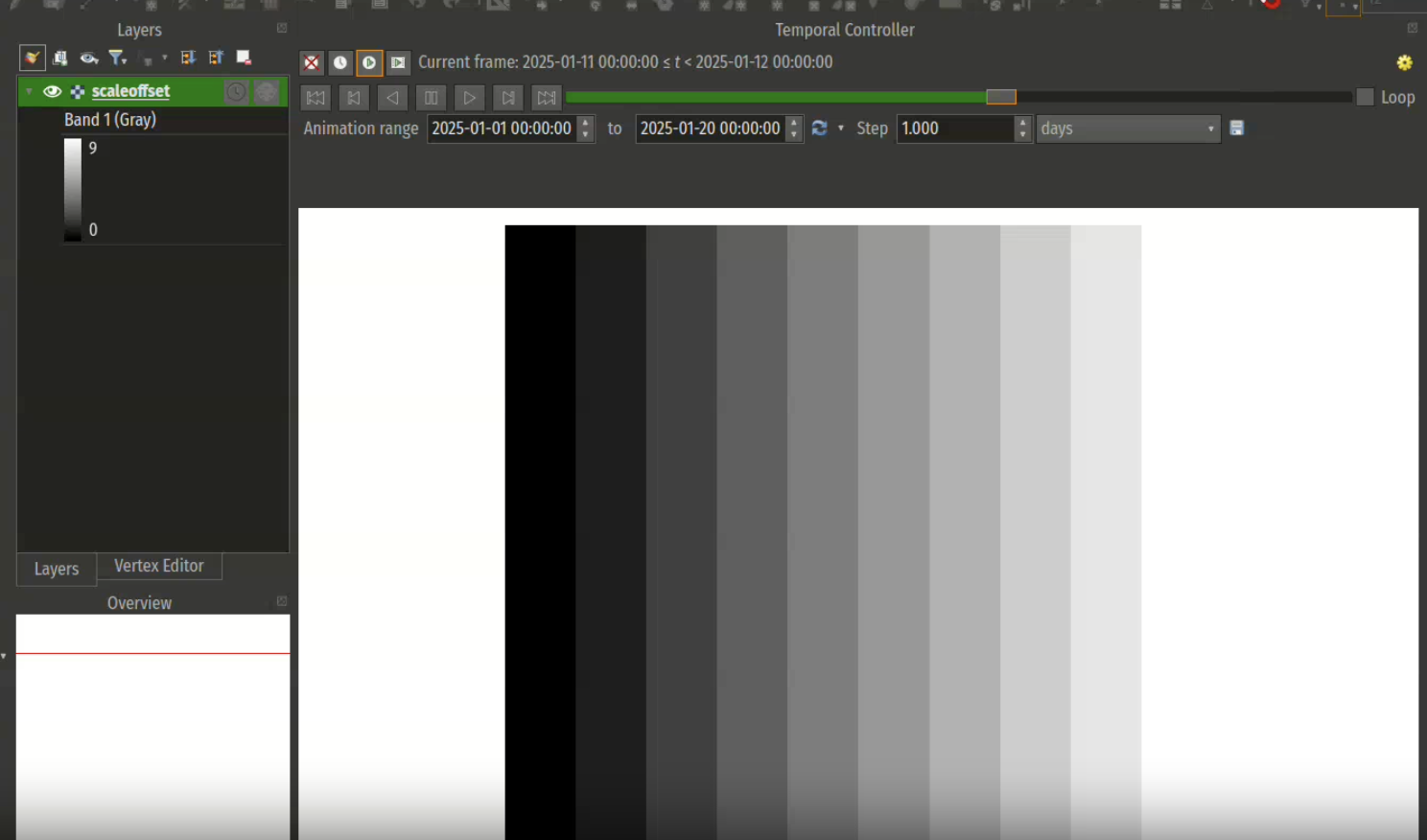
A new accumulate pixels option has been added that is available when a raster layer temporal mode is set to represent temporal values. This mimics the vector layer counterpart, where features can accumulate over time when a feature's temporal state is represented by a single date/time field.
This is especially useful in animated temporal navigation when intertwining vector and raster layers.
This feature was developed by Mathieu Pellerin
Map Tools
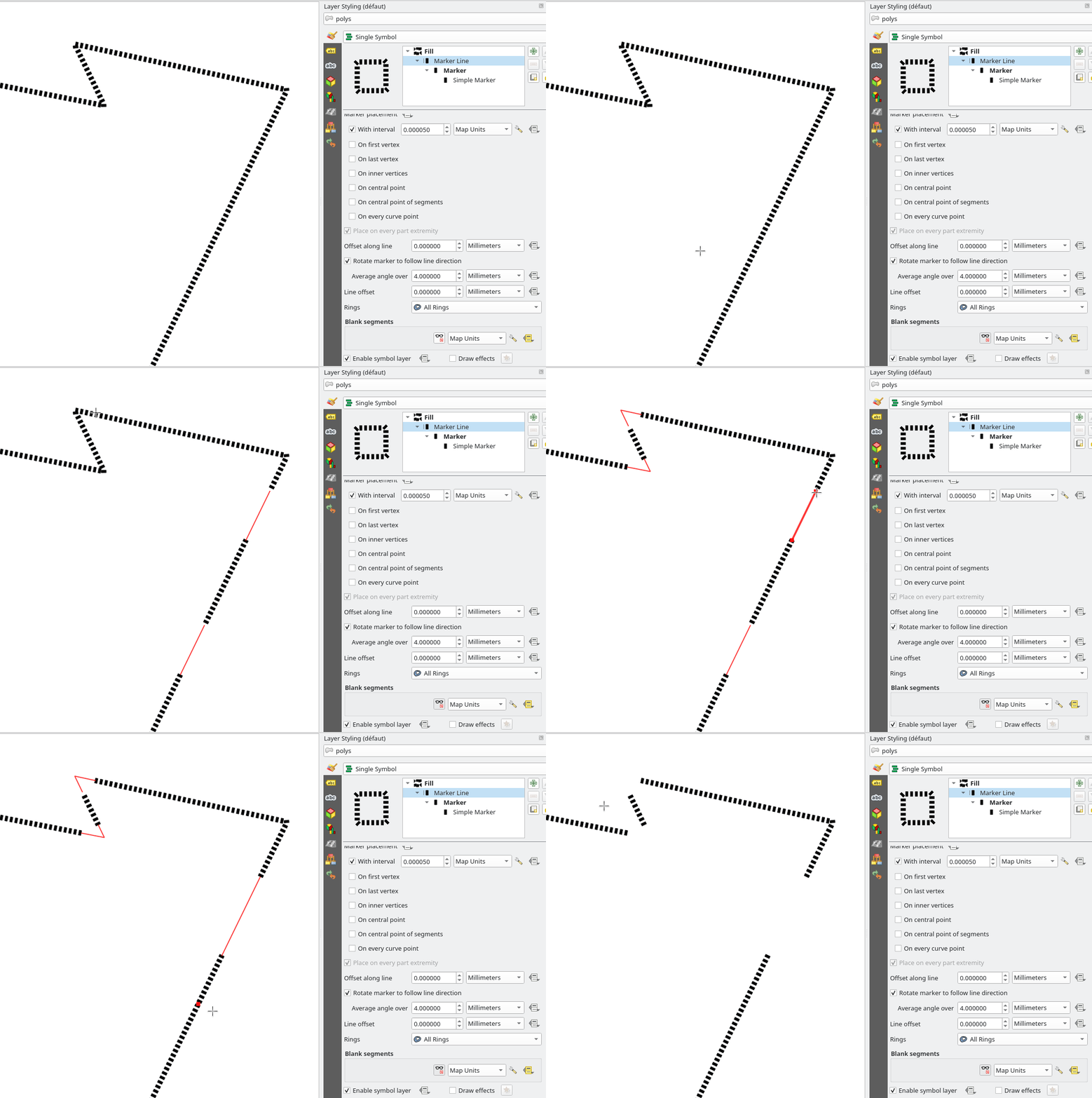
A new map tool to edit blank segments has been added, as described in QEP #345
It allows users to define blank segments per feature, based on a templated line symbology, and prevents Hashes or Markers from being drawn inside these segments.
The blank segments are stored within a data-defined property (data field or auxiliary storage field). This tool allows users to:
- Click in the neighborhood of the line to start creating a segment, click again to finish editing
- Select a segment, and press the Del key to remove it
- Drag the start/end of an already existing segment and move it along the line to reduce/enlarge it
This feature was funded by Stadt Frankfurt am Main and Oslandia
This feature was developed by Julien Cabieces
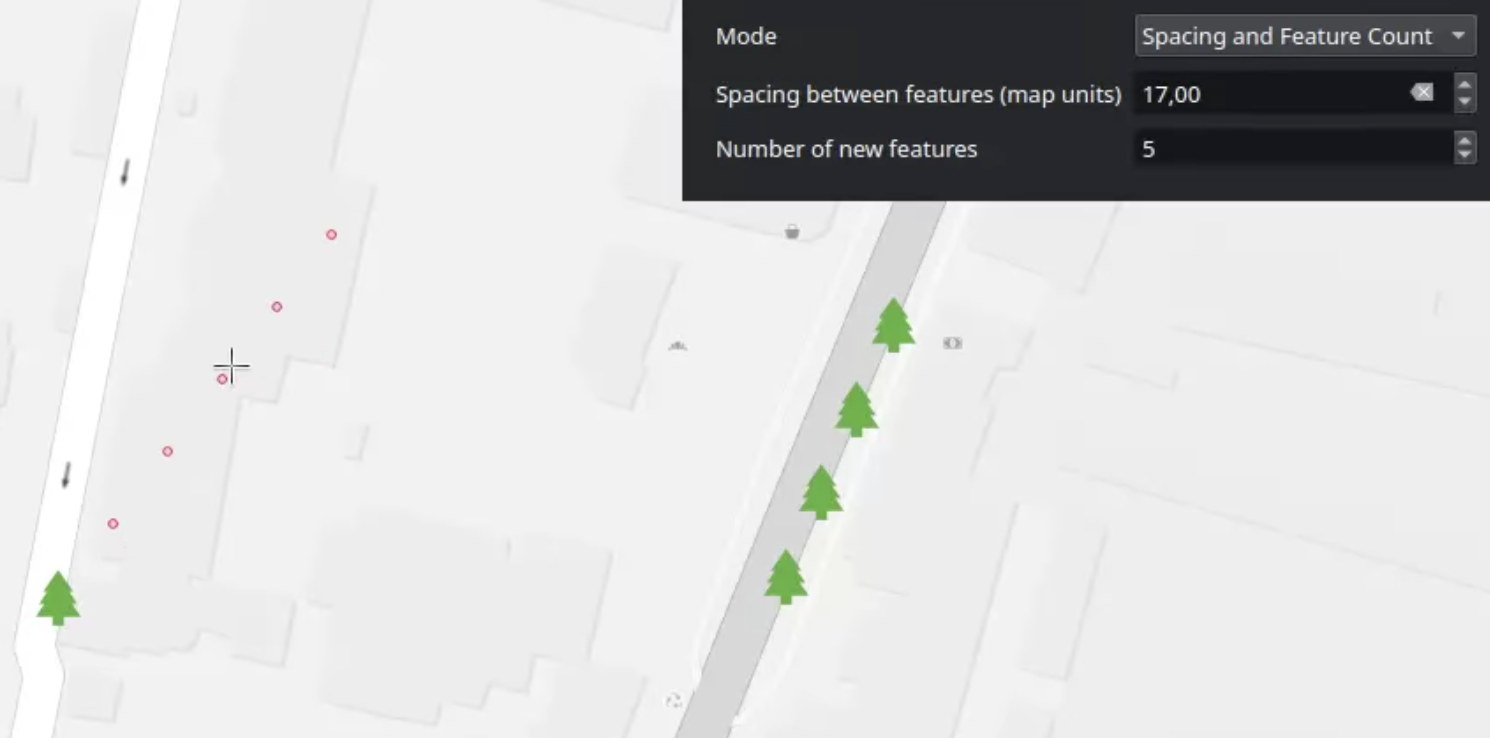
A new map tool allows users to copy features in an array along a line, and is available for polygon/linestring/point geometry types.
User Interface
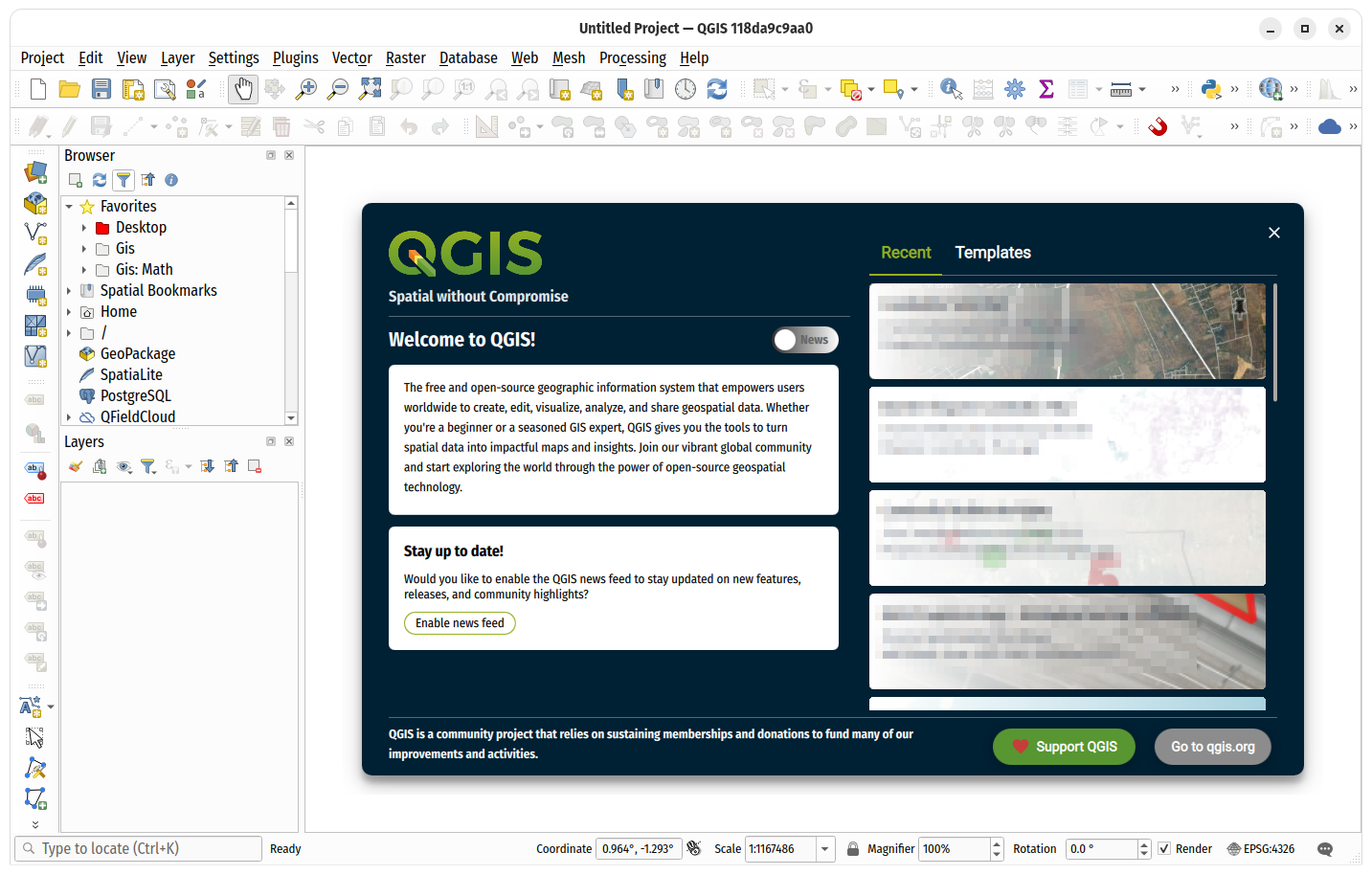
QGIS 4.0 features a shiny new welcome page, with an extensible design for an enhanced user experience in line with QEP 347.
This feature was developed by Mathieu Pellerin
Adding new themes shipped within QGIS core (such as Night Mapping and Blend of Gray) comes with high maintenance costs and limits the amount of creativity that authors can exercise, as they typically need to be neutral, generic, and accessible.
QGIS has now been extended to support themes through the plugins API, so that the community can apply themes and custom application styles without changes to the QGIS Core Application, unlocking an entirely new dimension to the QGIS UX.
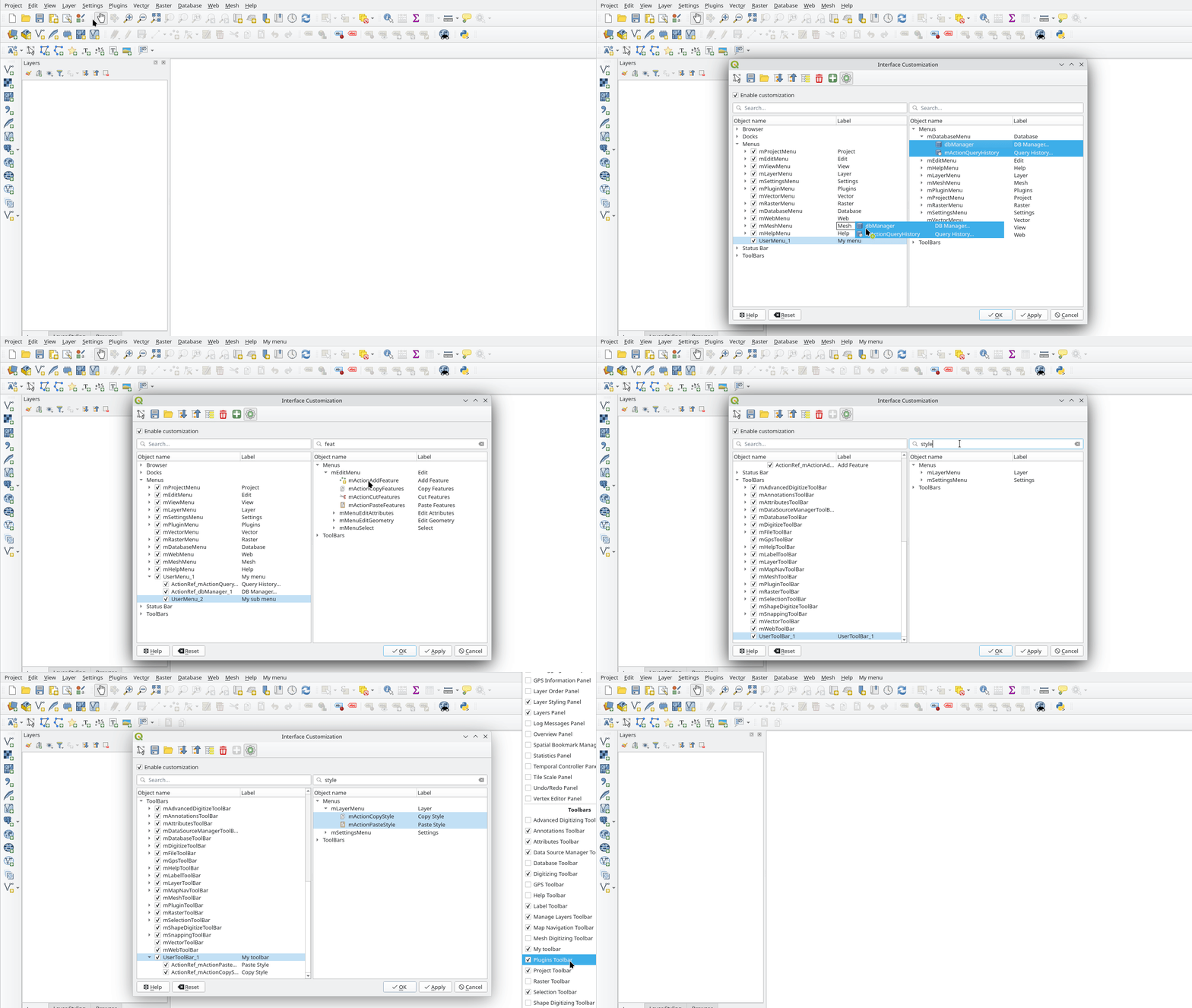
QGIS now allows users to create user-defined menus and toolbars to provide powerful customization options.
This implements QEP #343.
This feature was funded by Stadt Frankfurt am Main and Oslandia
This feature was developed by Julien Cabieces
Users can now double-click an item in the attribute table to instantly select a feature and zoom to the selected feature.
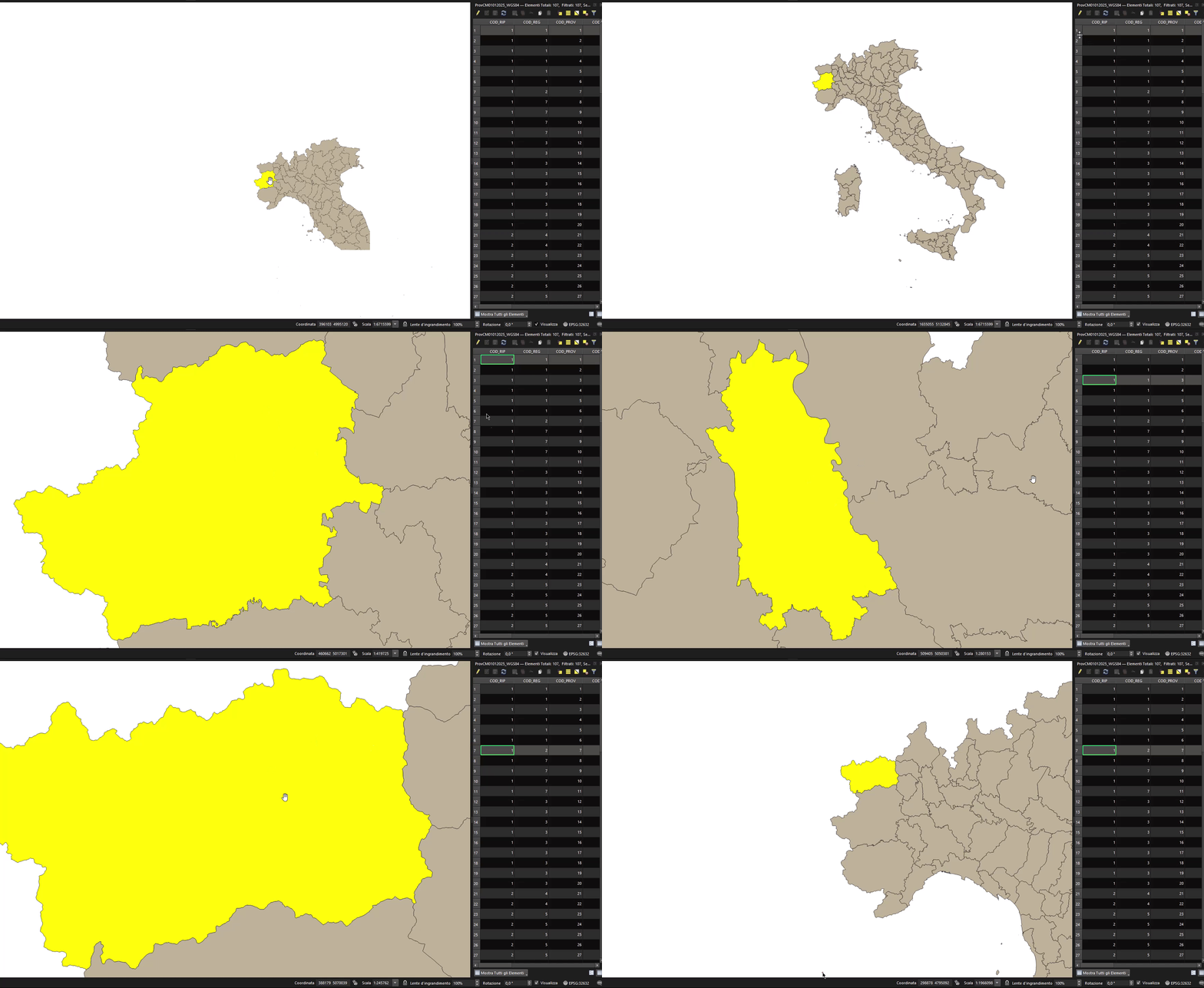
This feature was developed by Nass
Symbology
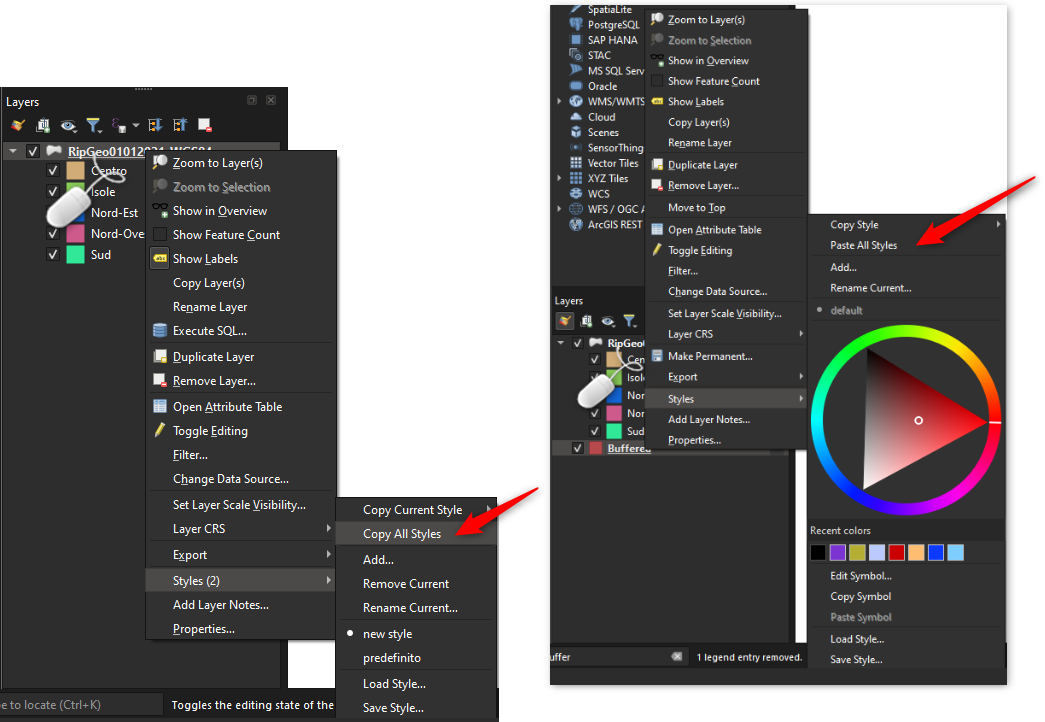
When a layer has multiple styles, the layer tree context menu now contains a new "Copy All Styles" action. Triggering this will copy the definition of ALL the layer's styles to the clipboard.
Users can open the context menu on another layer and use the new "Paste All Styles" feature in order to paste copies of ALL of the original layer's styles to the target, removing the need to manually iterate through the existing styles on the original layer and paste styles one-by-one.
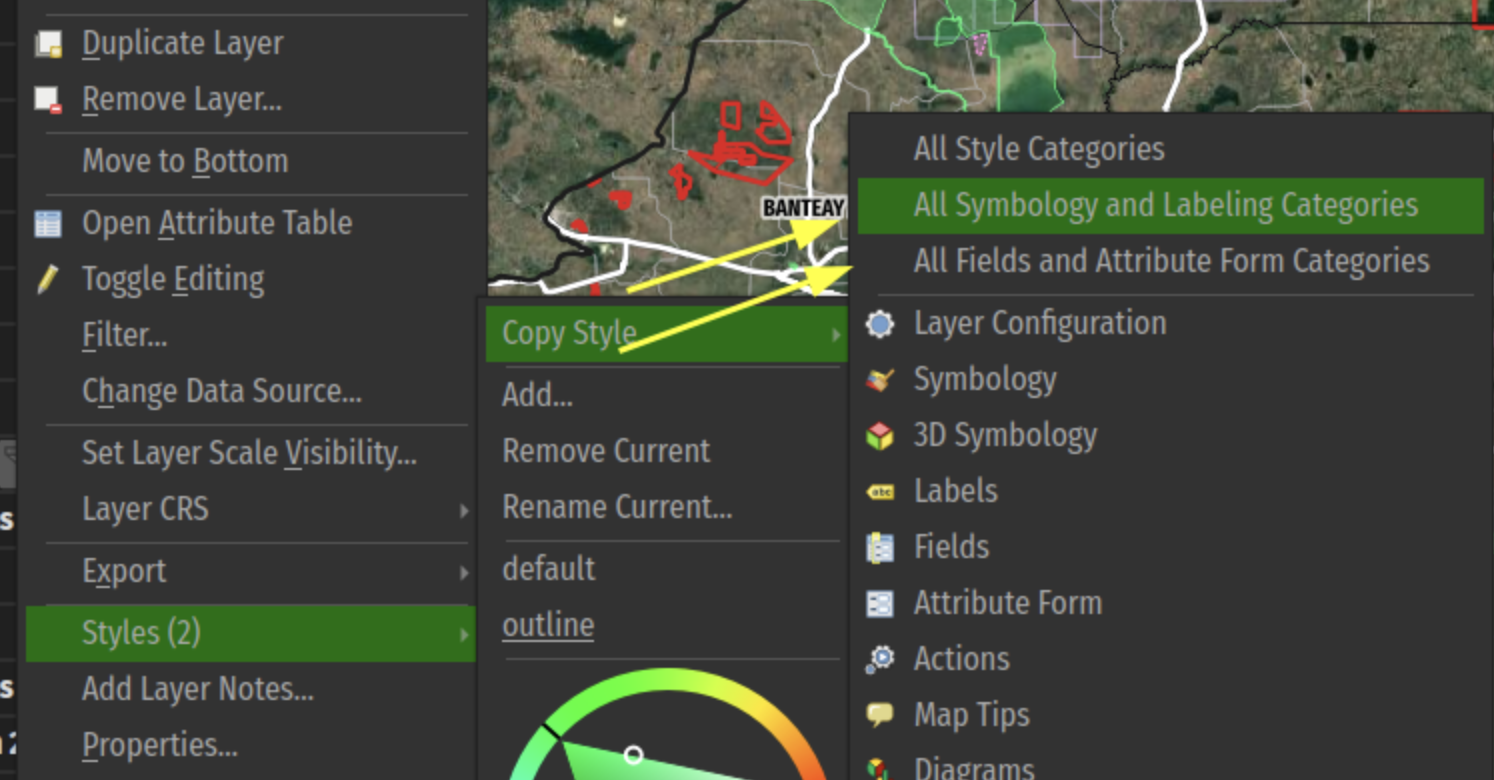
New grouped categories shortcuts have been added to the layer tree menu's copy/paste style sub-menu. This allows users to rapidly copy/paste a set of grouped categories across layers.
This feature was developed by Mathieu Pellerin
Annotations
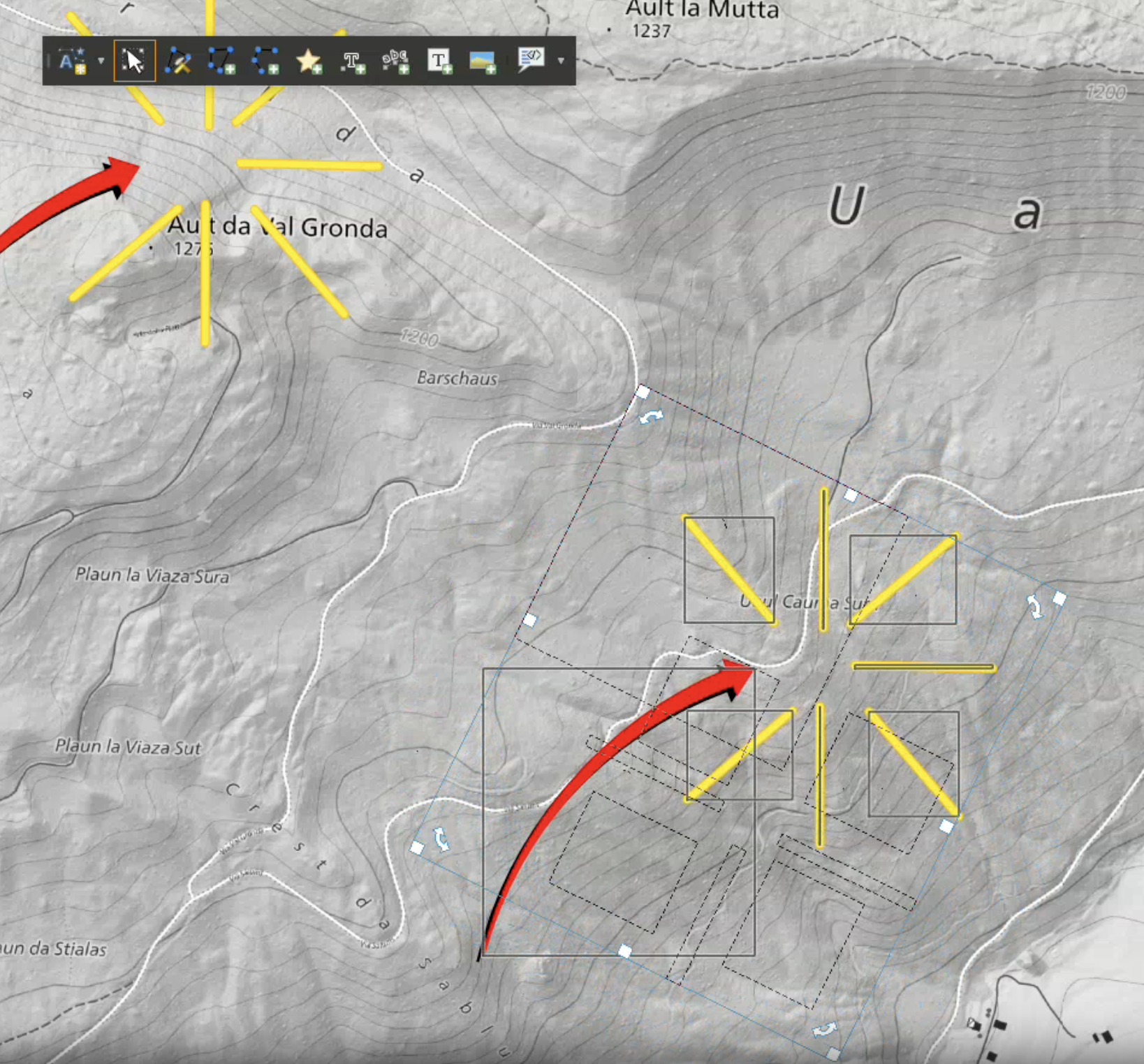
As a part of the implementation for QEP #344, which aims to introduce functionality to copy, move, and rotate annotation layers, the new selection tool provides interactive operations for annotation items, including:
- selection of annotation item(s), with shift modifier to toggle selection of additional item(s)
- mouse and keyboard movement of selected item(s)
- deletion of selected item(s)
- resizing of selected item(s) using the mouse handlers
- rotation of selected item(s) using the mouse handlers
This feature was developed by Mathieu Pellerin
When an annotation layer is set to render as 3D billboards, it also renders text annotations as billboards.
For line/rectangle text annotations, the billboard is placed at the center of the line/rectangle. Users can control the text format used for the 3D billboard. The original 2d annotation text format is ignored, allowing users
to design a readable/more appropriate text format for the 3D text alone.
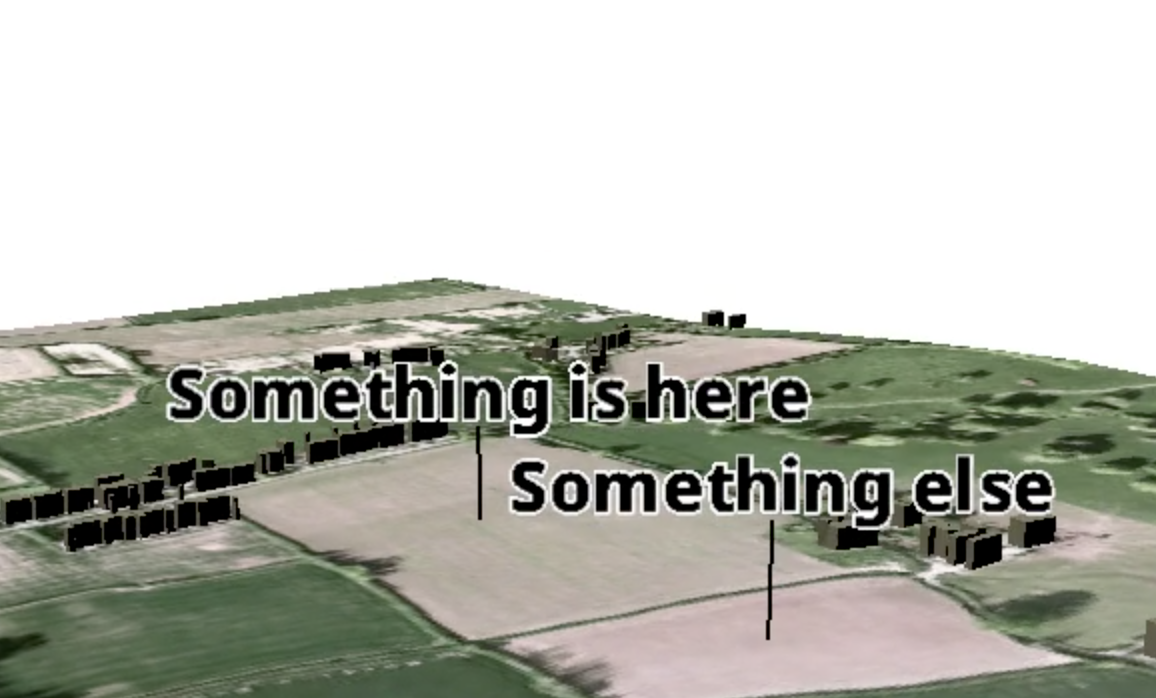
This feature was developed by North Road
A new option for showing annotation layers in 3D maps has been added. From the annotation layer properties, 3D tab, users can set the layer to render as 3D billboards. When activated, all MARKERS from the layer will be shown as floating billboard symbols above the 3D map (lines and polygons from the layer are ignored).
Users have control over the terrain clamping and offset for the billboards, and whether or not "callout" lines should be shown (vertical lines joining the billboard to the corresponding location on the terrain surface).
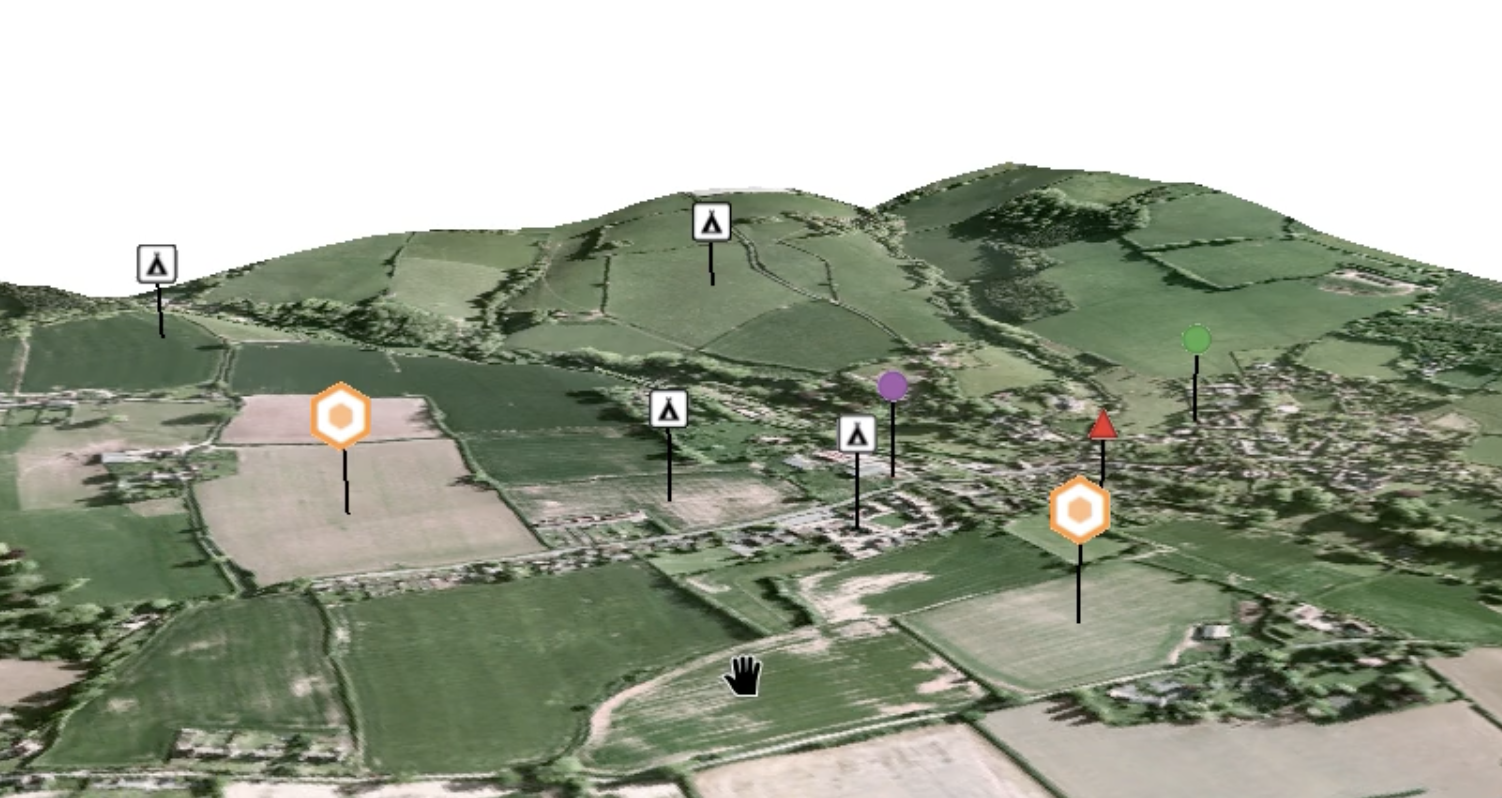
This feature was developed by North Road
Labelling
This new option (which is available ONLY for curved label placement modes) controls how QGIS treats whitespace (i.e., spaces or tabs) in label text when determining whether two labels collide (or when a label collides with an obstacle feature). The existing (and default) behavior is that spaces are treated the same as text characters, and a label is not permitted to overlap spaces in another label.
When the new "Ignore label whitespace when detecting collisions" option is checked, then whitespace in the text will be ignored when checking for overlapping labels (or labels colliding with obstacles).
This is useful when labeling long line features, when the word spacing is large, and it is desirable to allow text or other features to sit within the label spaces. (e.g., when labeling rivers or roads). The setting can be data-defined, enabling advanced expression-driven functionality, such as allowing it to be enabled only for features of sufficient length, etc.
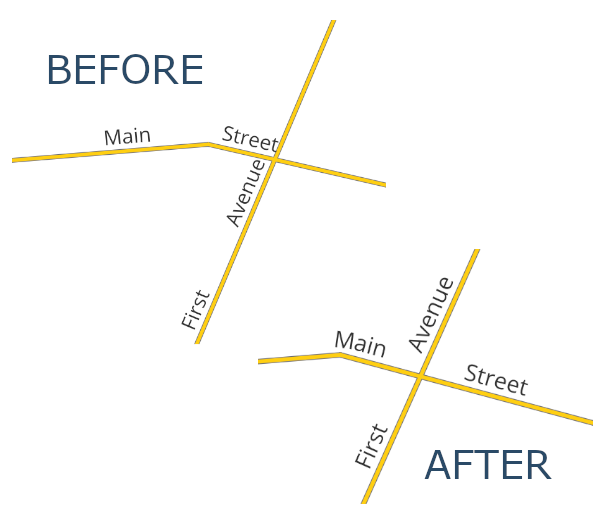
The existing checkbox for “Label every part of multi-part features” has been re-worked to use a combobox to expose the choice of multi-part handling options.
The available options are:
- Label largest part only: This corresponds to the current default behavior, i.e., when the user has left the "label every part" checkbox unchecked.
- Label every part with same text: This corresponds to the current behavior that is activated when the user manually checks the "label every part" checkbox.
- Split label text lines over parts: This is a brand new behavior, which splits the label text over the parts of a multi-geometry feature. The label text will be split at new line characters, and each line will be placed separately over the corresponding parts from the input feature geometry. Note that the splitting will occur AFTER the existing setting for "Wrap on character" is applied, so any custom new line character the user has configured for that setting will be respected when placing labels for multipart geometries. If the multipart geometry does not contain sufficient parts for the label text, then the excess lines will be ignored.

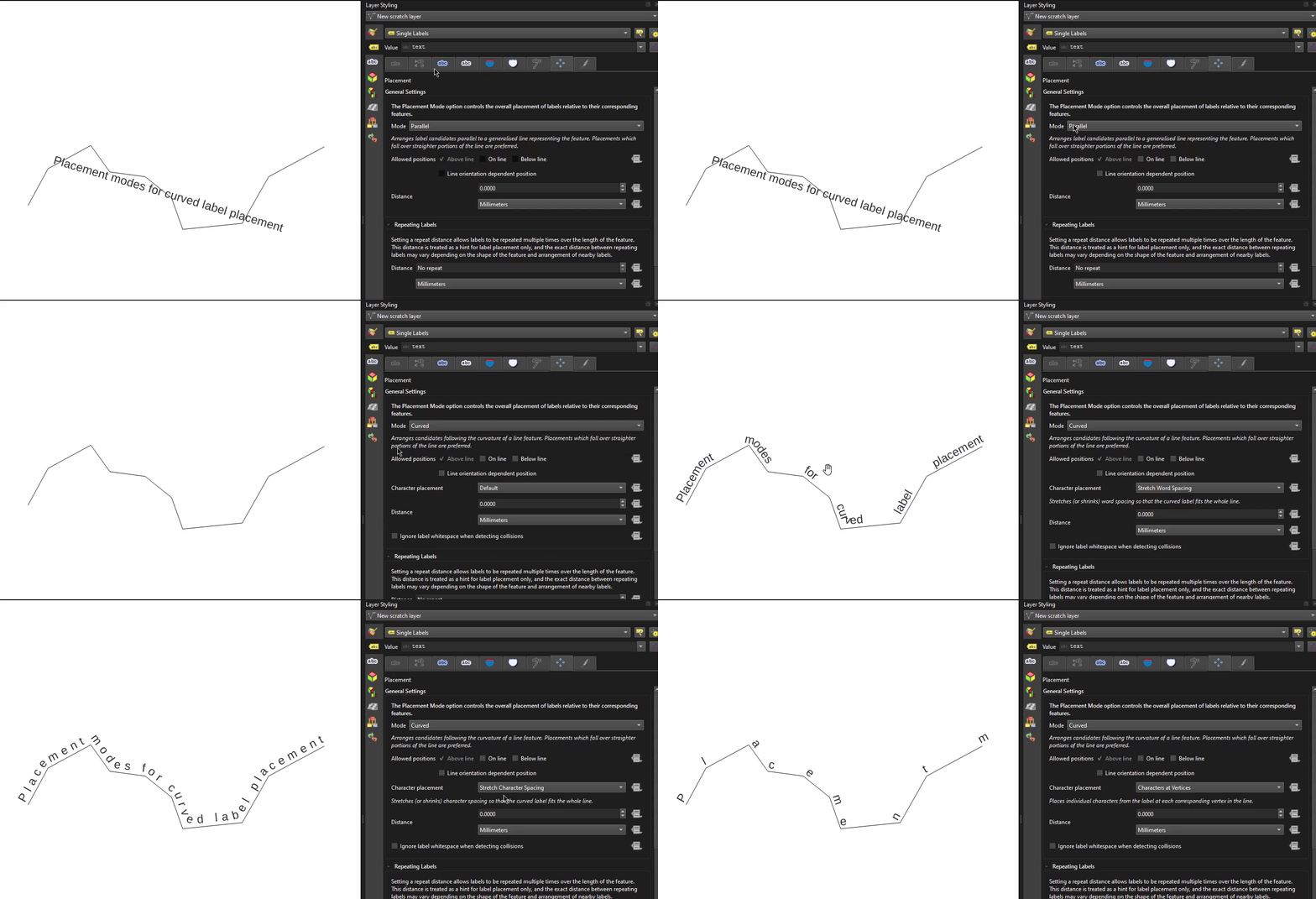
Newly added placement "modes" are now available for use with curved labels, allowing for much more fine-grained control over how text is positioned when using curved labels, in line with QEP 404.
These additional modes are exposed as options that are visible and enabled whenever a line geometry type layer is set to curved label placement. A data-defined override is available for the new curved placement modes, allowing mixed use of different modes for features within a single layer.
New modes include:
- Default: Existing behavior, no change. Glyphs are placed at regular character and word spacing along the curved line geometry.
- Place characters at vertices: When this mode is selected, each individual character from the label text is placed such that their left-baseline position is located at a corresponding vertex from the curved line geometry, i.e., the first character will be placed at the start of the line, the second at the second vertex, the third at the third vertex, etc. If the curved line geometry does not contain sufficient vertices for the characters present in the label text, then the excess characters are ignored and will not be rendered. If the label’s “distance” setting is non-zero, then the character will be vertically offset from the vertex position by this distance. Characters are rotated to follow the line angle at the vertex.
- Stretch character spacing to fit line: When selected, this mode increases (or decreases) the character spacing used for each label in order to fit the entire text over the actual length of the curved line geometry.
- Stretch word spacing to fit line: When selected, this mode increases (or decreases) the word spacing used for each label in order to fit the entire text over the actual length of the curved line geometry.
Rendering
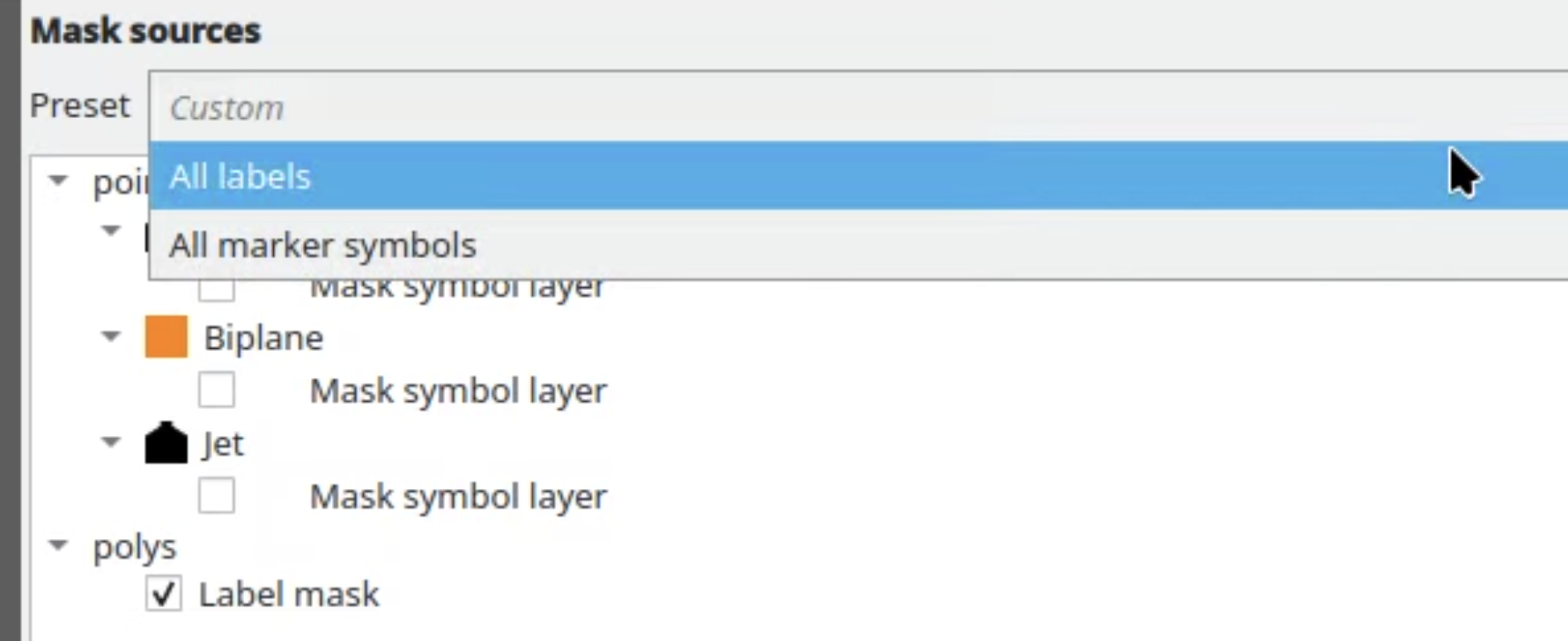
Users can now use a drop-down under Mask Sources when configuring a layer's masking and select from a number of presets to efficiently apply masking without complex management. This is especially useful for large projects when many different layers need to reference the same complex set of mask sources, such when many layers are masked by the same set of distinct labeled layers.
The default value is "custom", which replicates the existing ad-hoc per-layer configuration, but users are able to create, rename, or remove selective masking sets as needed, and any changes to a preset's checked sources will automatically apply the changes to ALL layers linked to the preset.
3D Features
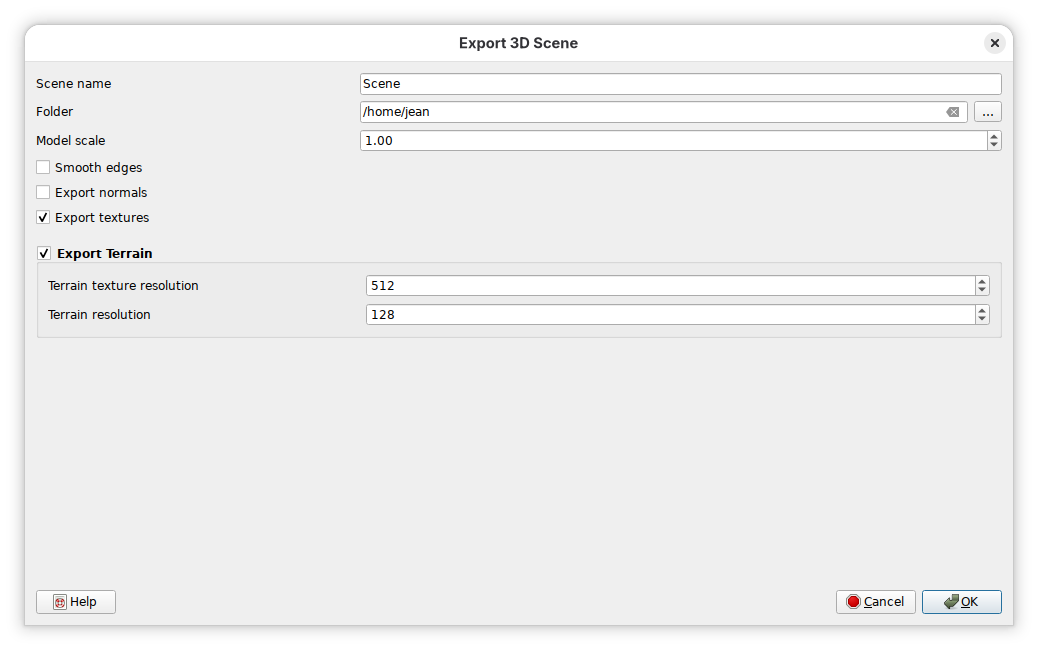
A new option to enable or disable terrain export is provided on the dialog for 3D scene exports. Terrain options are always activated, even when terrain rendering is disabled. The terrain resolution option is only relevant for DTM or online terrain - it must be disabled for other terrain types.
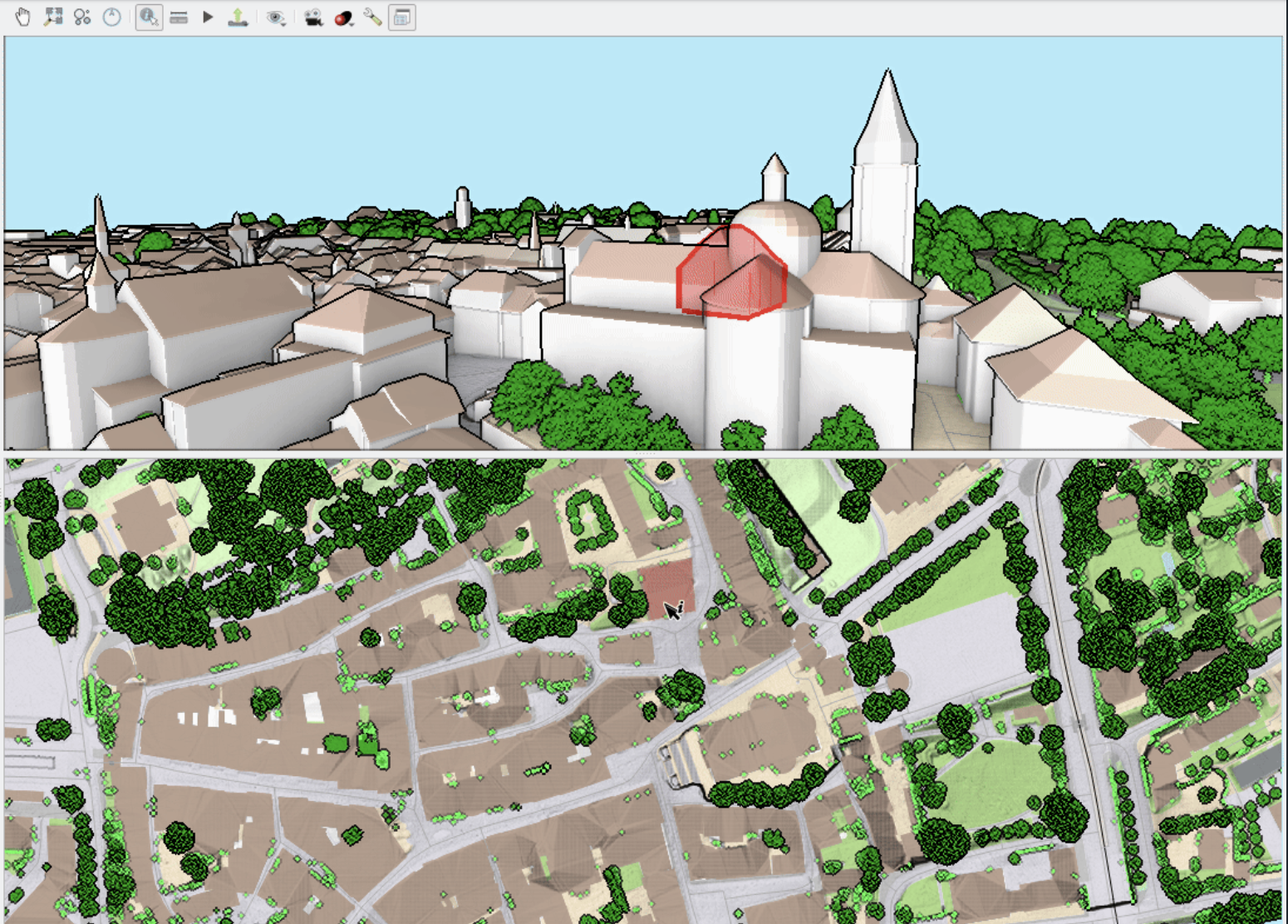
QGIS now supports highlighting of vector features in 3D Views. The identified polygon features are highlighted in 3D views using a semi-transparent overlay and a thick silhouette line, similar to the highlight effect in the 2D map canvas, with a matching color and transparency. The highlight effect is always rendered on top of other entities. When highlighted features overlap in the current point of view, one aggregated silhouette is rendered at the perceived perimeter.
This feature was funded by QGIS 3D for Open Source Digital Twins (crowdfunding campaign)
This feature was developed by Stefanos Natsis (Lutra Consulting)
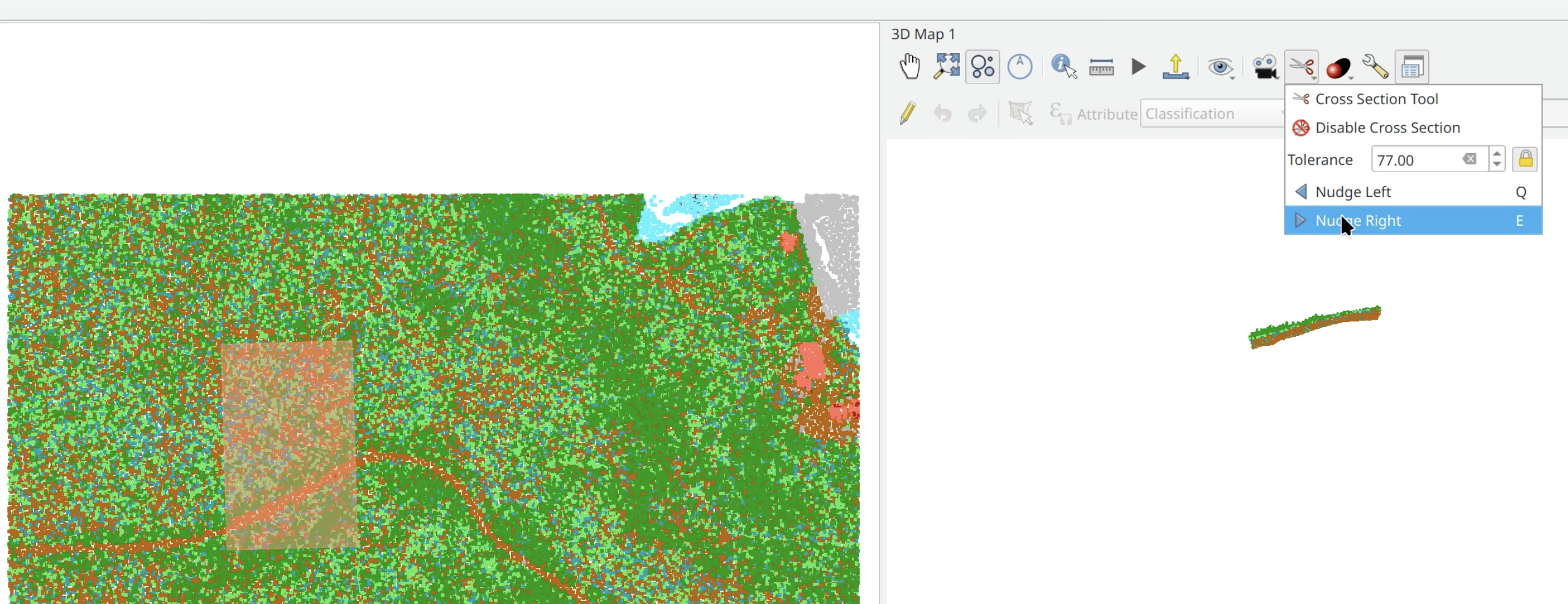
When defining a cross section, user normally picks two endpoints, and then with the third mouse click, cross section width (tolerance) is chosen. The new version allows to lock the tolerance, so that user only picks two endpoints, without having to pick the width (tolerance) every time. Moreover, it is possible to modify tolerance of the active cross section by editing the tolerance value in the GUI.
3D map views now also allow nudging the active cross-section left or right in the same fashion as the elevation profile widget does (either via menu buttons or using keyboard shortcuts).
This feature was funded by Danish Agency for Climate Data
This feature was developed by Dominik Cindric (Lutra Consulting)
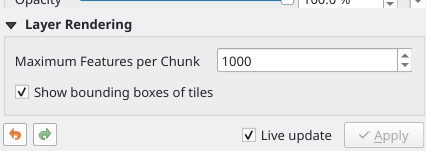
In previous versions of QGIS, vector layers were chunked in 3D views using fixed zoom levels. This behaviour has been modified to dynamically adjust the depth of the quadtree, and each zoom level will only load a maximum number of features constrained by the user-specified "Maximum features per chunk" value. This allows rendering larger layers without needing to load all their features when zoomed out.
This feature was funded by QGIS 3D for Open Source Digital Twins (crowdfunding campaign)
This feature was developed by Stefanos Natsis (Lutra Consulting)
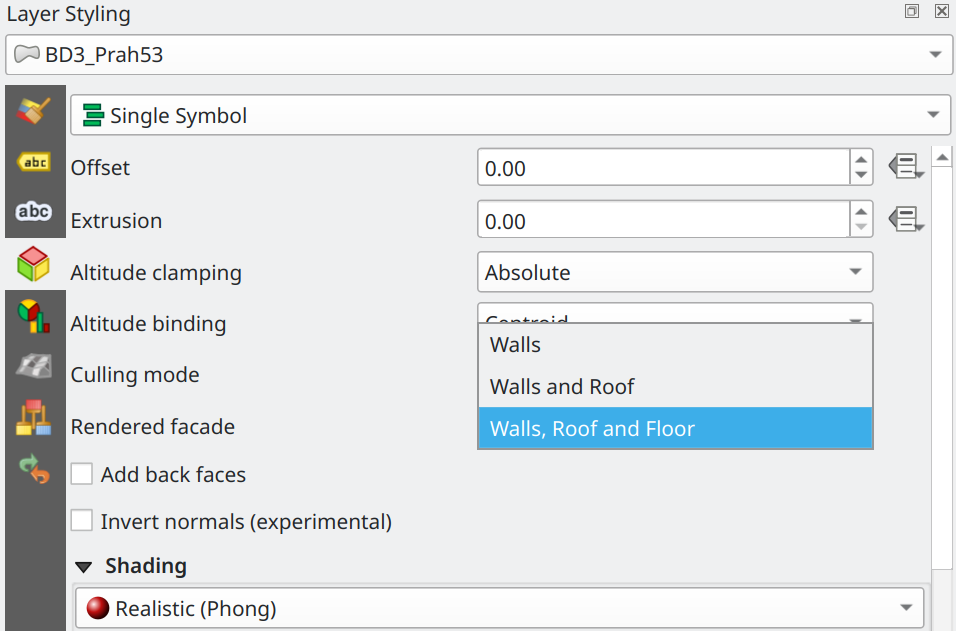
Polygon 3D symbols can now optionally include floors when rendering features. These were previously not included, and rendering of volumetric data as boxes would miss the lower part.
This feature was funded by QGIS 3D for Open Source Digital Twins (crowdfunding campaign)
This feature was developed by Dominik Cindric (Lutra Consulting)
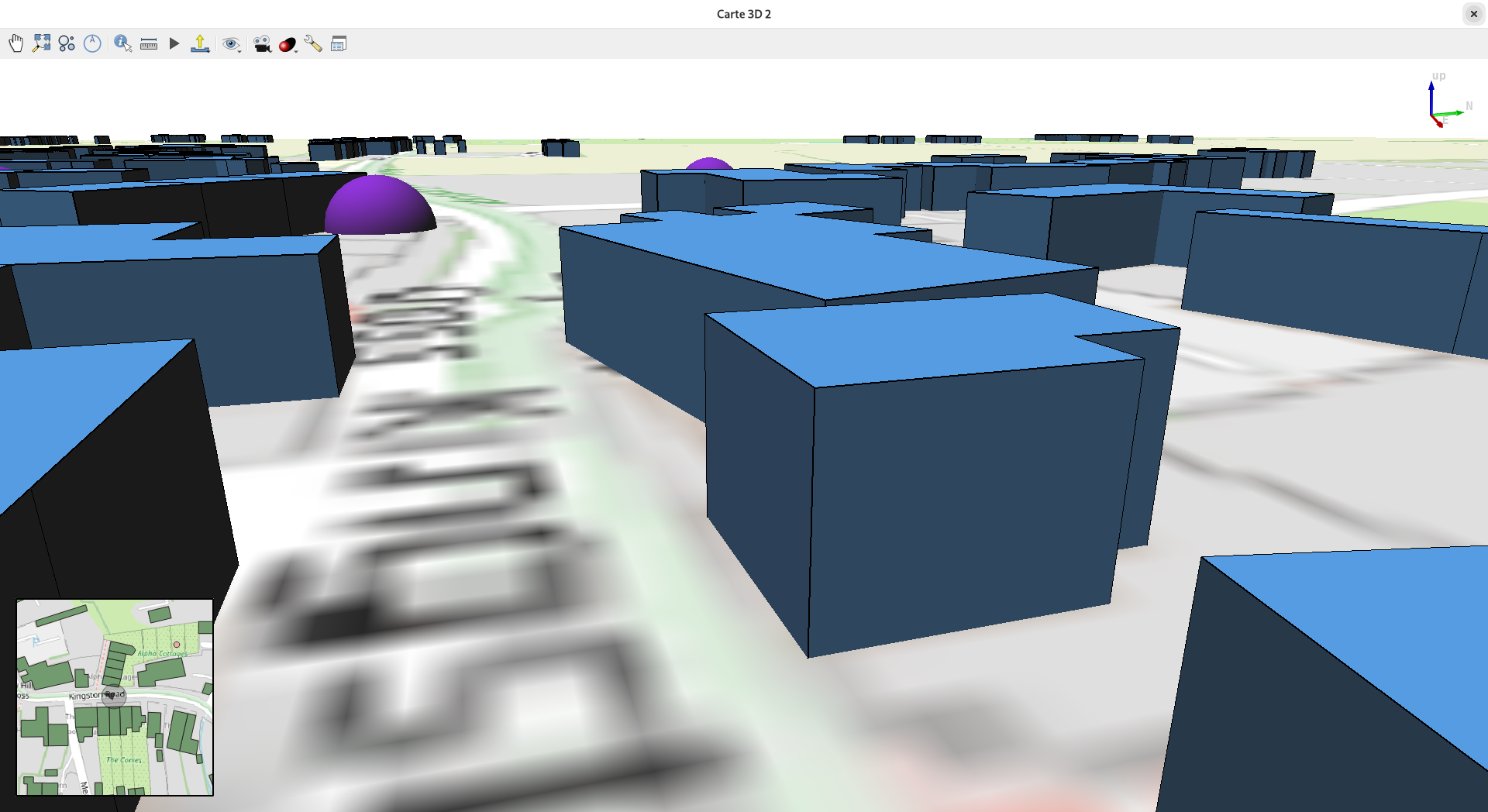
A new feature for 3D map views allows users to display an overlay of the 2d map, centered around the position of the 3D camera, and optionally display the camera frustum.
This feature was developed by Jean Felder
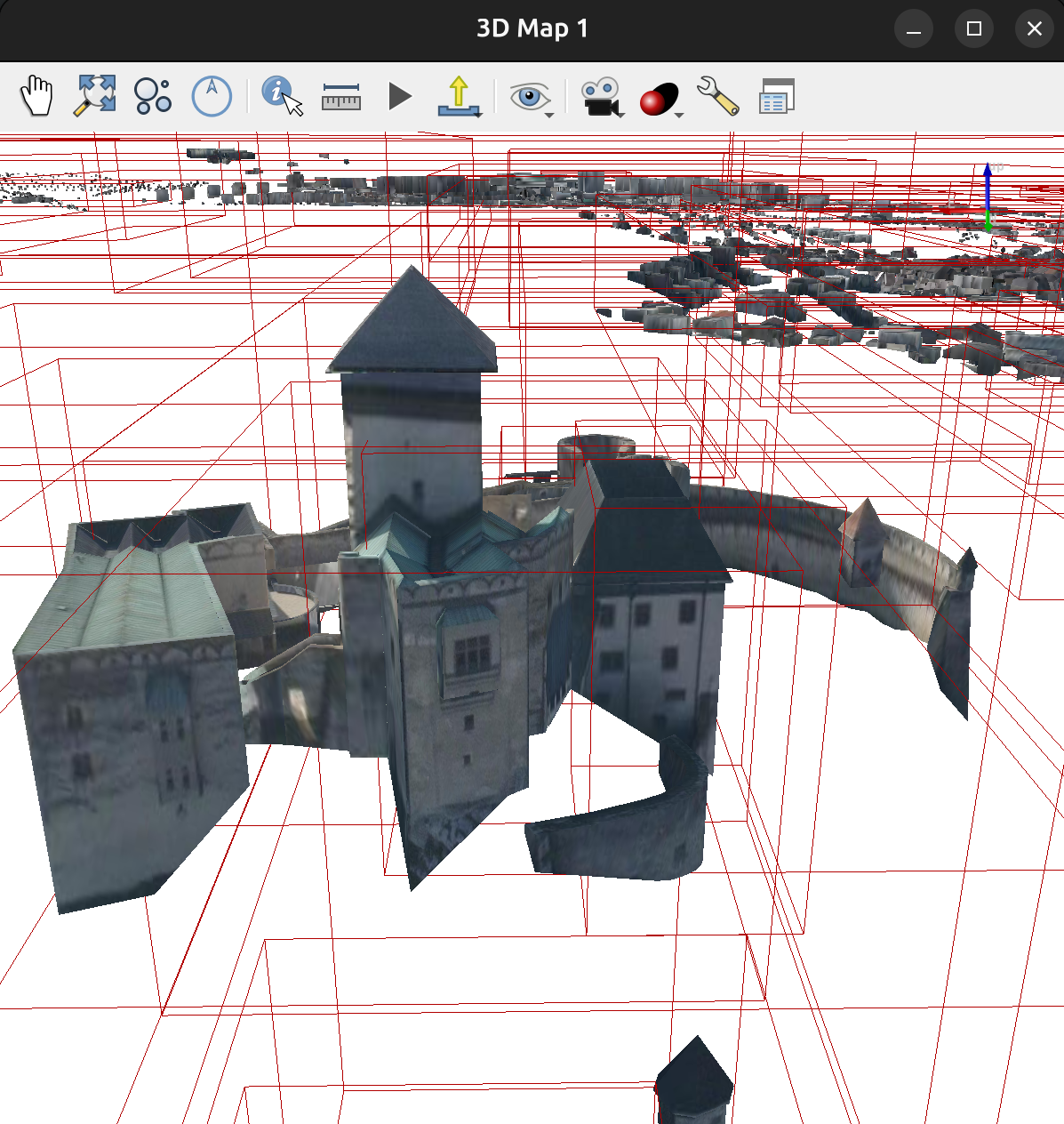
A new data provider for tiled scene layers has been added for ESRI I3S (aka "scene layers" / "scene servers"). Rendering of data is available in both 2D and 3D map views.
How to load I3S data:
- from ArcGIS REST servers - via data sources manager or browser dock (previously the scene layers would not show up, now they do)
- open a local SLPK file - via drag'n'drop from file browser, or using browser dock, or data sources manager (Scene tab)
Notes:
- supporting I3S >= 1.7
- supporting 3DObject and IntegratedMesh layer types
- supporting datasets both in "global" mode (i.e. EPSG:4326) and "local" mode (i.e. any projected CRS)
This feature was funded by QGIS 3D for Open Source Digital Twins (crowdfunding campaign)
This feature was developed by Martin Dobias (Lutra Consulting)
3D views already had an option to use orthographic camera instead of perspective camera, but that option has been broken for many releases. The support for orthographic camera is usable now, and it can be very practical when using cross sections.
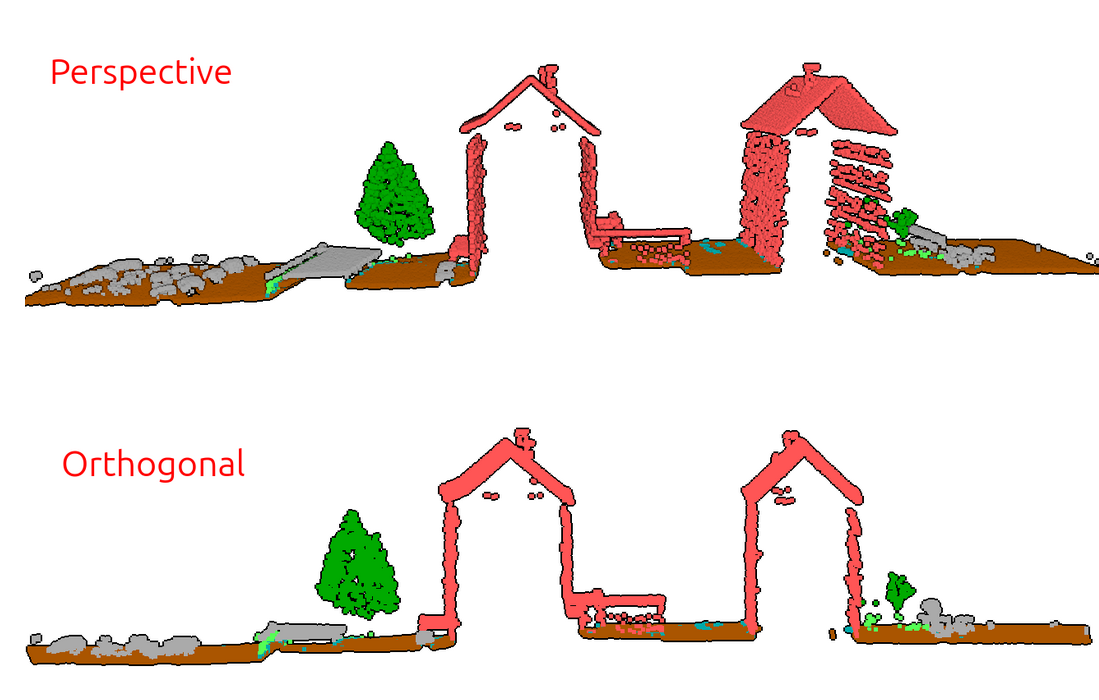
This feature was funded by QGIS 3D for Open Source Digital Twins (crowdfunding campaign)
This feature was developed by David Konarik (Lutra Consulting)
Point Clouds
The Build virtual point cloud (VPC) algorithm will warn users when a LAS or LAZ files are included as inputs for a VPC (such VPC cannot be fully displayed in QGIS without conversion of input files to COPC format). The algorithm also provides the option to Convert input files to COPC format - it will automatically convert all input files (e.g. LAS/LAZ) into COPCs, making the VPC suitable for 2D/3D rendering in QGIS.
This feature was funded by Danish Agency for Climate Data
This feature was developed by Jan Caha (Lutra Consulting)
A new algorithm for comparison of two point cloud layers is available.
M3C2 algorithm (Multiscale Model to Model Cloud Comparison) computes distances between two 3D point clouds along locally estimated surface normals, rather than using a fixed projection direction. It operates at multiple scales to robustly estimate both the surface orientation and the signed distance, making it well-suited for detecting change on complex 3D surfaces like rock faces or riverbanks.
Note: the algorithm uses filters.m3c2 from PDAL - and it will only work if the QGIS installation ships with PDAL version >2.10.
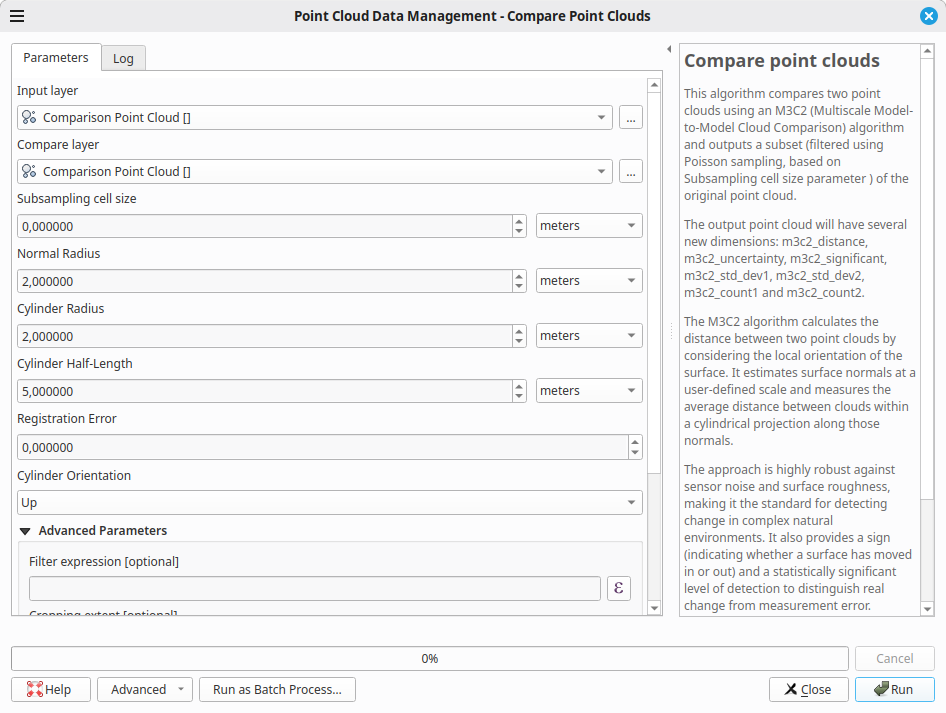
This feature was funded by Danish Agency for Climate Data
This feature was developed by Jan Caha (Lutra Consulting) + PDAL implementation by Hobu Inc.
A new combo box is provided in the 2D/3D style properties for VPCs, which controls zoom level at which QGIS will switch from rendering tile extent or overview point cloud to rendering of points from the data files linked from VPC. This provides users with more granular control over the trade-offs of performance and detail for rendering point clouds, and provides options for:
- Later
- Normal
- Earlier
- Much earlier
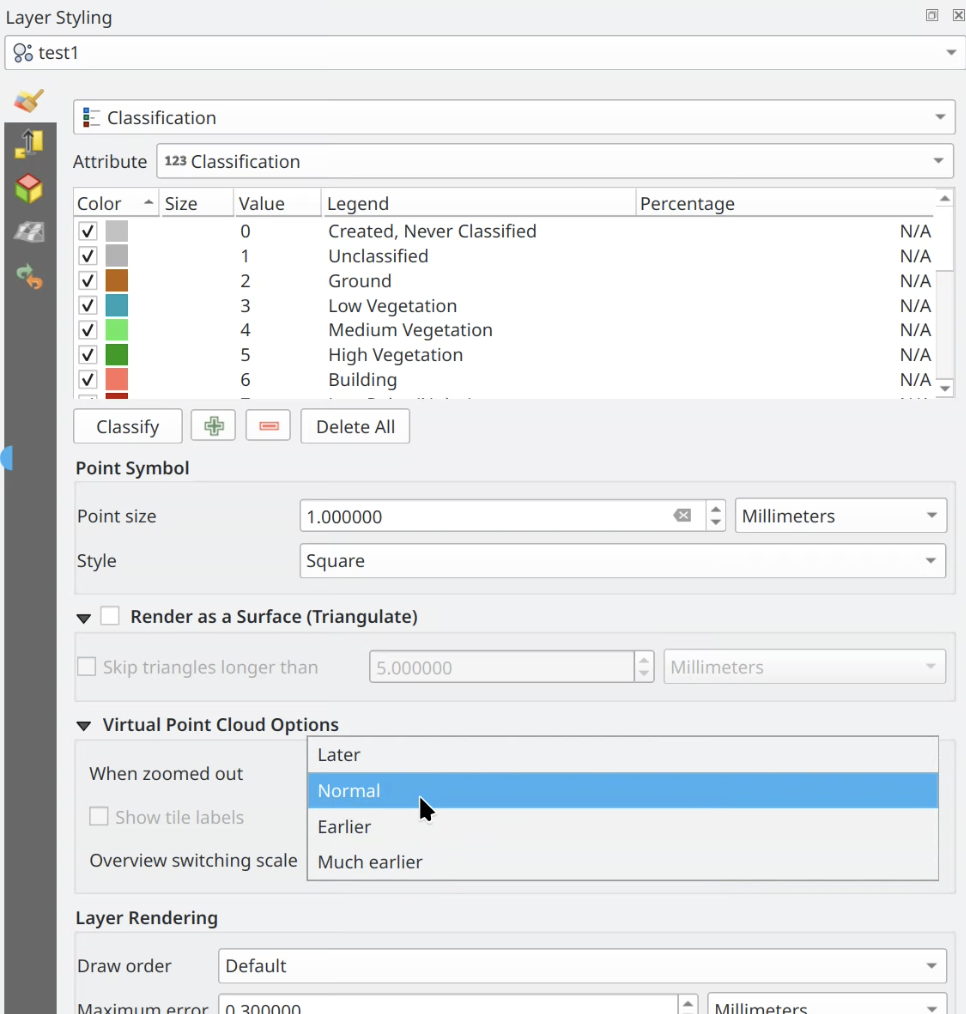
This feature was funded by Danish Agency for Climate Data
This feature was developed by Dominik Cindric (Lutra Consulting)
QGIS is now able to load virtual point clouds hosted on a remote server. This lowers friction when distributing large point cloud datasets - users do not need to download the .vpc file in advance as QGIS will take care of that automatically.
This feature was funded by QGIS 3D for Open Source Digital Twins (crowdfunding campaign)
This feature was developed by Dominik Cindric (Lutra Consulting)
It is now possible to edit point cloud data within virtual point clouds (VPC). The requirement is that VPC and its linked data files are available as local COPC files (not hosted on a remote server).
This feature was funded by Danish Agency for Climate Data
This feature was developed by Dominik Cindric (Lutra Consulting)
The "Height above ground" algorithm computes each point's vertical distance from an estimated ground surface, which is essential for normalizing elevation data across varying terrain. This is useful for tasks like building height extraction or vegetation height estimation.
The algorithm outputs the same point cloud, with a new attribute added ("HeightAboveGround") with the calculated altitude. Optionally, user can choose to replace Z values of points by the calculated height above ground - which is sometimes useful for 3D visualization or further processing.
There are two variants of the algorithm - the basic one estimates ground surface from a number of nearby ground points, the other variant creates triangulation of ground points and estimates height from it.
The input point cloud needs to have some of the points classified as ground (classification=2).
This feature was funded by QGIS 3D for Open Source Digital Twins (crowdfunding campaign)
This feature was developed by Jan Caha (Lutra Consulting)
This algorithm classifies ground points using the Simple Morphological Filter (SMRF) algorithm.
SMRF is a ground filtering algorithm that uses progressive morphological operations to separate ground points from non-ground points (like vegetation and buildings) in lidar point clouds. It iteratively applies opening operations at increasing window sizes combined with an elevation threshold, making it computationally efficient and effective for generating bare-earth digital terrain models.
This feature was funded by QGIS 3D for Open Source Digital Twins (crowdfunding campaign)
This feature was developed by Jan Caha (Lutra Consulting)
There are two new algorithms for noise filtering of point clouds (using statistical method or using radius).
Noise filtering algorithms identify and remove outlier points in a point cloud that result from sensor errors, multipath reflections, or atmospheric interference. They analyze each point's local neighborhood and flag points that deviate significantly from their surroundings.
This feature was funded by QGIS 3D for Open Source Digital Twins (crowdfunding campaign)
This feature was developed by Jan Caha (Lutra Consulting)
The transformation algorithm applies translation, rotation, and scaling to align a point cloud layer, without changing its shape.
This is commonly used for correcting systematic offsets between surveys, using known control points or correspondences.
This feature was funded by QGIS 3D for Open Source Digital Twins (crowdfunding campaign)
This feature was developed by Jan Caha (Lutra Consulting)
Print Layouts
Instead of always left-aligning grid annotations on layout maps, a new control allows users to choose the alignment. This is especially useful for multi-line annotations, which may be unappealing when left-aligned on the left side of the map.
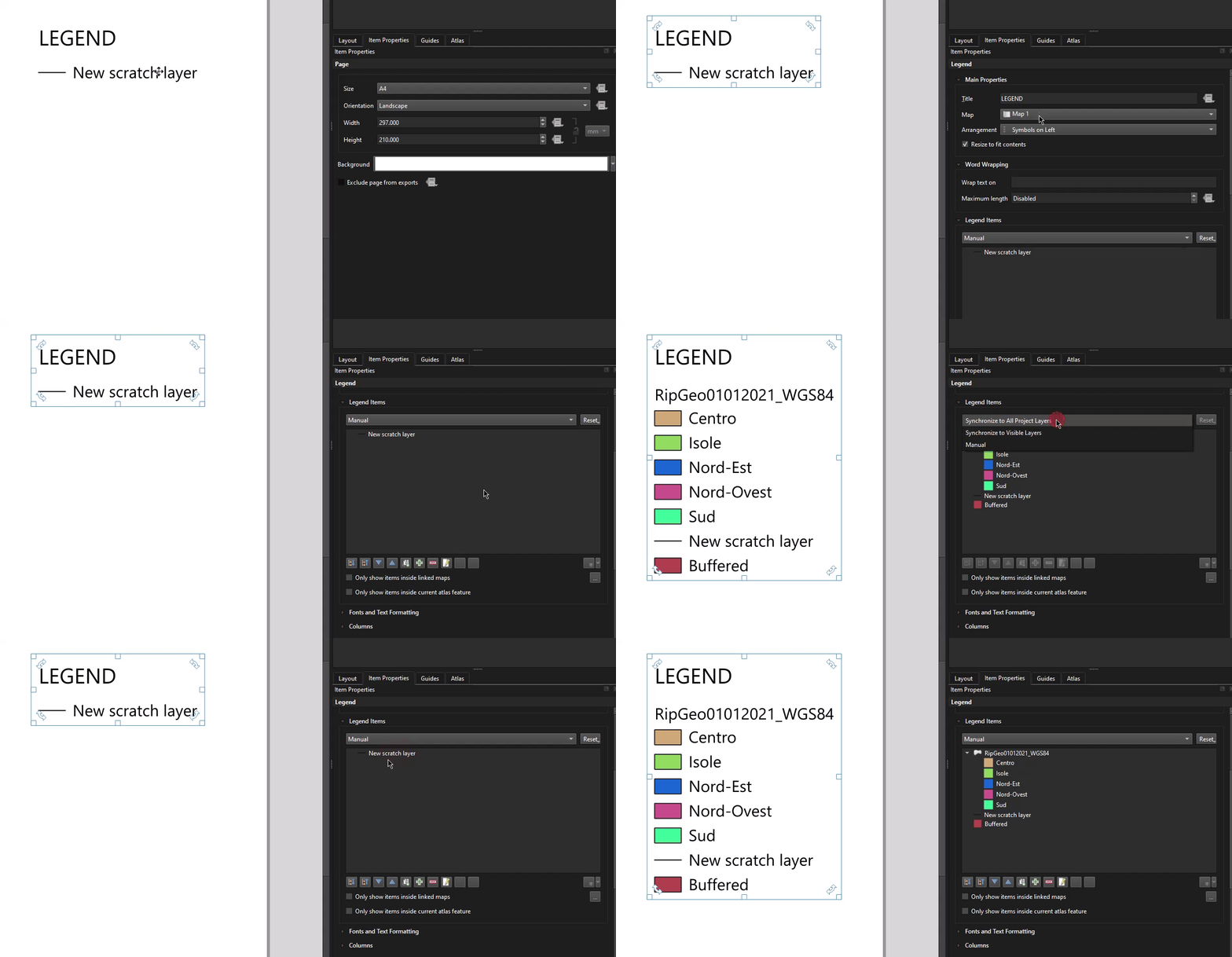
QGIS has introduced layer synchronisation modes for the legends in Print Layouts, in line with QEP 253.
This removes the existing "Auto update" checkbox for layout legends, and instead introduces a user-friendly combobox showing legend population modes, including:
- Synchronize to All Project Layers: This option matches the current behaviour of the "Auto sync" checkbox. If selected, then all new layers added to the project will appear immediately in the legend, and any changes made to these layers will immediately be applied to the legend.
- Synchronize to Visible Layers: This option will consider which layers are currently visible in the map linked to the legend item (or main project layer tree, if no map is linked to the legend). When this mode is active, any changes to the set of layers visible in the map will cause the legend layers to be matched to this set of visible layers. Note that this mode differs from the existing "Only show items in the linked map" option because the "Synchronize to Visible Layers" mode does not consider the linked map extent at all - if a layer is checked and visible for the map, then it will be shown in the legend regardless of whether or not all features in the layer fall outside the visible map extent. Like the "Synchronize to All Project Layers" option, any changes made to the names or other legend-related settings in the main project layer tree will automatically be propagated to the layout legend.
- Manual Layer Selection: All content for the legend can be controlled manually by the user, and no auto-synchronization of which layers are included will apply. This is the same behaviour as currently happens in QGIS if the "auto update" option is unchecked.
The previous "Update All" operation on legends has been changed to a new "Reset" function, which will restore the legend configuration respecting the selected mode.
This change includes a new global setting that has been added to the Options - Layout page, allowing users to control the default mode for newly created legends. By default, QGIS will use the "Synchronize to Visible Layers" mode in order to provide a better out-of-the-box experience for users with large projects; however, users can restore the previous default behaviour by changing this setting accordingly.
Feature: Add data-defined control over layout map grid annotation visibility, and additional expression variables for grids
This allows for PER-ANNOTATION control over the map grid text visibility. i.e., it allows for individual grid annotations to be selectively hidden or shown. The @grid_axis and @grid_number expression variables are available for use in the expression. New expression variables have also been introduced, making it easy to do things like hide the first/last grid annotations selectively:
- @grid_count: Total number of visible grid lines for the current grid axis.
- @grid_index: The index of the grid line currently being drawn (starting at 1 for the first grid line). The index is specific to the current grid axis.
A new clip frame function has been added that, when enabled, reshapes layout map items frames to match the (polygon) geometry of the current atlas feature. This allows flexible clipping and masking in atlas items, especially where canvas background color is an integral part of the rendering (e.g., vector tile base maps).
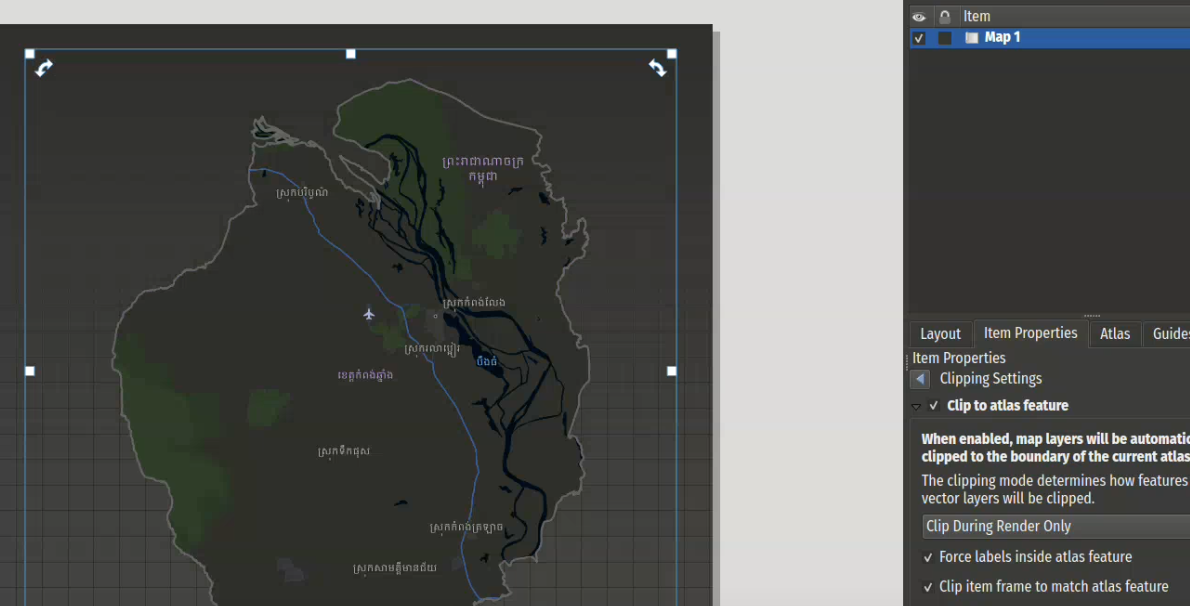
This feature was developed by Mathieu Pellerin
A new pie chart has been added to the available plot types in QGIS and its layout designer.
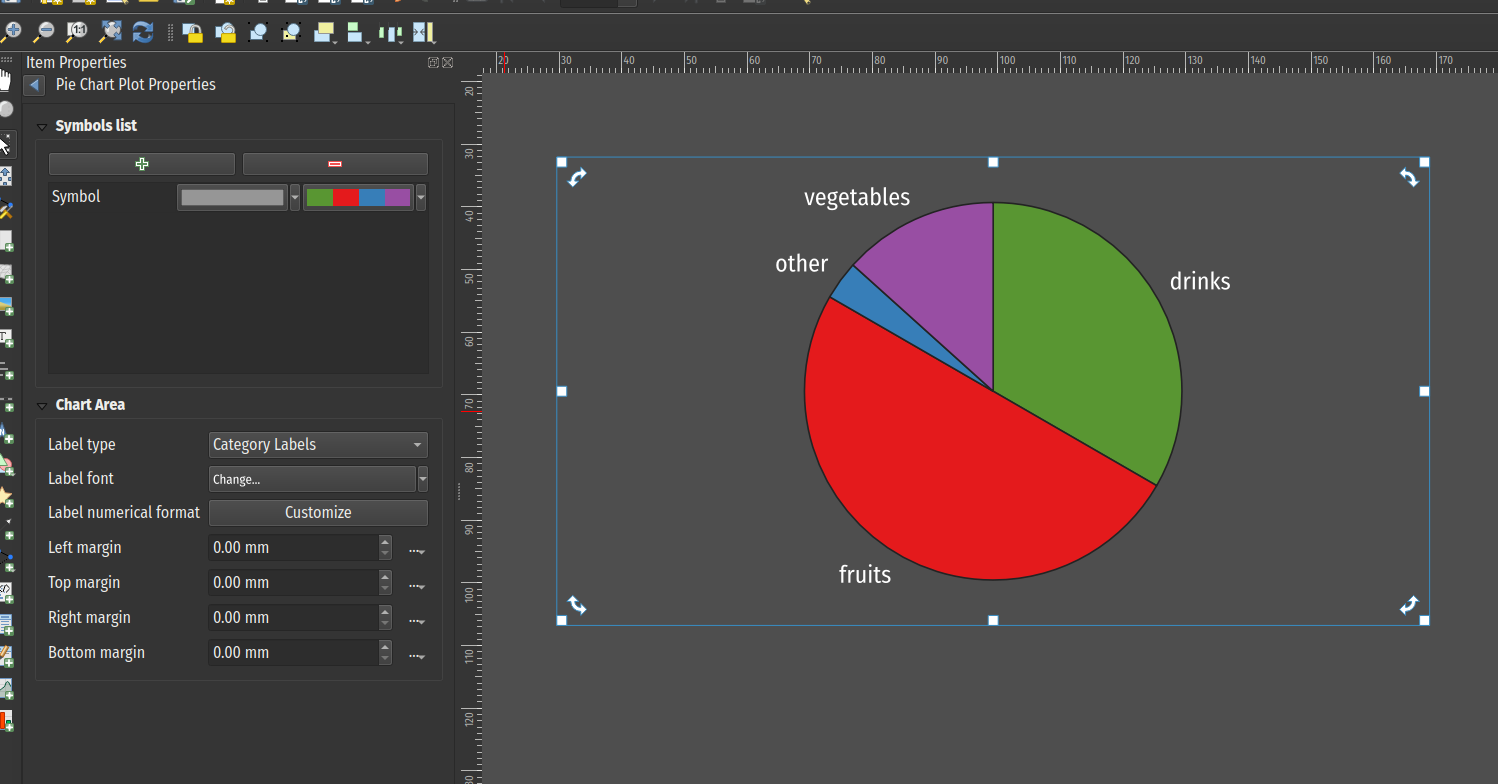
This feature was developed by Mathieu Pellerin
A new layout chart item has been added, which allows users to leverage chart rendering into their print and atlas layouts. Chart configurations are defined using an extensive set of properties provided in the properties panel and a number of sub-panels.
The chart item builds visualizations from data series of X and Y values, which are derived from a source layer that is configured through the item properties' data source group. Each series is defined using expressions to evaluate the X and Y values, as well as the possibility to filter the source layer, with each property configured via a subpanel. Iteration through the source layer can be ordered, which will be taken into account by the bar/line charts.
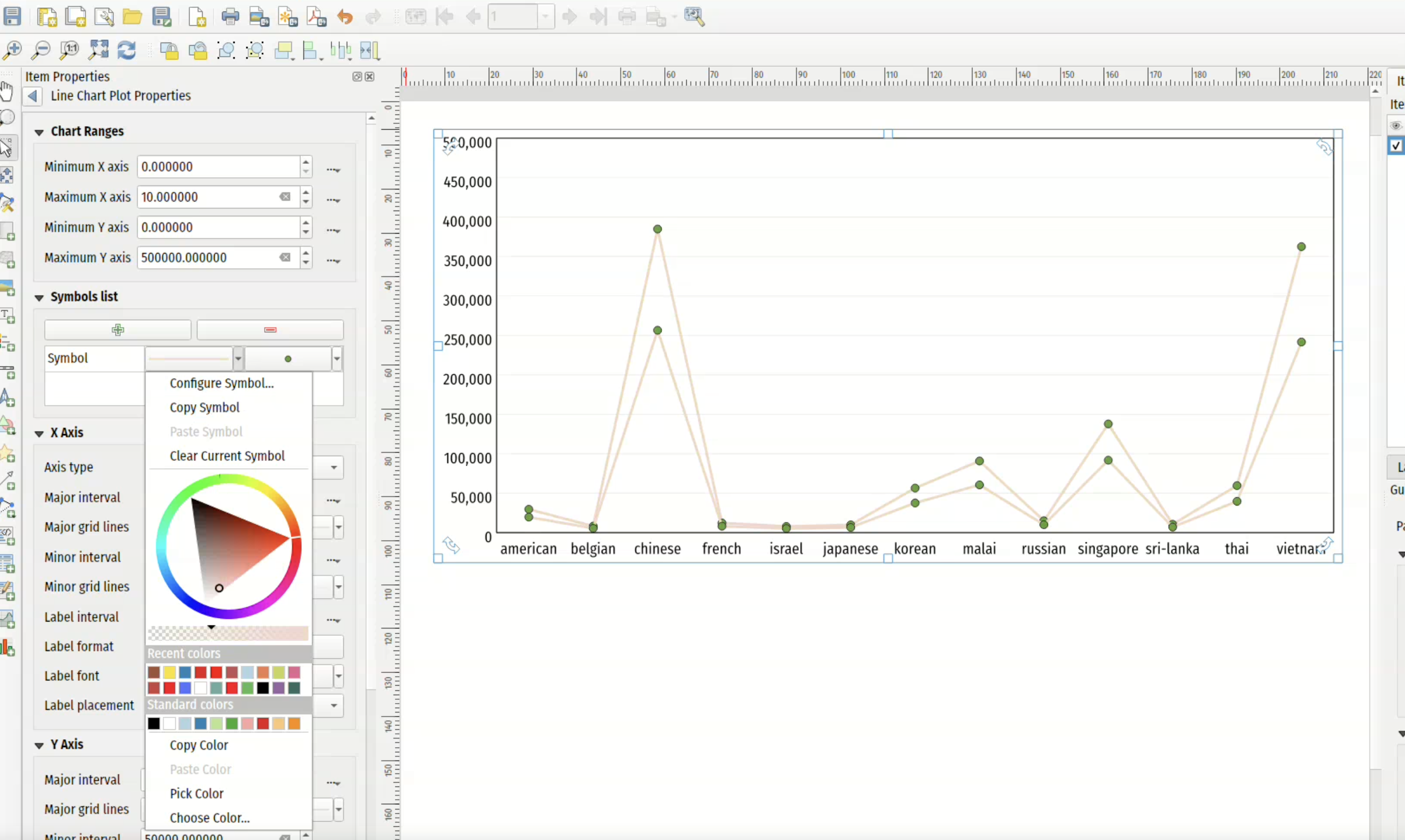
This feature was developed by Mathieu Pellerin
A new atlas option was added to limit rendering of features on the coverage layer to the current feature only, allowing the dynamic exclusion of other features without requiring complex expressions using the active atlas feature.
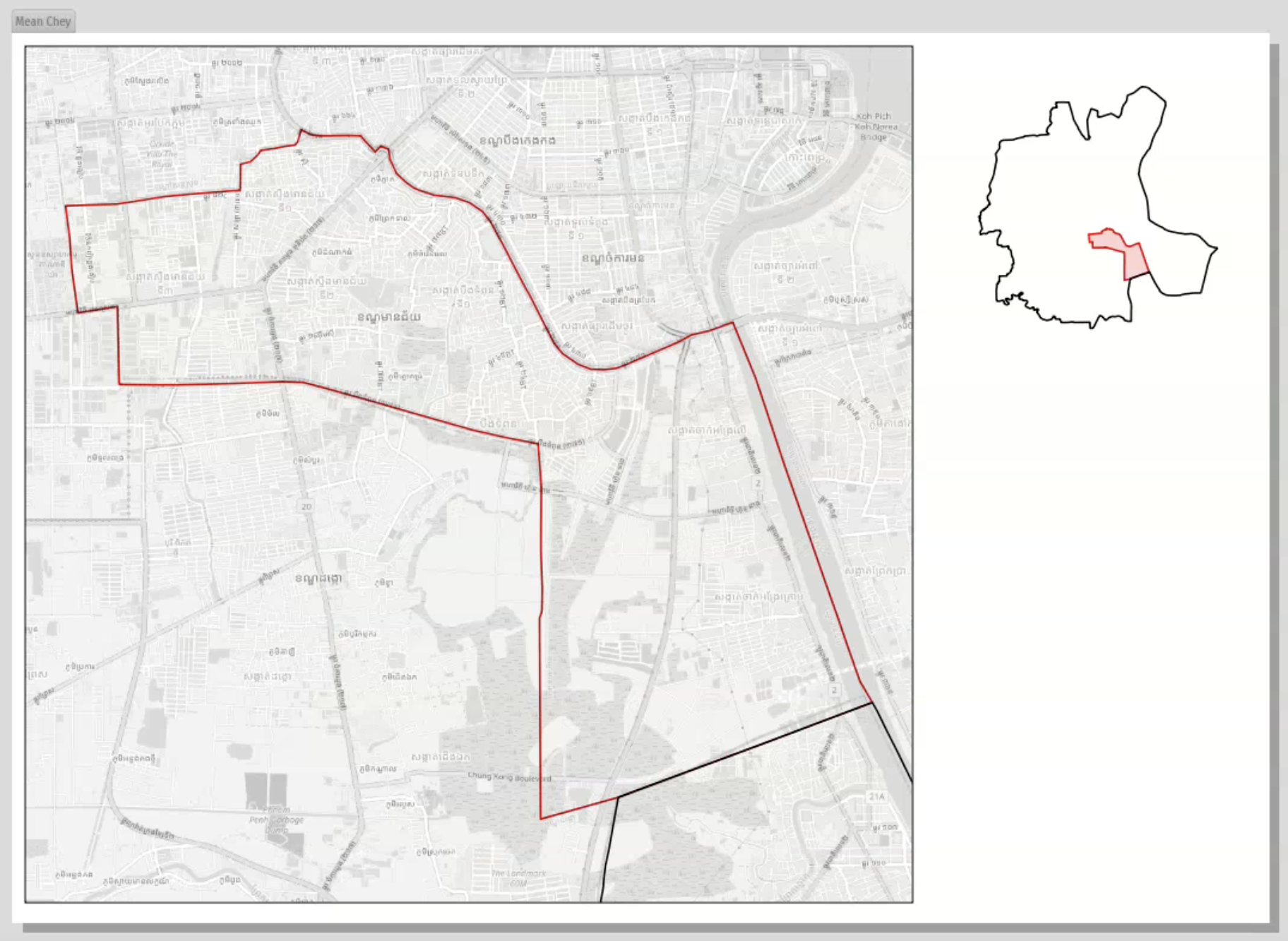
This feature was developed by Mathieu Pellerin
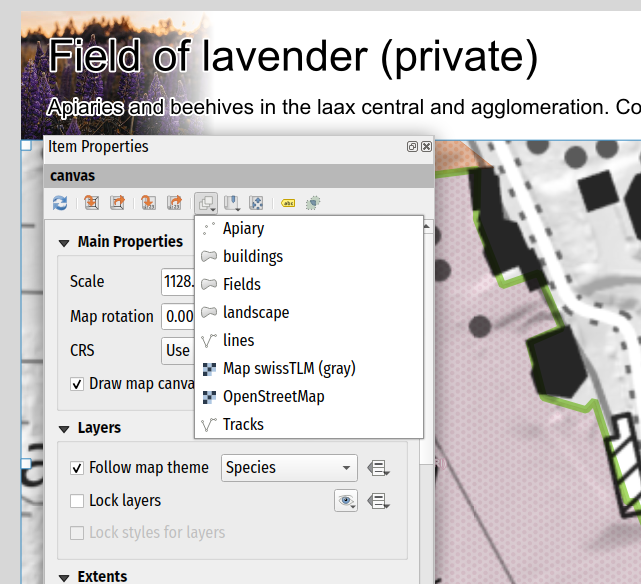
A new menu action has been added to the toolbar for layout maps that allows users to quickly set a given map item's extent to match the extent of a spatial layer in the project.
This feature was developed by Mathieu Pellerin
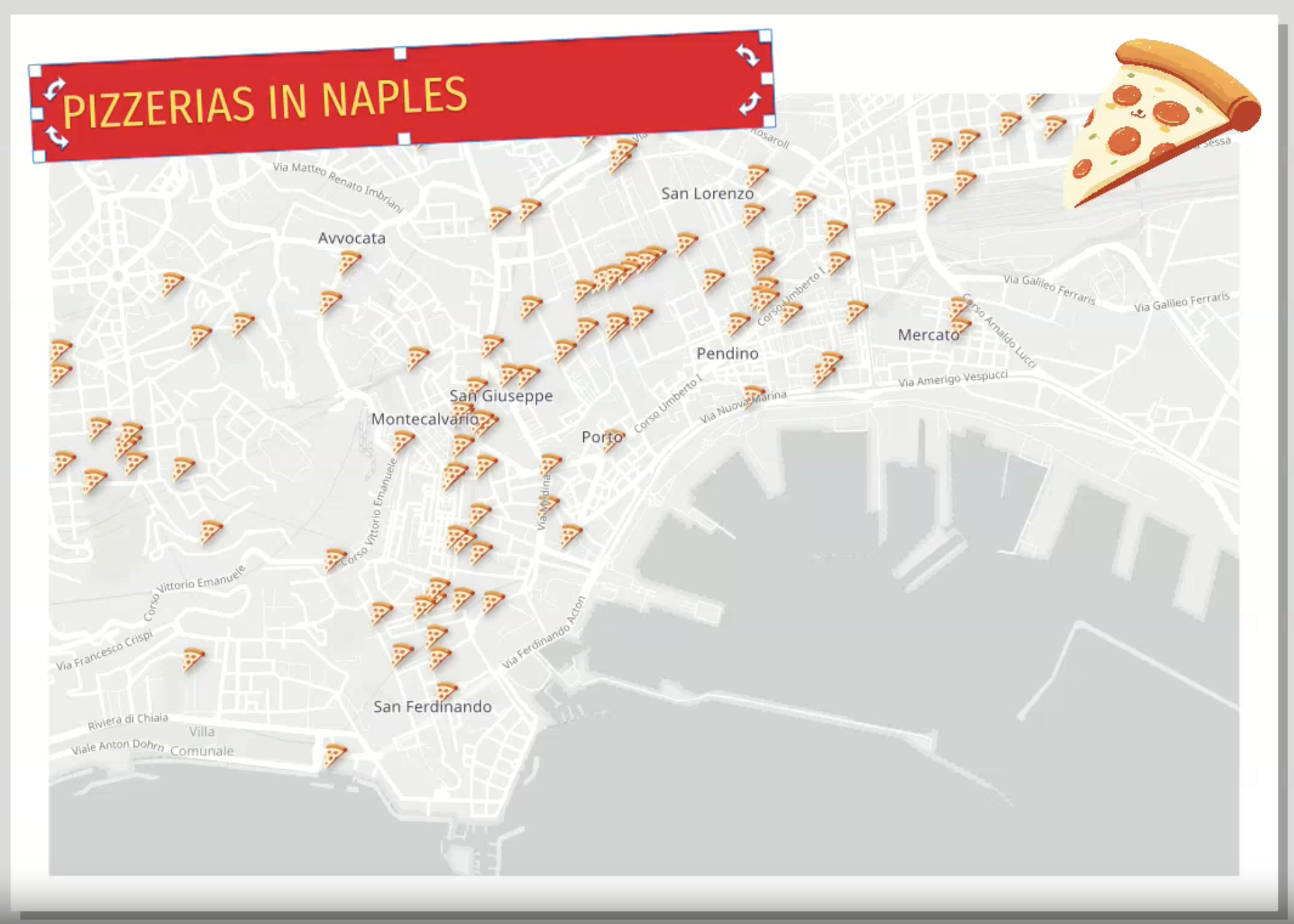
Rotation handles have been added for selected layout item(s), allowing users to tweak item rotation and perfect their layouts.
This feature was developed by Mathieu Pellerin
Expressions
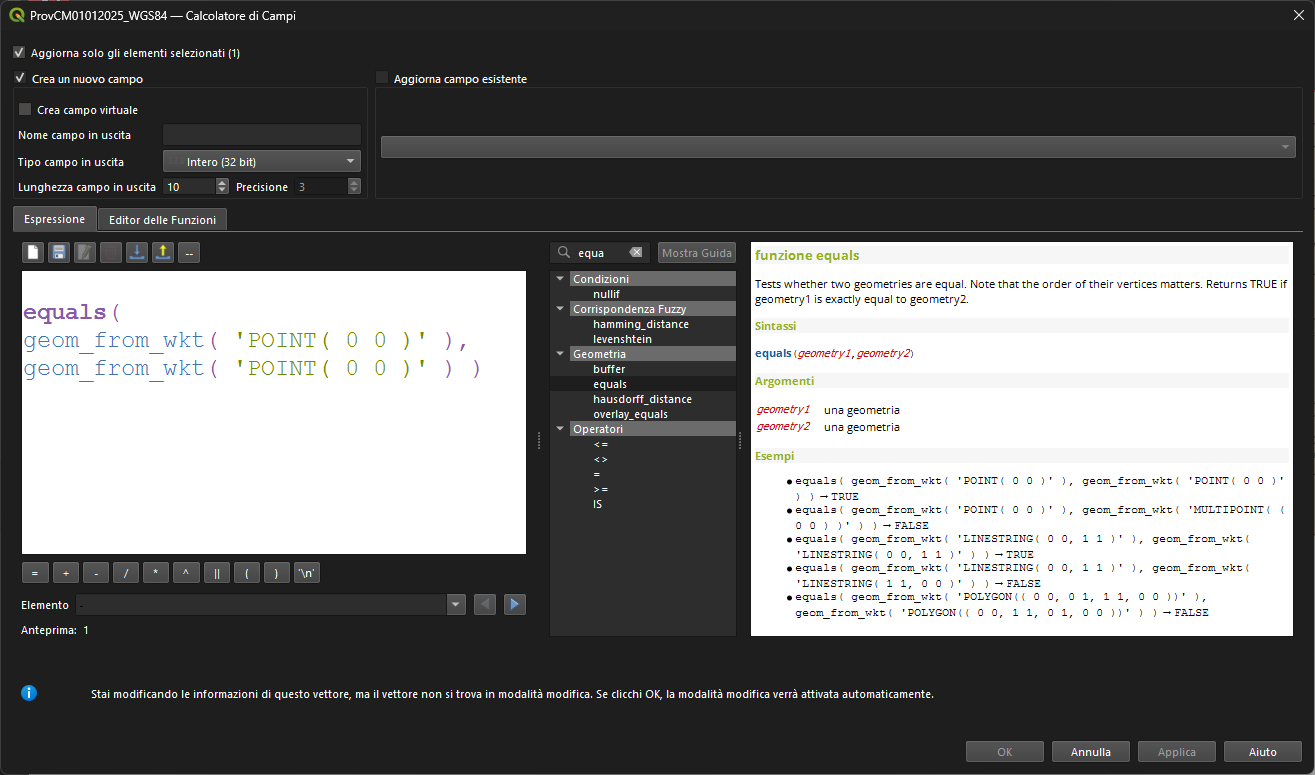
A new equals(geometry1, geometry2) geometry function has been added, which will test the equality of two geometries (in the same manner as overlay_equals).
This feature was developed by Andrea Giudiceandrea
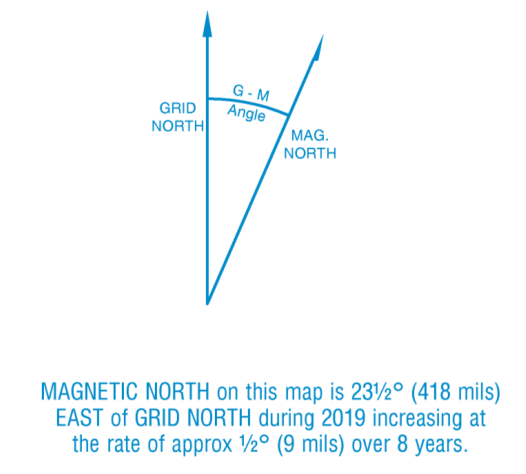
New expressions for handling magnetic model details are now available, including::
- magnetic_declination: Returns the declination of a magnetic field at a point, in degrees east of north
- magnetic_inclination: Returns the inclination of a magnetic field at a point, in degrees down from horizontal
- magnetic_declination_rate_of_change: Returns the rate of change of the declination of a magnetic field at a point, in degrees per year
- magnetic_inclination_rate_of_change: Returns the rate of change of the inclination of a magnetic field at a point, in degrees per year
This is highly useful for metadata in print layouts and
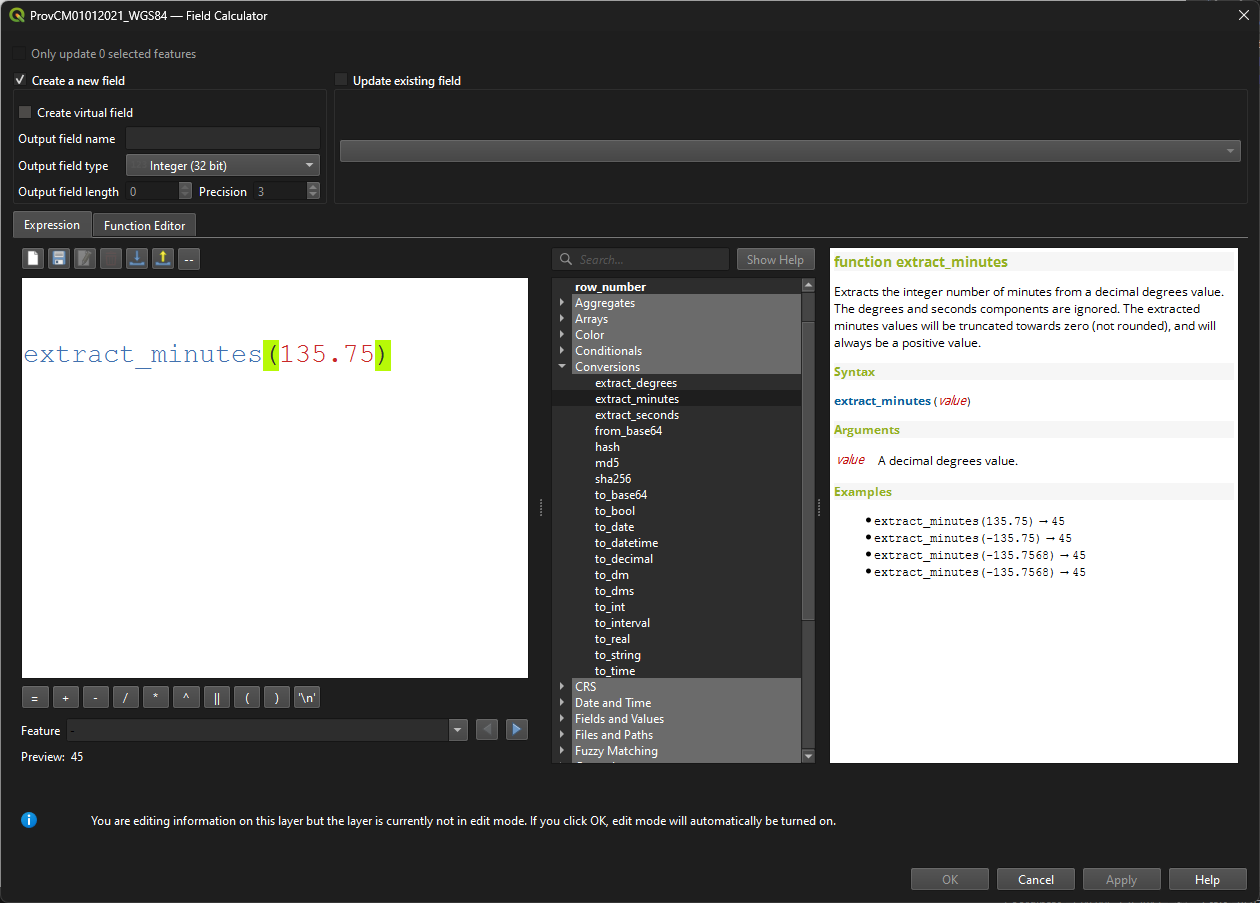
These functions are designed to make it easy to customise the display of a degree-based grid annotation, by allowing easy extraction of the individual components of the decimal degree value for individual formatting (e.g., displaying the degrees in bold)
- extract_degrees: Extracts the integer number of degrees from a decimal degrees value. The minutes and seconds components are ignored. The extracted degrees values will be truncated towards zero (not rounded).
- extract_minutes: Extracts the integer number of minutes from a decimal degrees value. The degrees and seconds components are ignored. The extracted minutes values will be truncated towards zero (not rounded), and will always be a positive value.
- Extracts the decimal number of seconds from a decimal degrees value. The degrees and minutes components are ignored. The extracted seconds value will always be a positive value.
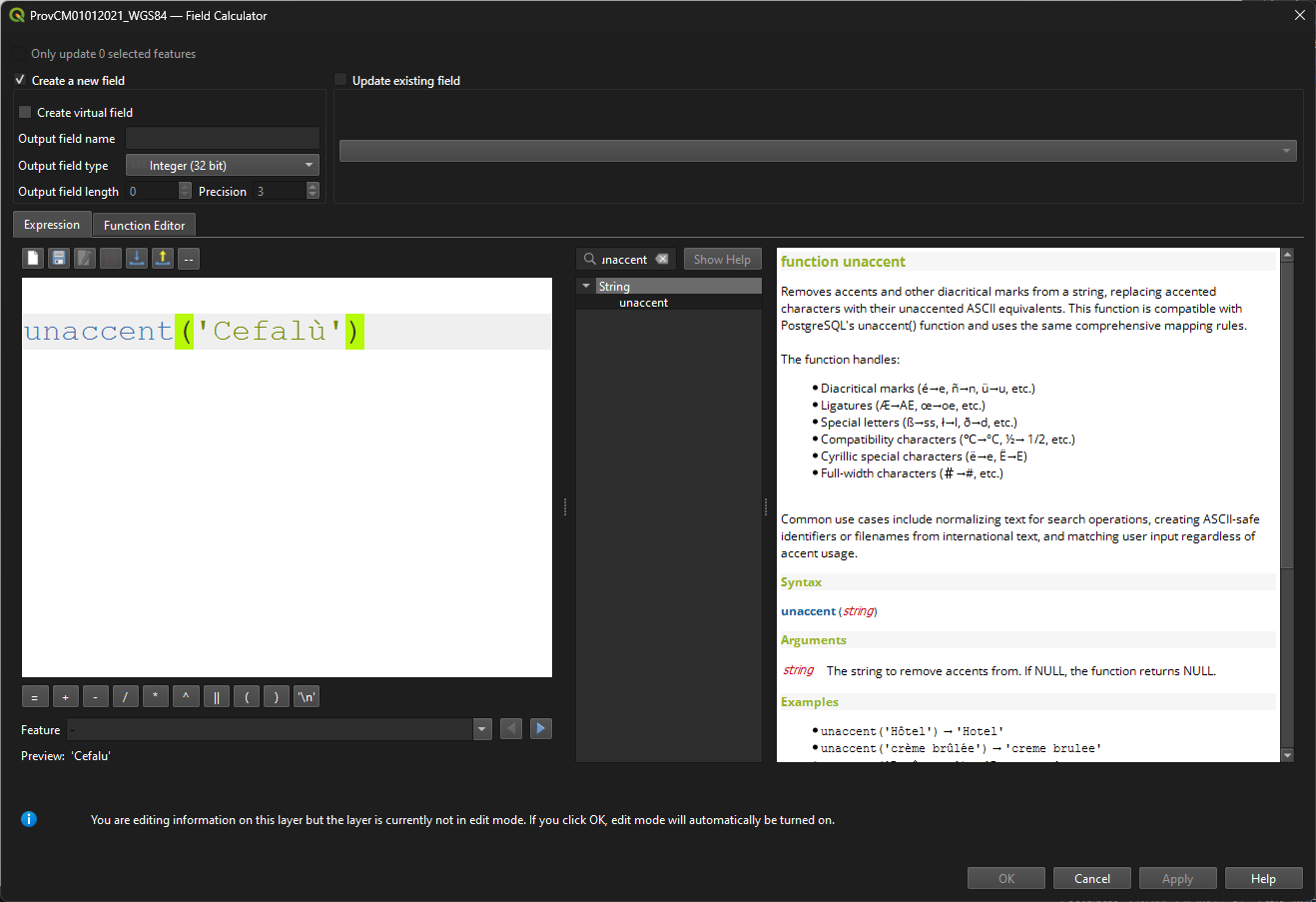
A new unaccent method is provided that removes accents (diacritic signs) from lexemes, e.g unaccent( "ï" ).
This feature was developed by Tudor Barascu
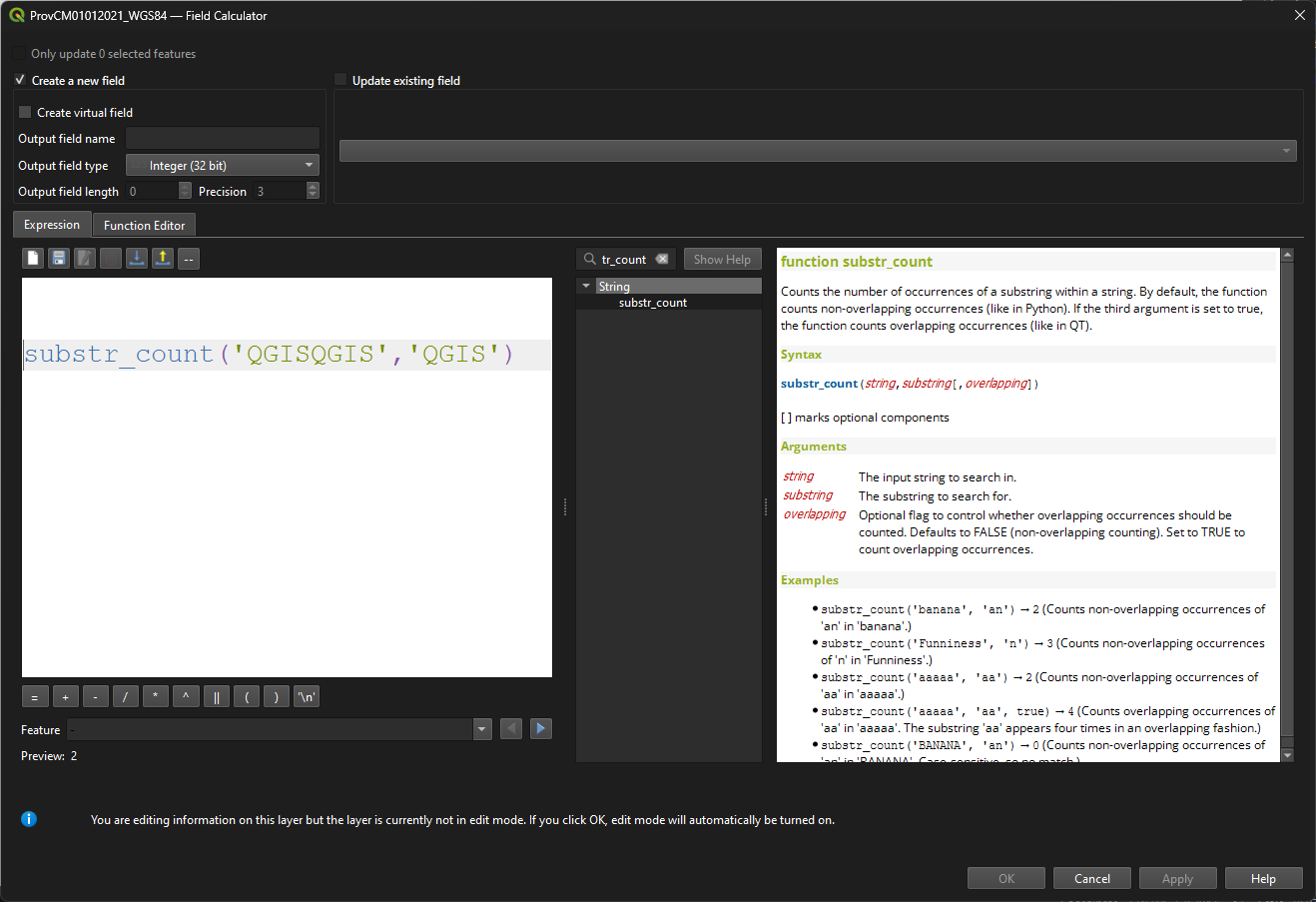
The new substr_count expression simply allows users to count the occurrences of a substring within a string.
This feature was developed by Tudor Barascu
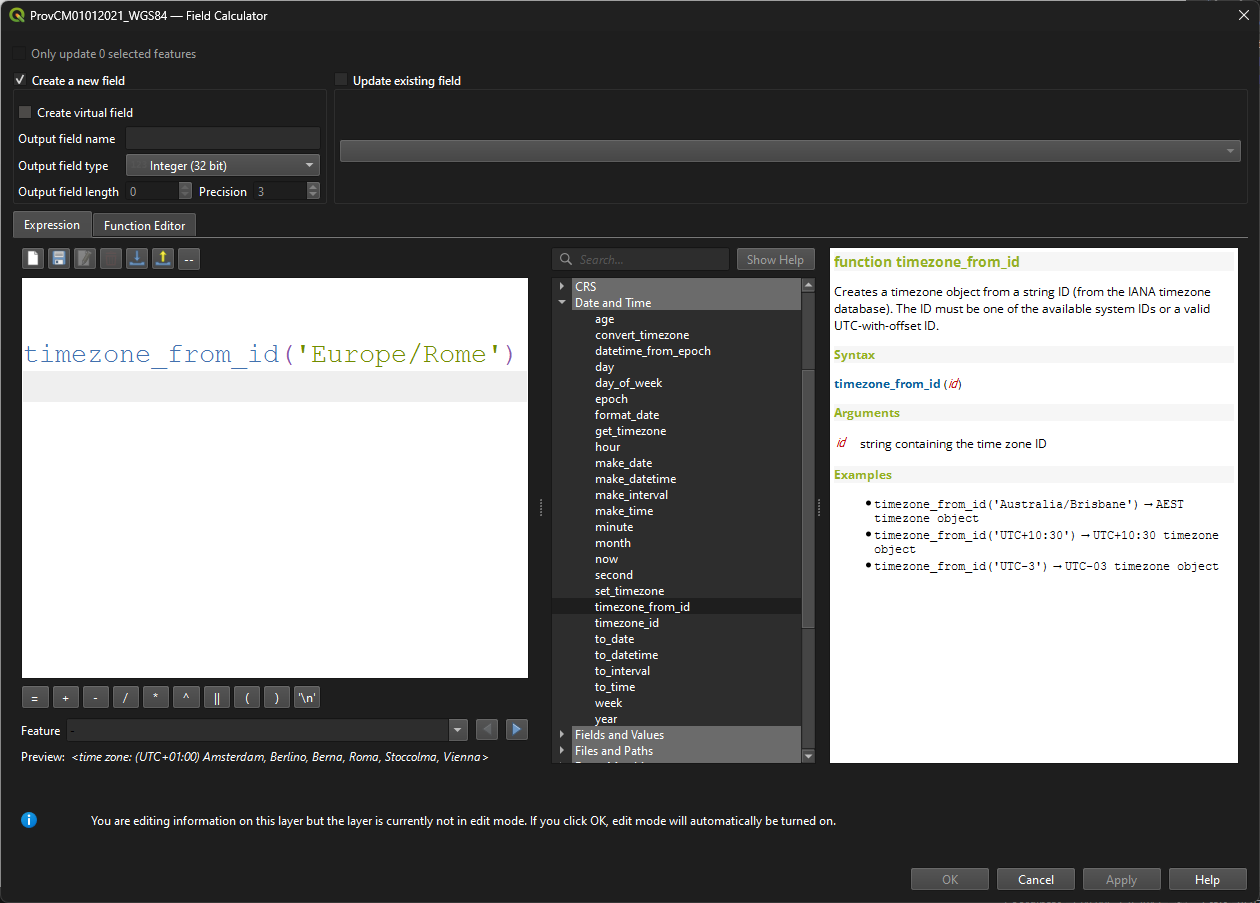
Adds some functions for working with timezones in expressions:
timezone_from_id: Creates a timezone object from a string ID (from the IANA timezone database).timezone_id: Returns the ID string for a timezone object, using IDs from the IANA timezone database.get_timezone: Returns the timezone object associated with a datetime value.convert_timezone: Converts a datetime object to a different timezone.set_timezone: Sets the timezone object associated with a datetime value, without changing the date or time components. This function can be used to replace the timezone for a datetime.
Digitising
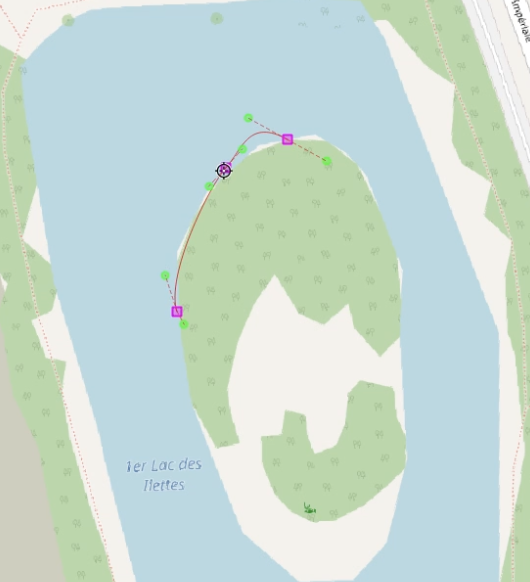
New GUI controls for part digitization using NURBS curves are provided by adding the "poly-bézier" / "freeform" curve mode, which uses anchors and handles to control curve shape in a manner similar to many graphic design tools.
Users can click and drag ot add a point with handles, and reset handles on a point using alt+click.
This feature was funded by Stadt Frankfurt am Main and Oslandia
This feature was developed by Loïc Bartoletti
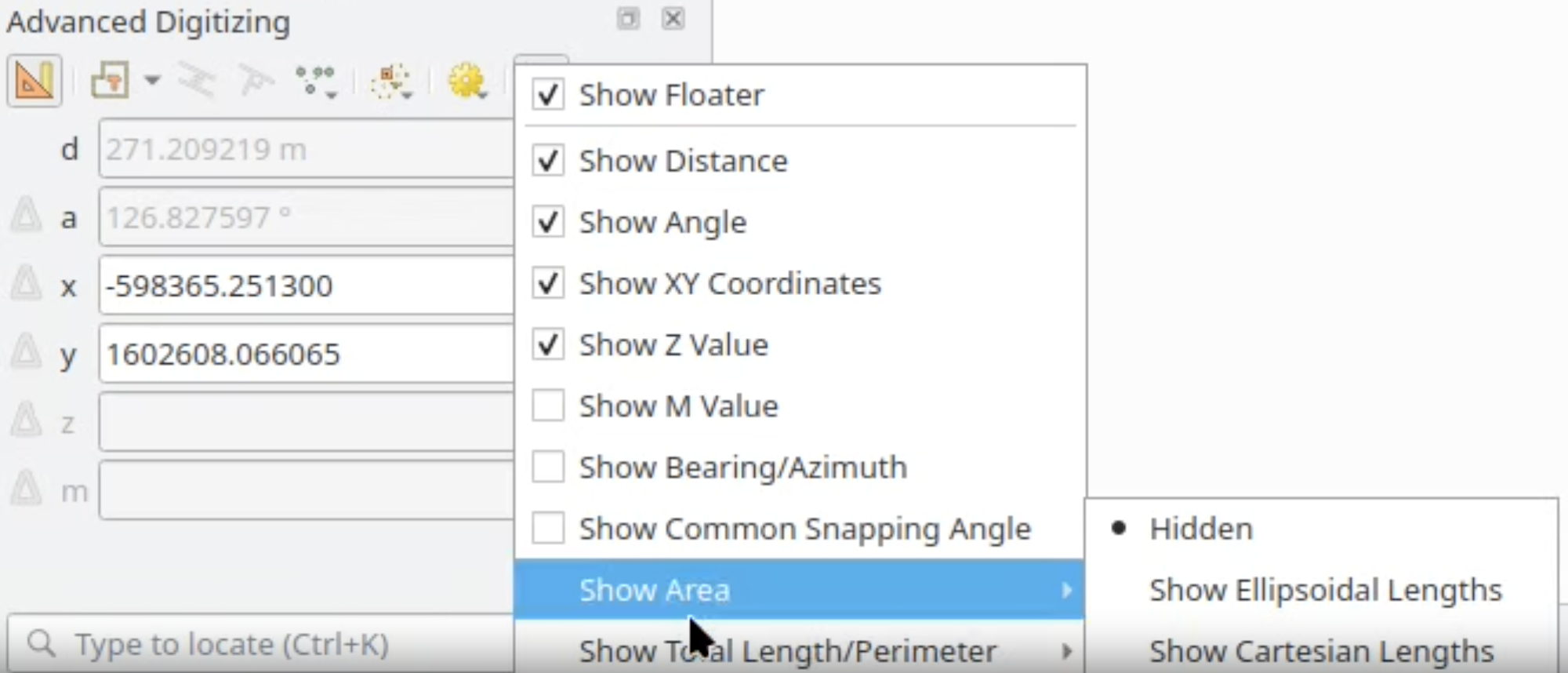
New floater values are provided on the advanced digitizing CAD Tools interface, providing the option to show area and total length/perimeter values using Cartesian or Ellipsoidal calculations based on user selection (note that CAD tools uses Cartesian coordinates for digitization, which may result in differences between the displayed ellipsoidal values).
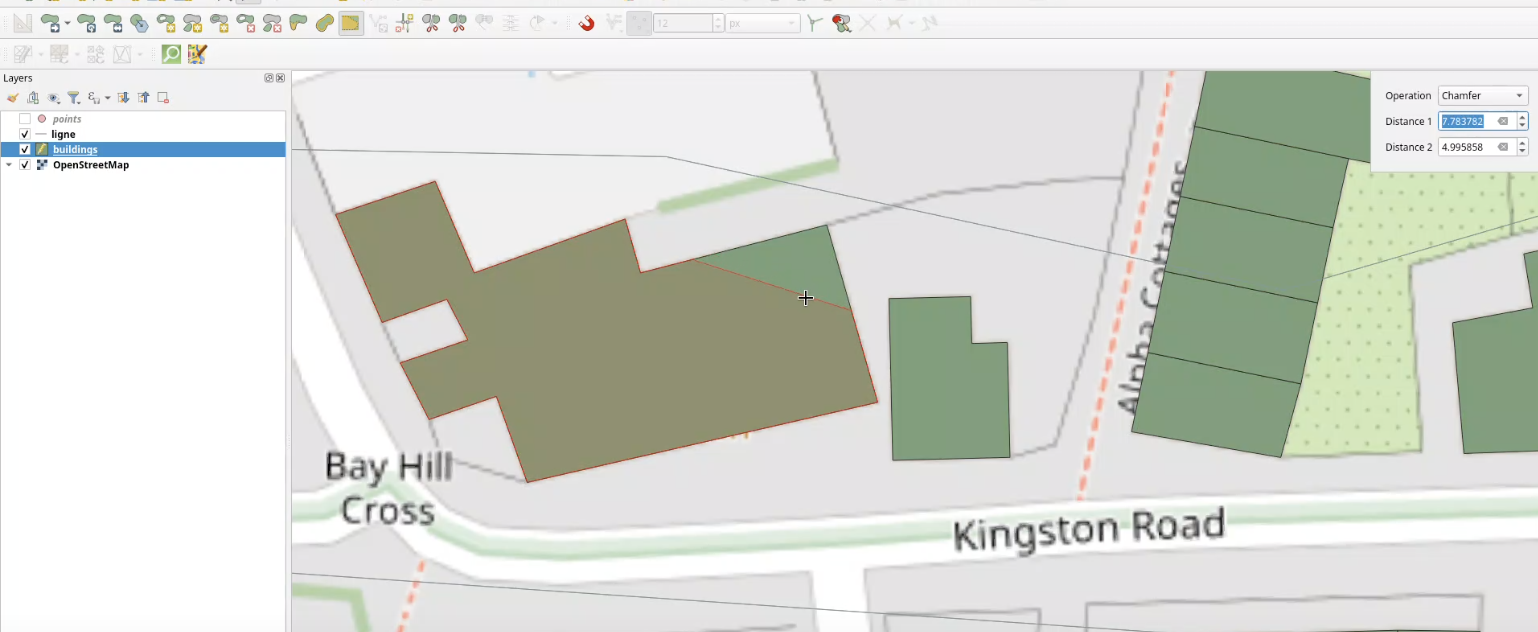
A new digitizing Maptool allows users to chamfer or fillet polygons.
Development supported by:
- Stadt Frankfurt am Main
- Oslandia
This feature was funded by Stadt Frankfurt am Main
This feature was developed by Benoit D.-M. - oslandia
Data Management
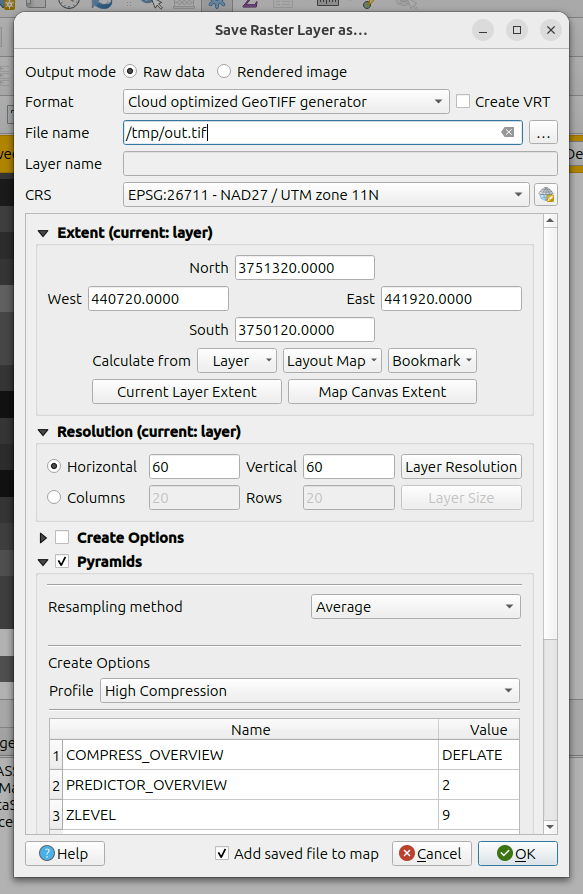
The Raster Exports and Save dialogs now support explicit options to specify that the output should be exported with Cloud Optimized GeoTiff optimization, with additional COG-specific pyramid features, including improvements for:
- progress reporting
- error handling
- pyramid generation operations
Note that this requires GDAL >= 3.13.0
This feature was funded by QGIS-DE - Anwendergruppe Deutschland e.V.
This feature was developed by Even Rouault
QGIS now makes the raw (original) attribute values visible and copyable in both Attribute tables and the Identify Result interface.
In previous versions, data values were copied only in their "represented" form, i.e., the values that are evaluated by locale settings, expressions, or display values (e.g, foreign key values).
The new "Copy Raw Cell Content" option, available from the context menu, will copy literal values from the source data to the clipboard.

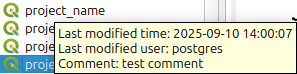
QGIS projects stored in PostgreSQL can now include comments with additional information, which is displayed in the browser using a Tooltip.
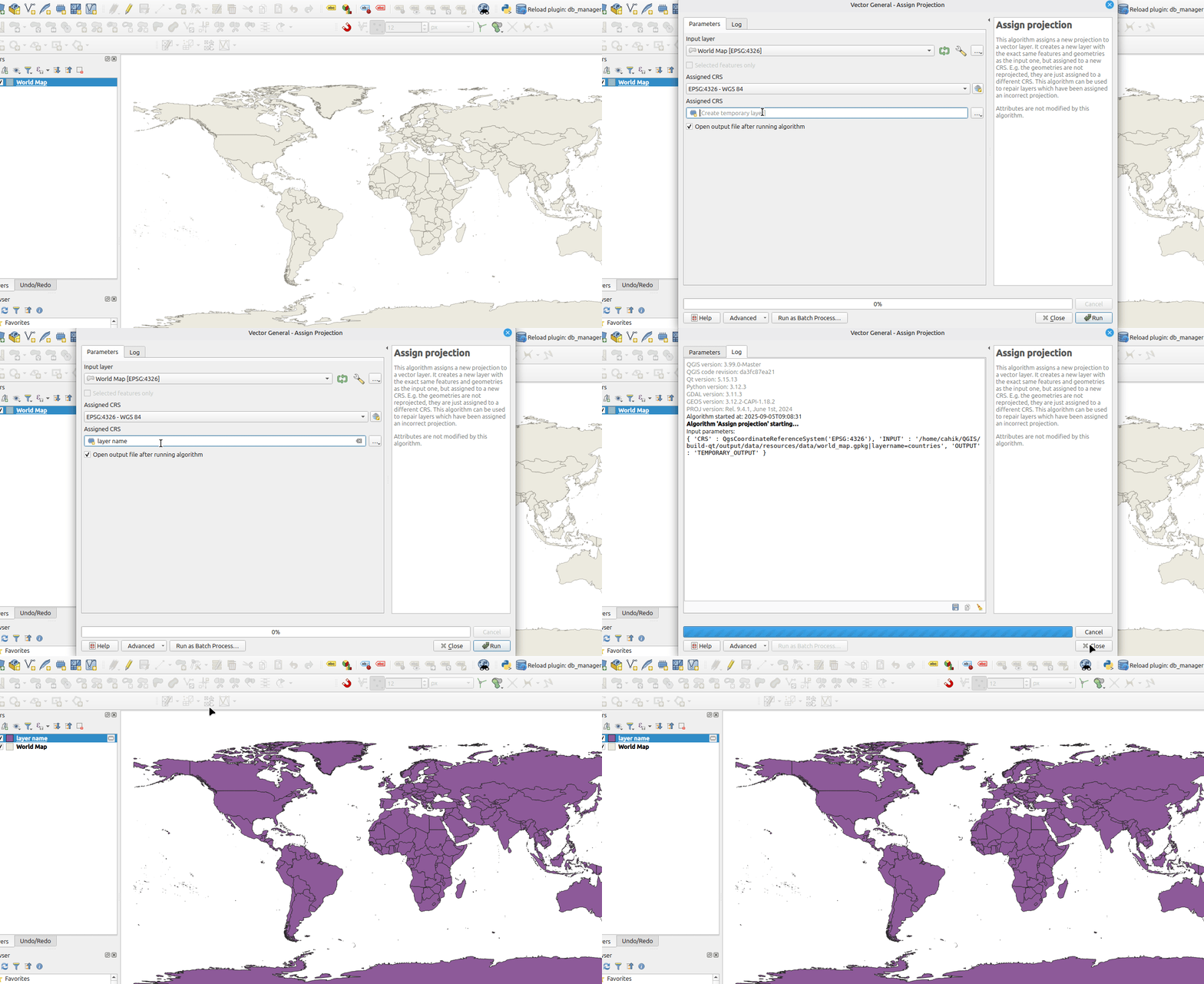
This functionality allows the user to name a temporary output layer that is the result of a processing algorithm. The fact that the layer is temporary is identifiable by the temporary icon (memory chip) displayed before the user defined layer name.
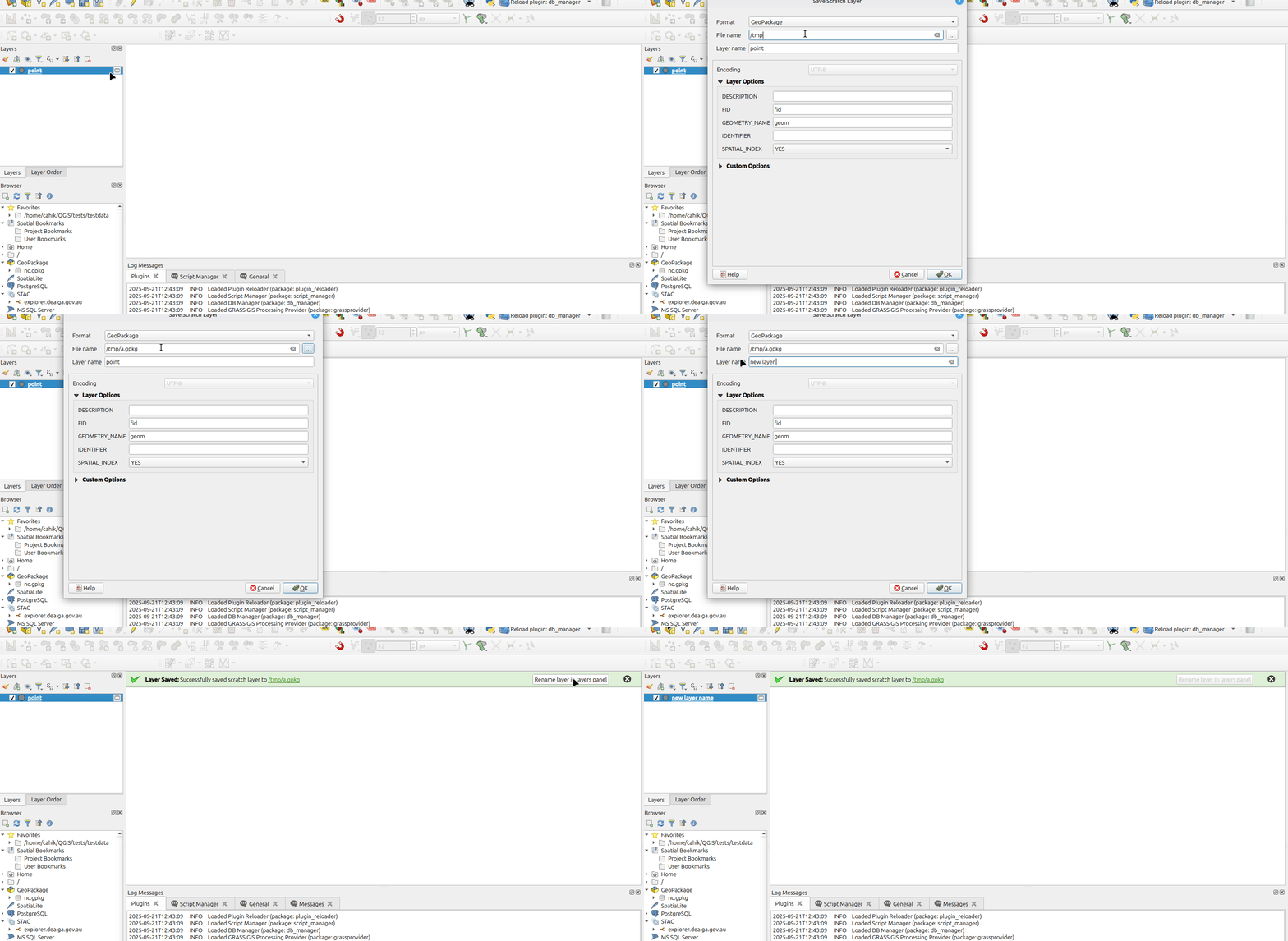
When saving a scratch layer as a permanent layer with a new name (a different file name than the name in the layer panel), a message bar is shown. In this message bar, the user can choose to automatically change the name in the layer panel to the new layer name.
This message bar is only shown if the layer is saved with a new name, and currently, this only works for some filetypes (it works for geopackages but not for shapefiles).
When saving a layer or a layer group as a layer definition file (.qlr), the filename field was left empty by default. QGIS now populates the name of the layer or group as a suggestion for the filename to reduce friction for style exports.
This feature was developed by pgipper
Forms and Widgets
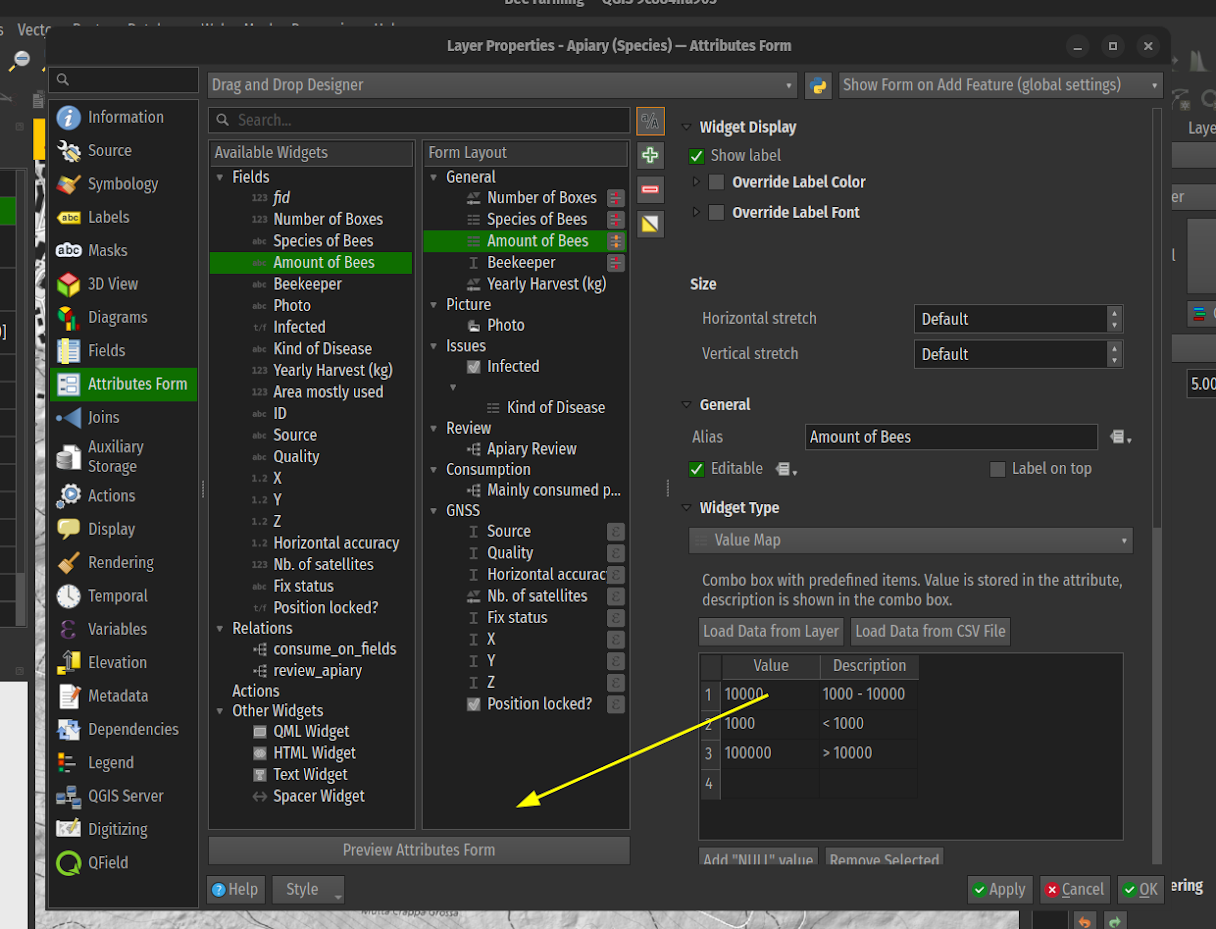
QGIS now provides the ability to preview an attributes form while configuring it within the vector layer properties dialog.
This feature was developed by Mathieu Pellerin
QGIS Attribute Forms now include an enhanced user experience for handling the reuse of "last captured" values in forms. A pin icon on forms will give users visual feedback on whether a field's value will be remembered and reused, and provide an active toggle to control whether it should continue to be reused. Additional enhancements to the form configuration allow session-level reuse policies to be set, the default behavior for reuse policies (enabled/disabled), and the ability to disable reuse policies across all fields in a layer.
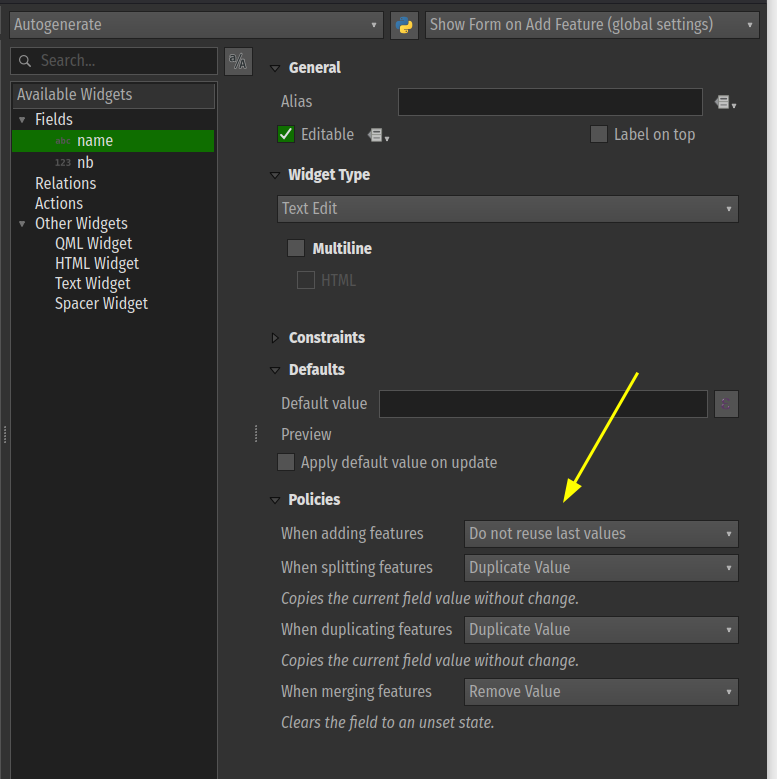
This feature was funded by Funded by DB Fahrwegdienste GmbH
This feature was developed by Mathieu Pellerin
Layer Legend
A new setting has been added in the layer properties legend tab (for vector, raster, mesh, and point cloud layers) for "Include automatically in print layout legend items". This setting is checked by default. Users must uncheck to exclude that layer from print layout legends.
This has also been added to the legend page for mesh and point cloud layers, with the generic setting for controlling embedded legend widgets.

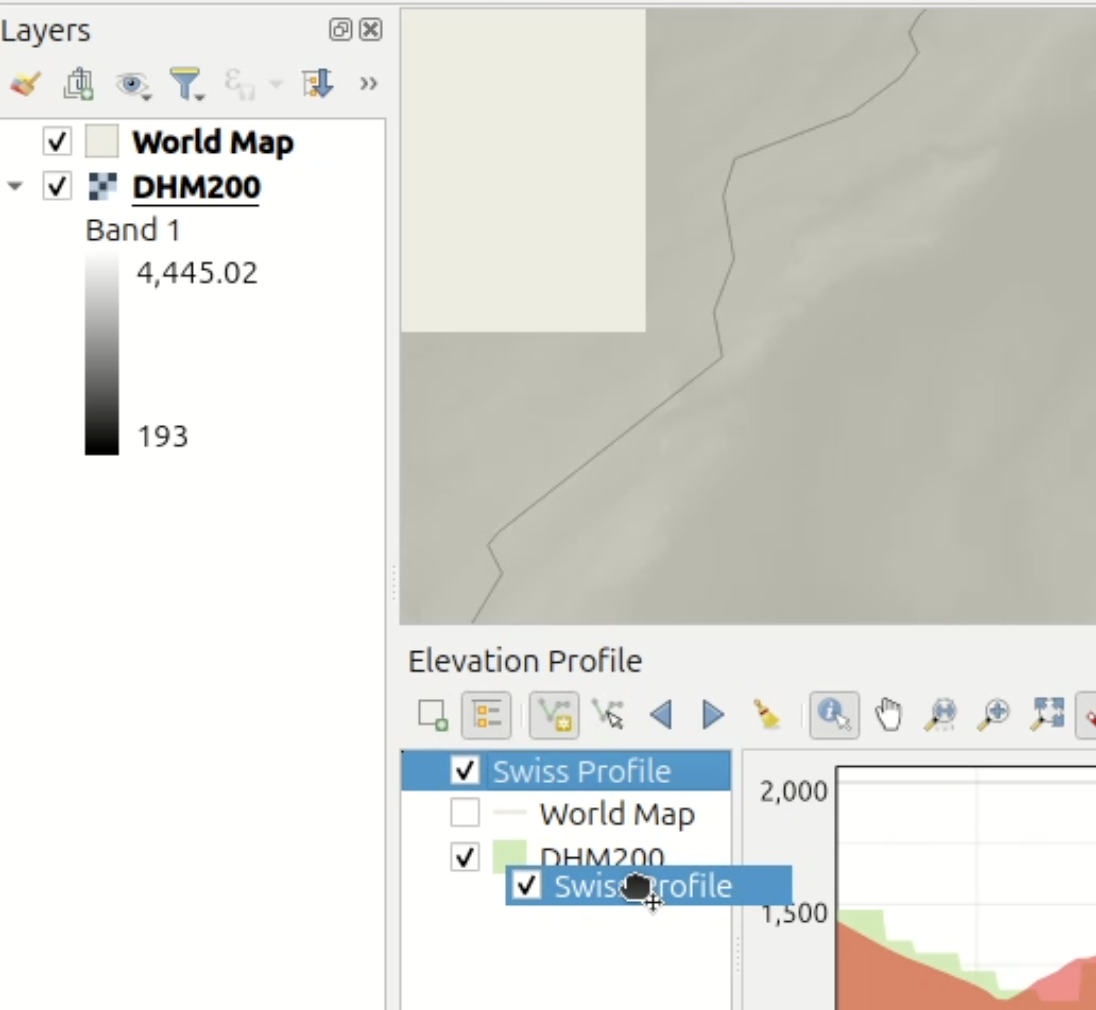
QGIS now includes more powerful interactive behaviors for Elevation Profiles, including changing the layer visibility and rendering order on related canvases and linking the project layer tree to the profile plot sources.
This functionality is enabled by the introduction of the QgsLayerTreeCustomNode class, which enables the representation of application objects (other than layers and groups) in QGIS layer trees.
Processing
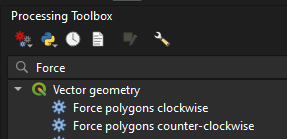
New algorithms for Force polygons clockwise (native:forcecw) and Force polygons counter-clockwise (native:forceccw) have been added to processing algorithms.
Force polygons clockwise replicates the existing "Force right-hand-rule" operation, and forces polygon geometries to respect the convention where the exterior ring is oriented in a clockwise direction and the interior rings in a counter-clockwise direction.
Force polygons counter-clockwise performs the inverse, and forces polygon geometries to respect the convention where the exterior ring is oriented in a counter-clockwise direction and the interior rings in a clockwise direction.
This feature was developed by Andrea Giudiceandrea
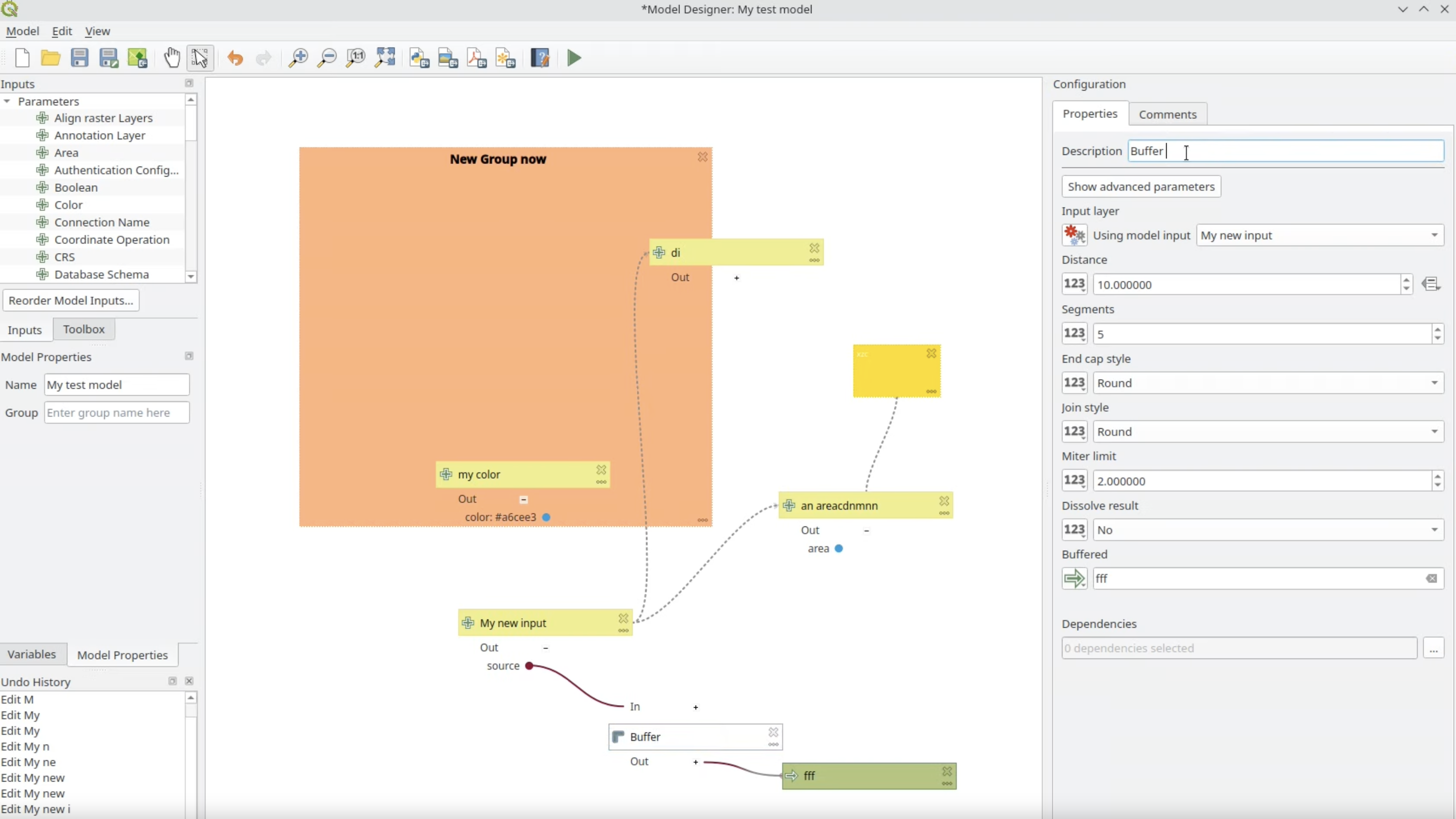
A new configuration panel has been added, docked to the right-hand side of the Processing model designer, which allows editing of model components without the modal dialogs, and replicating the user experience from the Layer Styling Panel. This improves the UX for model editing and prevents model configuration modals from blocking user interaction with other QGIS elements while model components are being edited. Users can still access the dialogs when double-clicking an item.
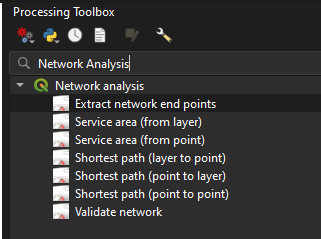
Two new algorithms useful for validating networks have been added:
- Validate network
- Extract network endpoints
Validate network
This algorithm analyzes a network vector layer to identify data and topology errors that may affect network analysis tools (like shortest path). Optional checks include:
- Validating the 'Direction' field to ensure all direction field values in the input layer match the configured forward/backward/both values. Errors will be reported if the direction field value is non-null and does not match one of the configured values.
- Checking node-to-node separation. This check identifies nodes from the network graph that are closer to other nodes than the specified tolerance distance. This often indicates missed snaps or short segments in the input layer. In the case that a node violates this condition with multiple other nodes, only the closest violation will be reported.
- Checking node-to-segment separation: This check identifies nodes that are closer to a line segment (e.g. a graph edge) than the specified tolerance distance, without being connected to it. In the case that a node violates this condition with multiple other edges, only the closest violation will be reported.
Two layers are output by this algorithm:
- An output containing features from the original network layer that failed the direction validation checks.
- An output representing the problematic node locations with an 'error' field explaining the error. This is a line layer, where the output features join the problematic node to the node or segment that failed the tolerance checks.
Extract network endpoints
This algorithm extracts the endpoints (nodes) from a network line layer. Two definitions are available for identifying endpoints:
- Nodes with only all incoming or all outgoing edges: Identifies 'Source' or 'Sink' nodes based on the direction of flow. These are nodes where flow can start (only outgoing) or stop (only incoming).
- Nodes connected to a single edge: Identifies topological 'dead-ends' or 'dangles', regardless of directionality. This checks if the node is connected to only one other distinct node.
This is a port of the Whitebox tool's equivalent algorithm, implementing the logic described in Lindsay, John et al (2019): LiDAR DEM Smoothing and the Preservation of Drainage Features.
It is effective at removing surface roughness from DEM) without significantly altering sharp features such as breaks-in-slope, stream banks, or terrace scarps.
This makes it superior to standard low-pass filters (e.g., mean, median, Gaussian) or resampling, which often blur distinct topographic features.
The algorithm works in three steps:
- Calculating surface normal 3D vectors for each grid cell.
- Smoothing the normal vector field using a filter that applies more weight to neighbors with similar surface normals (preserving edges).
- Iteratively updating the elevations in the DEM to match the smoothed normal field.
Allows applying a gaussian blur to a raster layer
Adds the Total curvature algorithm to Processing. The total curvature filter has existed in the terrain analysis library for years, but it was never exposed in the GUI. It is now exposed to the Processing framework alongside the existing terrain analysis filters.
This feature was developed by Alexander Bruy
Expose output NODATA and raster creation options in the native raster terrain analysis tools (slope, aspect, hillshade, ruggedness index).
This feature was developed by Alexander Bruy
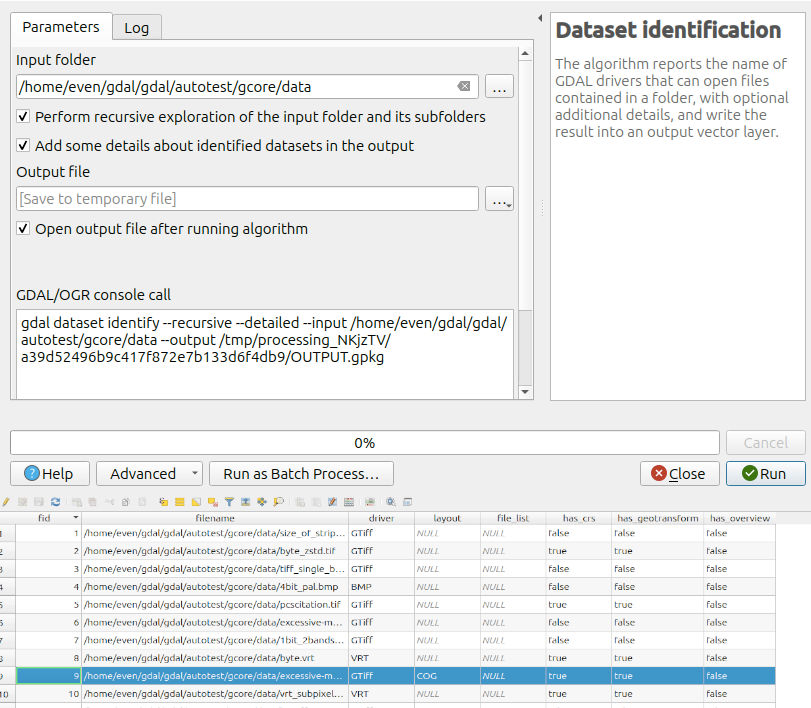
A new Data Identification algorithm allows for the automated extraction of metadata using GDAL.
This algorithm requires GDAL >= 3.13.0, as it uses the new capabilities of gdal dataset identify.
This feature was funded by QGIS-DE - Anwendergruppe Deutschland e.V.
This feature was developed by Even Rouault
This feature allows specifying the output format for rasters using GDAL configuration flags, primarily for enforcing Cloud Optimized GeoTiff outputs.
In previous versions, the output format was based on file format extension, which breaks for COG since both GDAL GTiff and COG drivers use the extension of .tif/.tiff. Users can now explicitly specify -of COG to enforce COG exports.
This feature was funded by QGIS-DE - Anwendergruppe Deutschland e.V.
This feature was developed by Even Rouault
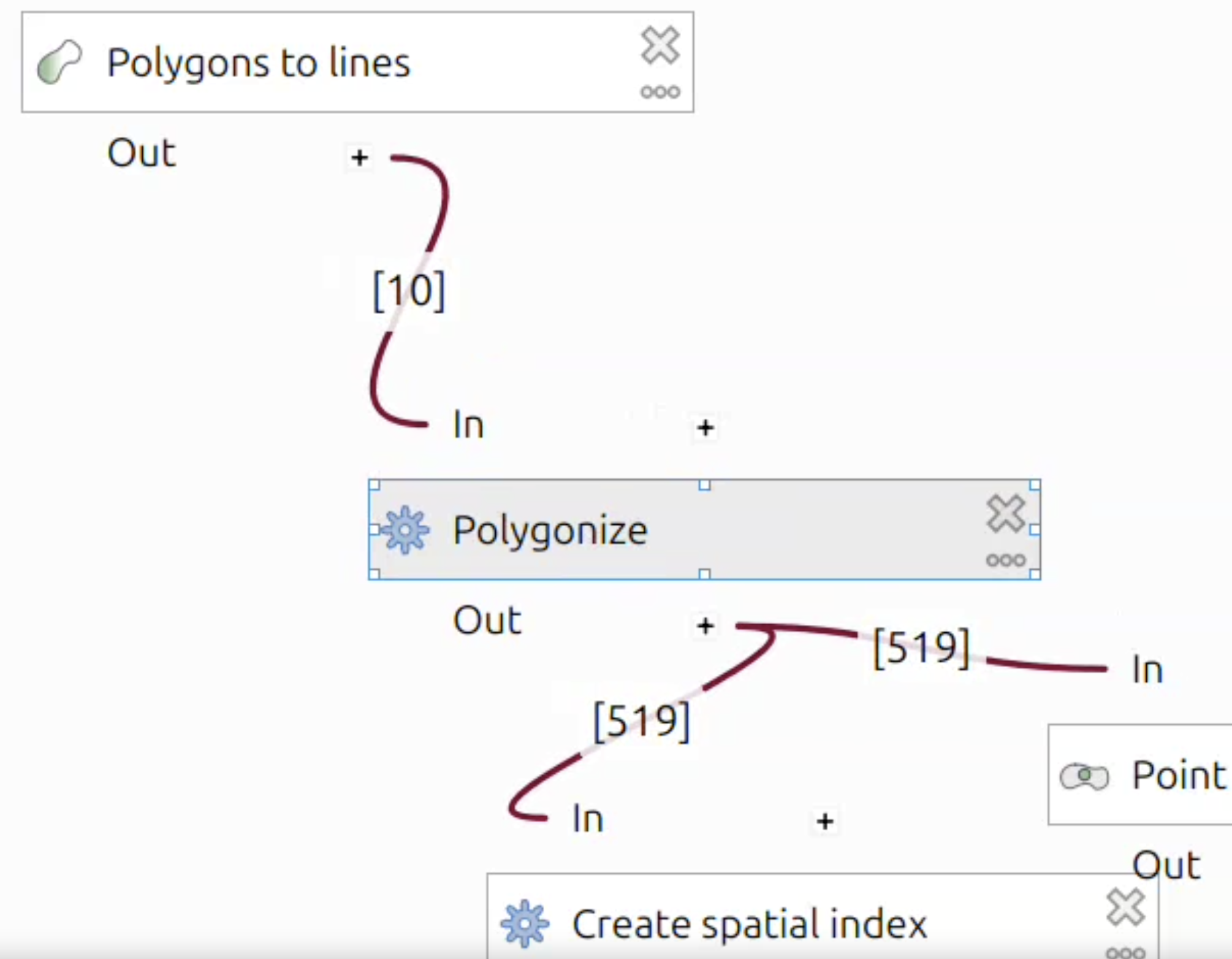
The long-requested ability to show the number of features flowing through the model has been added. The number of features is attached to the link going in and out between the algorithms, and it only applies to vector layers. The display of the feature count can be disabled using the "Show Feature Count" option in the view menu.
Note: To be able to display the feature count, the model needs to be run first at least once.
This feature was funded by the QGIS Switzerland user group
This feature was developed by Valentin Buira
Support for max-triangle-edge-length parameter has been added to the PDAL Export to raster (TIN) algorithm, so that triangles where the edge length is bigger than the specified threshold can be ignored.
This feature needs PDAL >= 2.6.0 and wrench >=1.2.2.
This feature was developed by Alexander Bruy
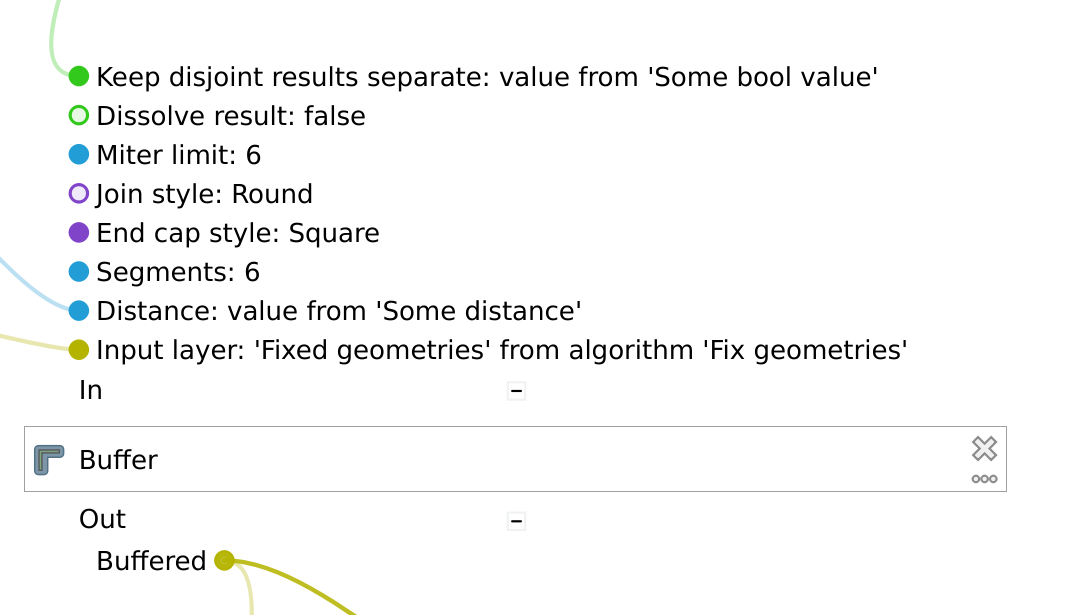
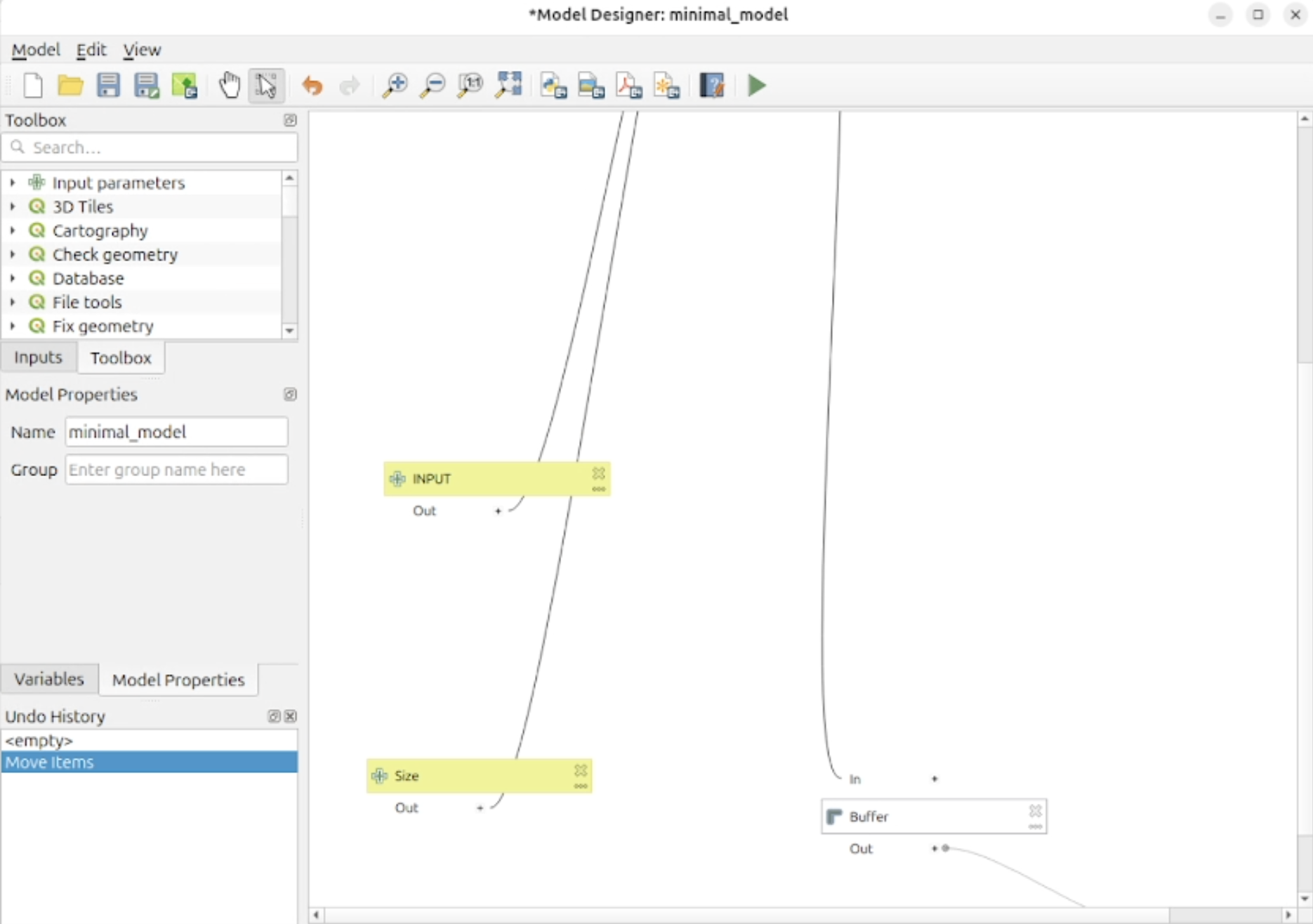
The QGIS Model Designer has had a significant update applied to the way in which it handles the input and output values between nodes to provide visual feedback in much more meaningful ways.
Individual parameters for node configuration are now exposed, and the connections between values from tools and variables are connected to nodes at the specific parameters where they are input and output accordingly.
Parameter Values are color-coded by data type (including generic data types like integer and string, but also complex QGIS-specific types such as vector and raster layers), allowing for enhanced visual indexing and traceability of data operations as they flow through the model.
An optional bool parameter to the Reproject layer algorithm has been added that allows for the transformation of Z coordinates.
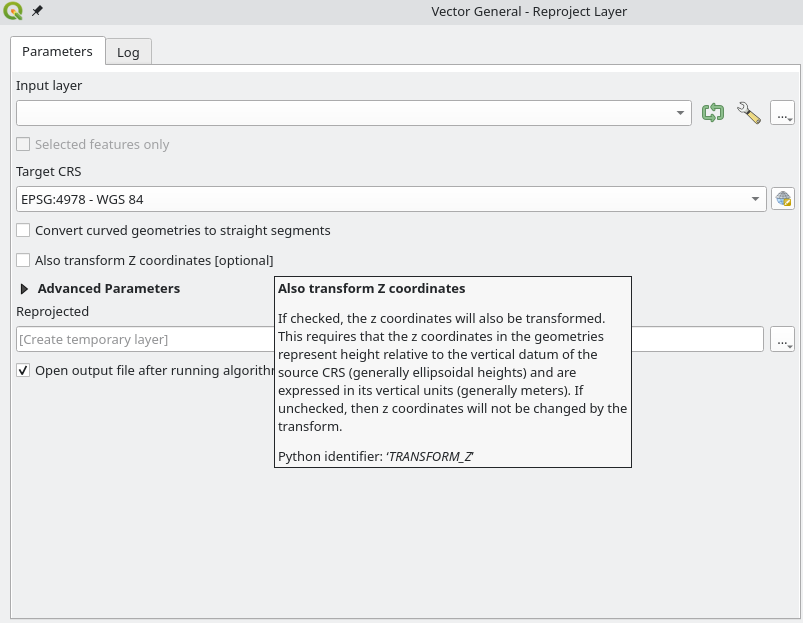
This feature was developed by Stefanos Natsis
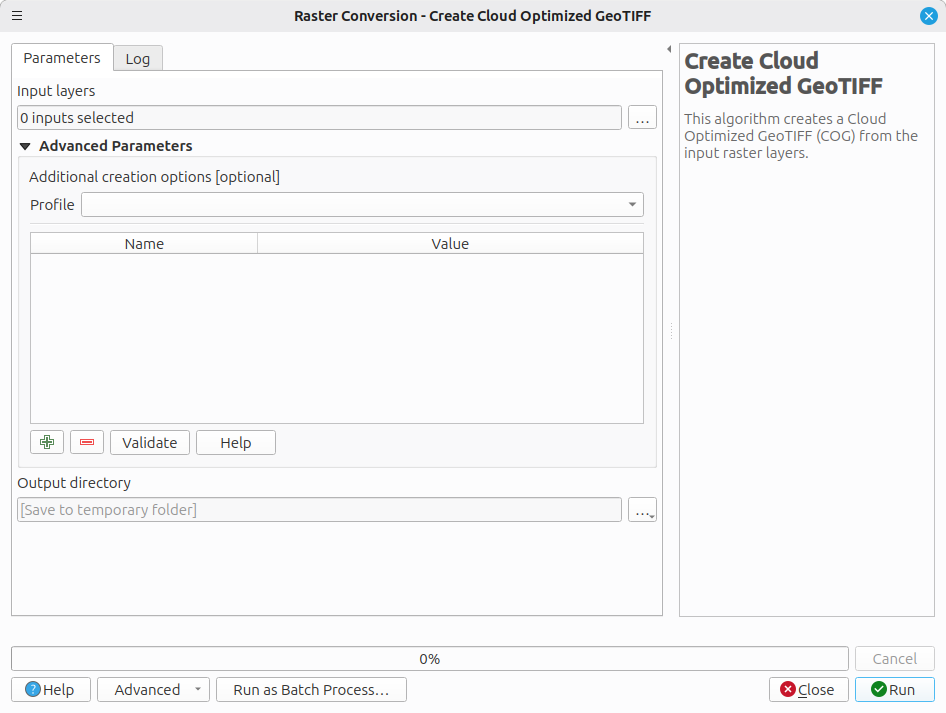
A new algorithm for Create Cloud Optimized GeoTIFF has been added that allows the creation of COGs for a set of input raster files provided in a dedicated folder and uses GDAL to perform a bulk conversion of the input files.
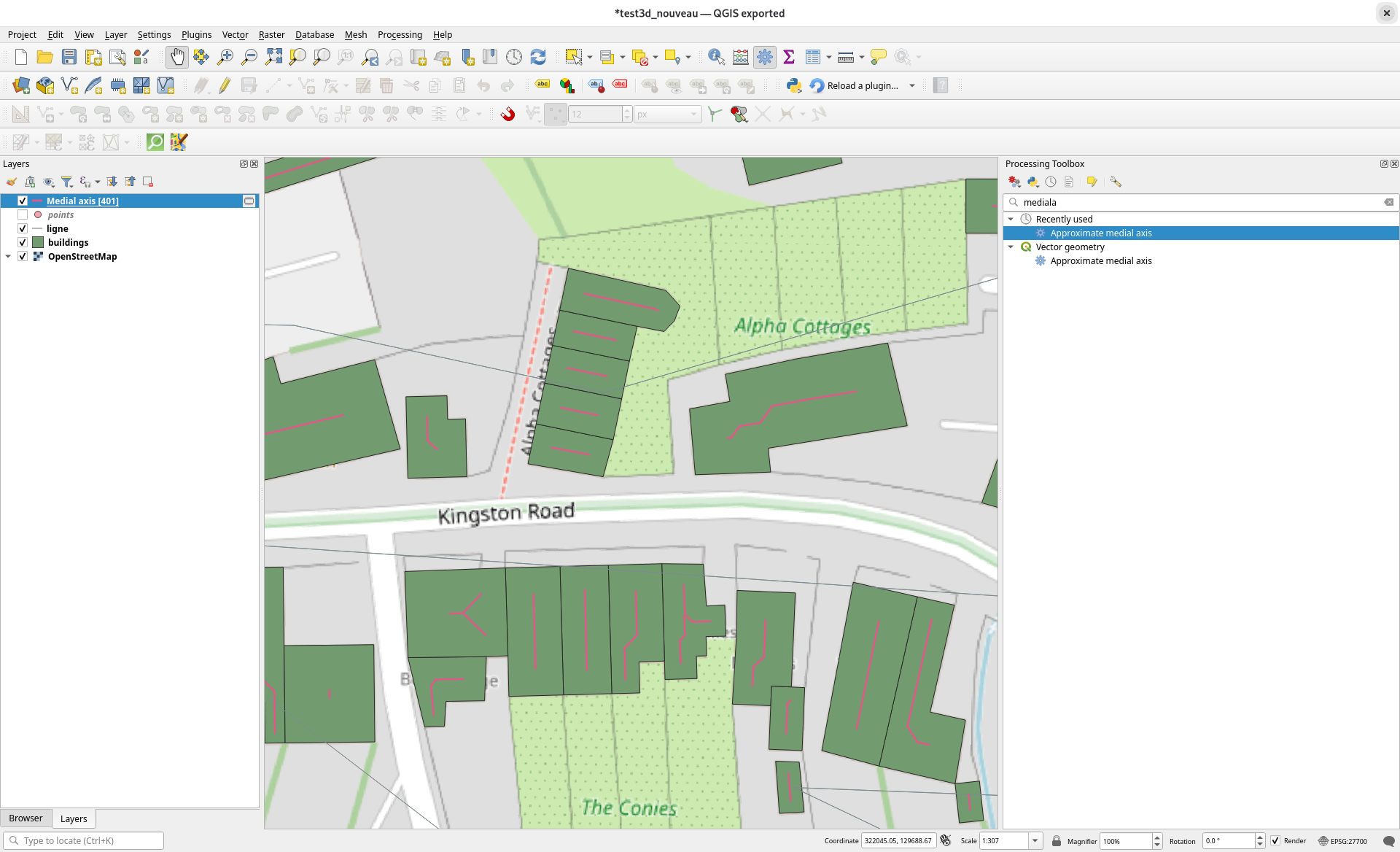
A new processing algorithm to approximate medial axis has been added which is based on the newly integrated SFCGAL backend.
The Approximate Medial Axis algorithm generates a simplified skeleton of a shape by approximating its medial axis. The output is a collection of lines that follow the central structure of the shape. The result is a thin, stable set of curves that capture the main topology while ignoring noise. This algorithm ignores the Z dimensions. If the geometry is 3D, the approximate medial axis will be calculated from its 2D projection.
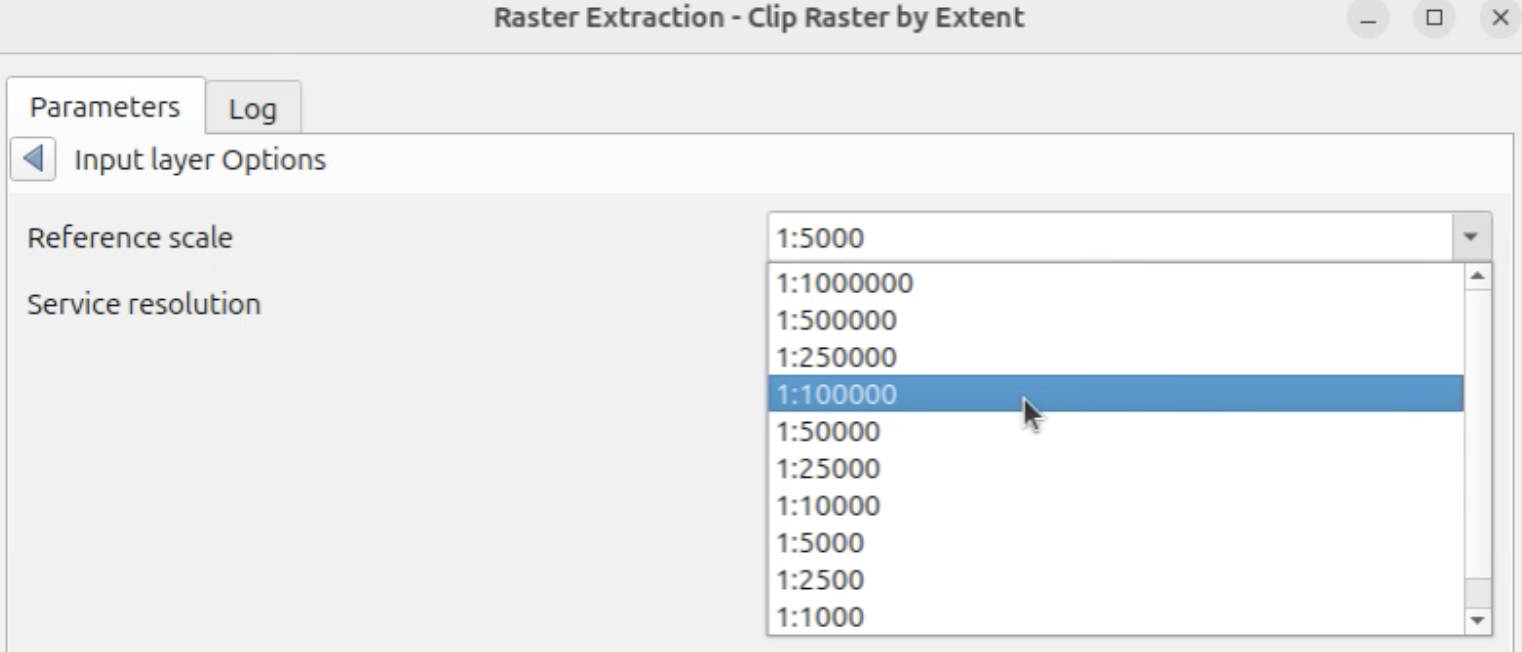
QGIS now enables Raster Extraction algorithms to work with WMSs requested at a given scale, so that scale-dependent rendering (symbology/labeling) is preserved in the output raster.
The improved algorithms are Clip raster by extent and Clip raster by mask layer.
A new advanced options panel is provided on WMS layers when used as a source in these algorithms, which provides options for:
- Reference scale: The scale at which the WMS raster should be requested/rendered.
- Service resolution: The resolution (in DPI) used by the server to render the WMS raster (by default 96 dpi).
These changes were enabled by the introduction of the QgsProcessingRasterLayerDefinition and QgsWmsUtils classes.
This feature was funded by City of Frankfurt – Stadtplanungsamt
This feature was developed by Germap
This feature extends the "Delete duplicate geometries" processing algorithm so that the identified duplicate features that are deleted can be extracted and saved as a distinct file for further analysis.
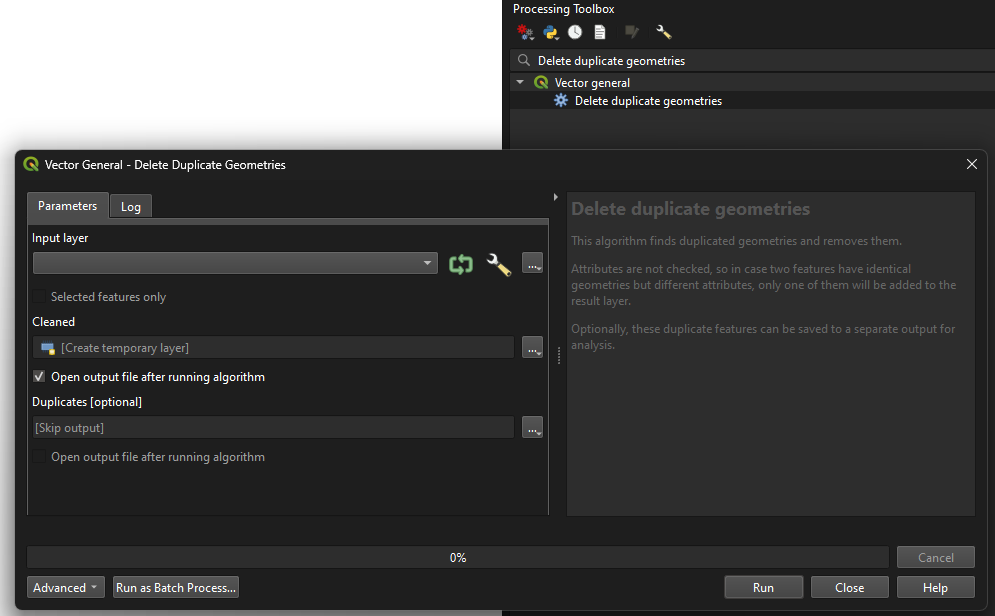
This feature was developed by Andrea Giudiceandrea
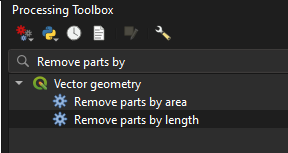
These new algorithms, "Remove parts by length" and "Remove parts by area", filter out parts of geometries from a vector layer by checking their area or length against a minimum size parameter.
If the input geometry is a multipart geometry, then the parts will be filtered by their individual sizes. If no parts match the required minimum size, then the feature will be skipped and omitted from the output layer. If the input geometry is a singlepart geometry, then the feature will be skipped if the geometry's size is below the required size and omitted from the output layer. Attributes are not modified.
Allows for layers to be transformed into a specific output CRS, if set.
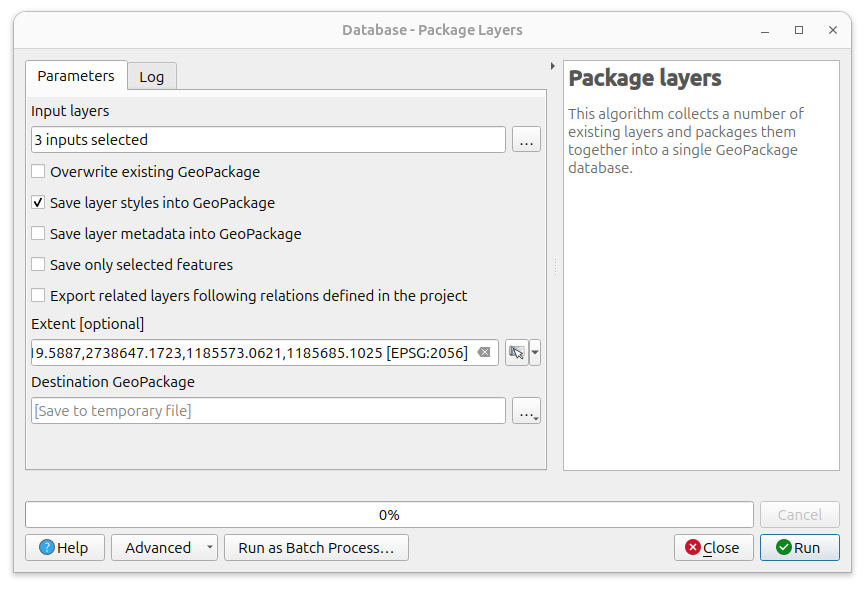
An optional parameter for Extent has been added to the Package Layers algorithm, allowing users to only export features that intersect a given extent from all the selected layers. If none of the features of a specific selected layer intersect the given extent, the layer will still be created and will be empty in the output GeoPackage.
This feature was funded by City of Frankfurt – Stadtplanungsamt
This feature was developed by Germap
Previous versions of the QGIS model designer had a fixed canvas size of 4000 x 4000, and new models were started at the top left of the canvas, which could lead to frustration when elements went out of bounds. The QGIS model builder will now dynamically manage the scroll area and enable a much smoother user experience.
Application and Project Options
QGIS now includes an auto-refresh mechanism for OAuth2 connections.
A cache cleanup to stop the auto refresh is triggered periodically, and when a layer is removed from the project. This is required to avoid unnecessary, endless refreshing of unused tokens.
This feature was developed by Alessandro Pasotti
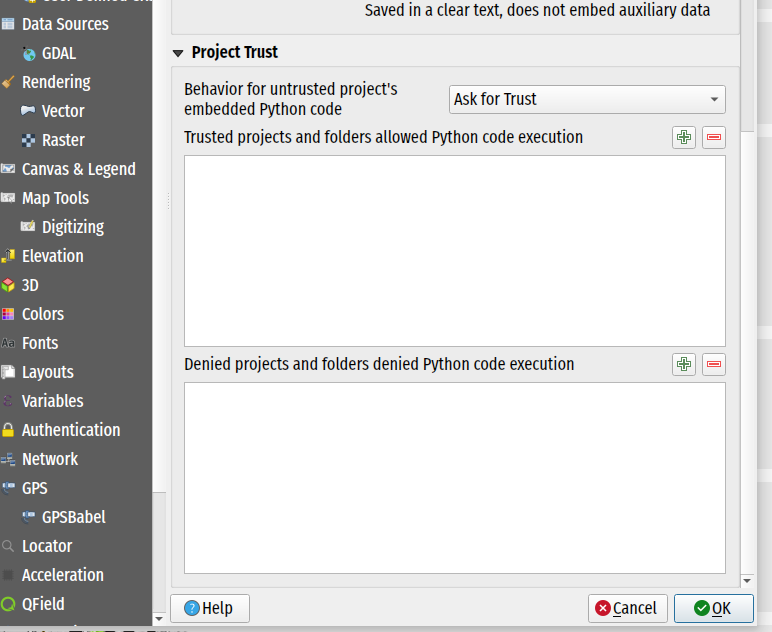
QGIS now includes a project-level "trust" mechanism that grants or denies execution of embedded Python code within projects. This is implemented in line with the Trusted Projects and Folders QEP.
As established in the QEP, the embedded code types covered are:
- macros;
- expression functions;
- actions; and
- attribute form init code
This gives users the ability to allow for granular code execution at the project level instead of global settings limited only by user profile configuration.
QGIS will provide users with a project trust dialog to offer the user generic information on what features to allow as well as preview code accordingly. Global settings are provided to allow or deny execution of features at project and path levels.
This feature was developed by Mathieu Pellerin
QGIS now links the app handling of elevation profiles to a new project-level elevation profile manager. Now, elevation profiles stored in the project can be reopened after opening a project, and changes made to the profile will be stored in the project.
There is also a fully functional elevation profile manager dialog, which is able to display/rename/remove elevation profiles from the project.
Translation support has been added for some key project and layer metadata values to QGIS' project translation system. This enhancement ensures that project translation can use the relevant metadata values for layout items such as labels, map canvas decorations, etc.
This is funded through an ongoing effort to add support for localized/translated projects into QField
This feature was developed by Mathieu Pellerin
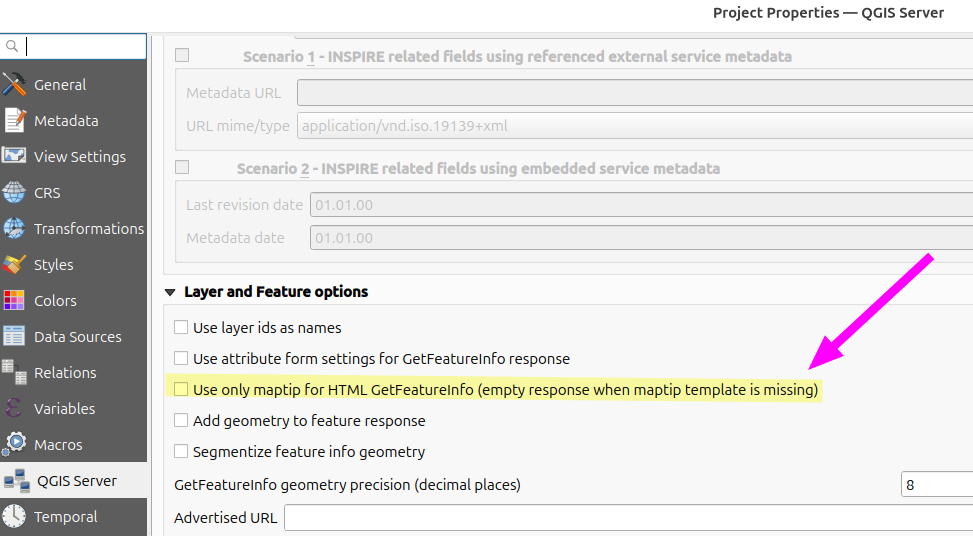
A new project setting for QGIS Server is provided to enable HTML GetFeatureInfo maptip-only mode.
This allows QGIS Server to use the WMS vendor parameter WITH_MAPTIP=HTML_FI_ONLY_MAPTIP and use only the maptip for the HTML GetFeatureInfo response.
This feature was developed by Björn Hinkeldey
Profile Plots
This new option is available from an elevation profile's settings menu as "Synchronize Layers to Project". It is unchecked by default, but when checked, the elevation profile's layers will always exactly match the project's main canvas layer structure, including groups and layer orders.
Groups cannot be created in the elevation profile. Any changes made to the main project's layer tree will immediately be reflected in the elevation profile's layer setup.
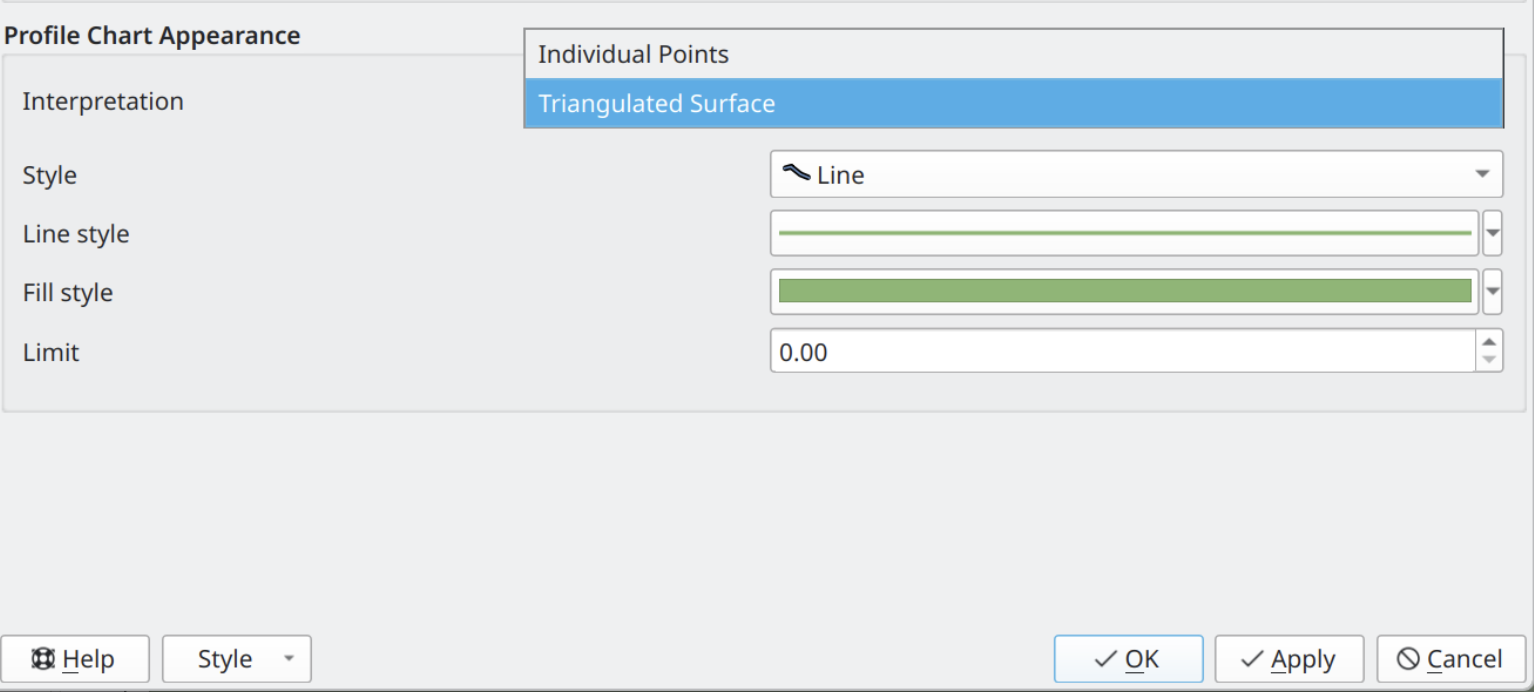
QGIS profile plots now include the ability for the elevation profile of a point cloud layer to be displayed as a continuous elevation line instead of individual points, allowing point clouds to be rendered similarly to vector or raster layers. Users can adjust the tolerance setting to improve results when too few points are present within the view, without triangulating the entire layer
This feature was funded by Danish Agency for Climate Data
This feature was developed by Dominik Cindric (Lutra Consulting)
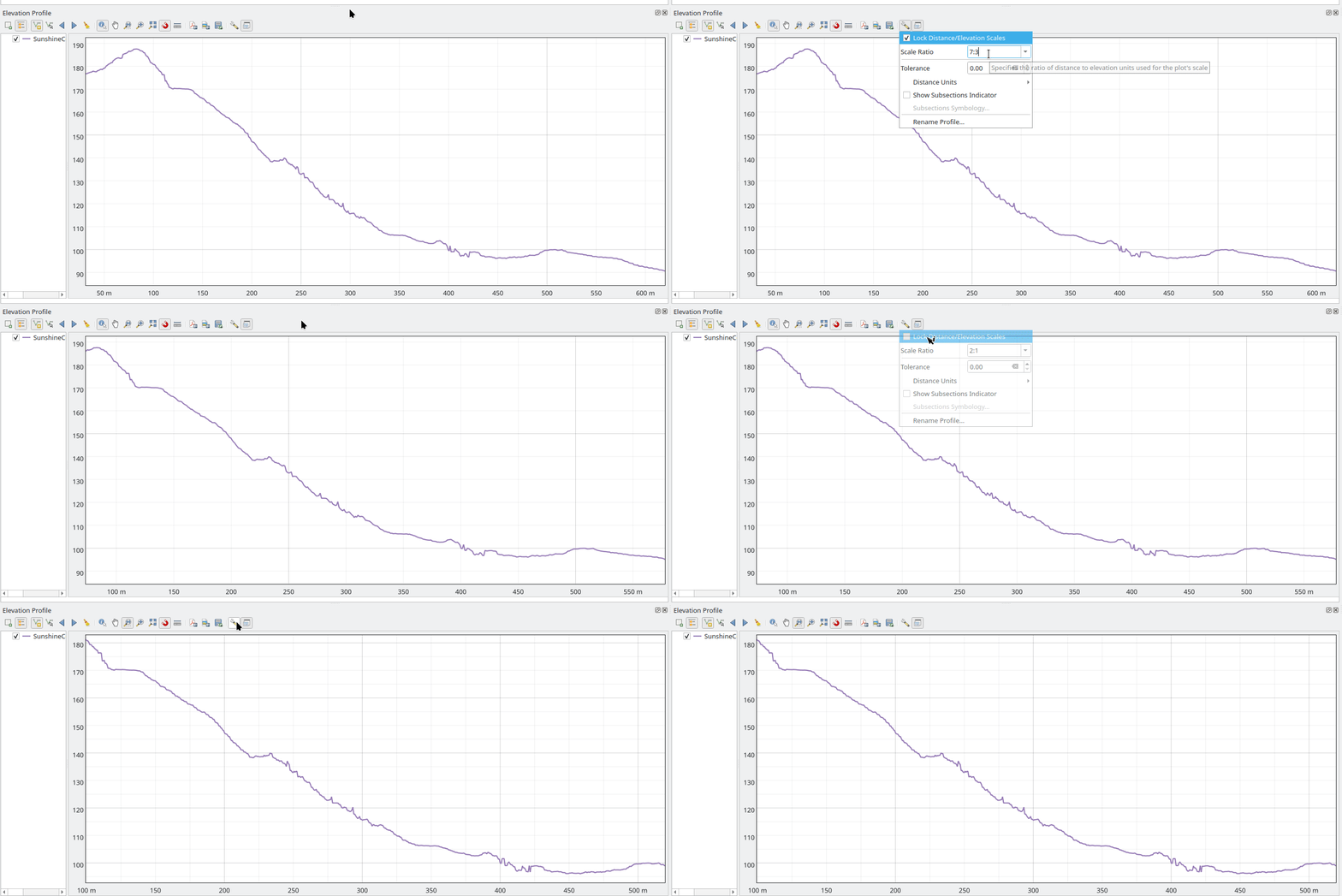
A new widget has been added for the displaying of the current distance:elevation scale ratio for elevation profile plots. The widget can also be used to set a specific ratio. If the "lock" option is enabled for the plot, then this scale ratio will be used instead of the default 1:1 ratio when zooming and navigating the plot.
Browser
Allow multiple tables to be moved into the specified schema at once.
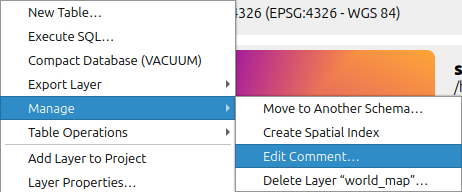
The QGIS Browser now includes the option to directly edit Table comment for databases that support this functionality.
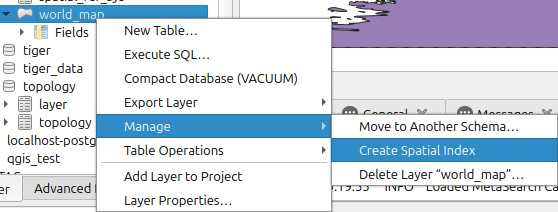
A new context menu option has been added to create or delete Spatial Indexes on providers that support it.
Data Providers
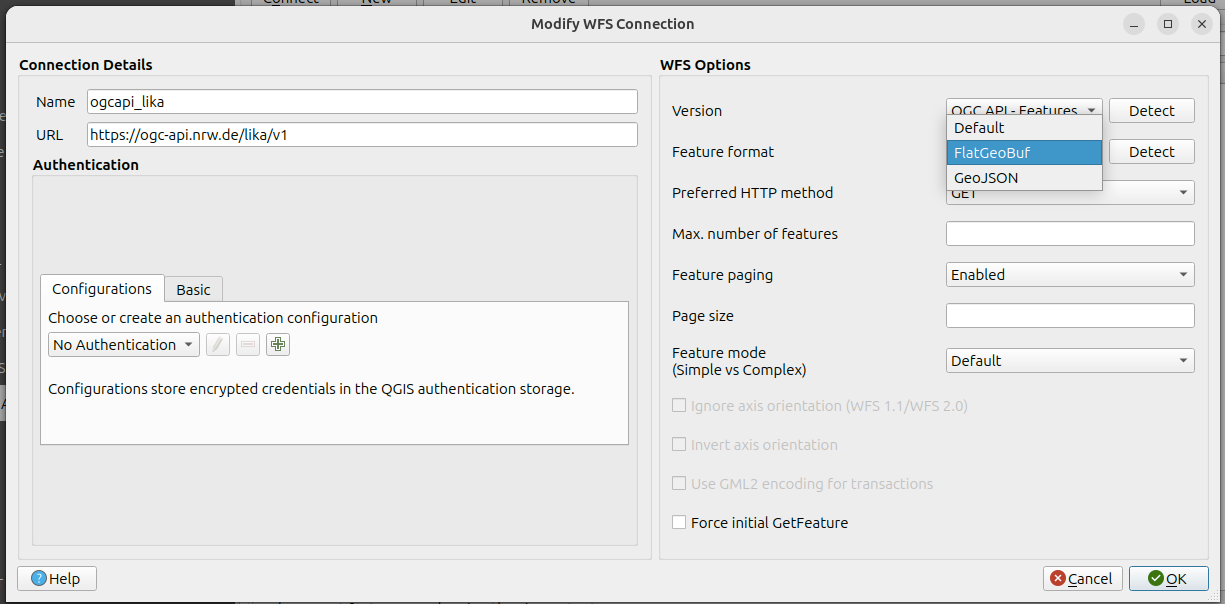
The OGC API for Features source configuration now includes support for GML outputs. Users may select it in the combo box in the "Modify WFS Connection" dialog if the server exposes it as a feature format.
Several scenarios are supported:
- Sources can be accessed with or without an XML schema available (through a rel=describedby link). As with WFS, the XML schema can be examined with the QGIS simple schema parser, or with GDAL GMLAS one, depending on the selected "Feature mode".
- Features can be retrieved with or without a bulk download link available (provided through a rel=enclosure link)
This feature was developed by Even Rouault
Feature: Allow OAPIF users to select an alternate format than GeoJSON with which to download features
Feature Services served from OGC API for Features sources that honour the outputFormat parameter in connection URIs should support additional output formats for retrieving features (e.g., FlatGeoBuf, GeoJSON, etc.). This allows users to select feature retrieval options other than GeoJSON from sources that support it for improved performance, compatibility, or extensibility according to their needs.
In the service connection dialog, users can use the new combo box to select their preferred output format. In addition, a new global setting for configuring "lastFeatureFormatEncoding" allows the previously defined value as the default for new connections.
This feature was funded by QGIS-DE - Anwendergruppe Deutschland e.V.
This feature was developed by Even Rouault
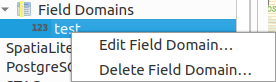
New menu items allow users to update and delete Field Domains on GPKG data sources. Requires GDAL >= 3.12
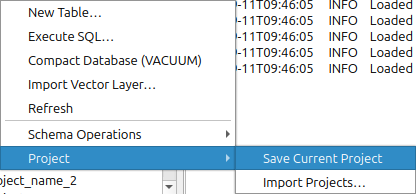
QGIS now natively supports the ability to save the current QGIS project to a PostgreSQL database, as well as import QGIS projects from a folder into a PostgreSQL database.
Two new menu entries for PostgreSQL connections are added:
- One for saving the currently opened QGIS project directly to the schema.
- The second item allows batch import of QGIS projects to the schema. Project names are checked for name collisions, and autoincrementing suffix values (e.g. _1, _2, etc.) are added if the project name already exists in the schema.
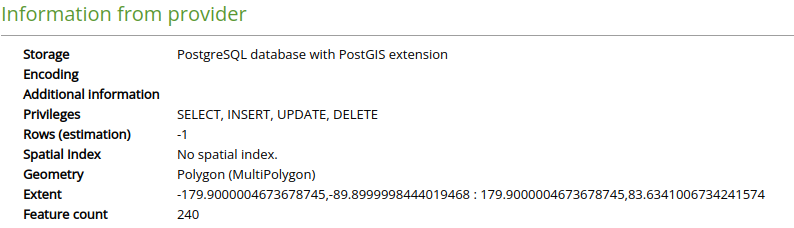
QGIS includes additional information in the Layer Properties for PostgreSQL layers, including:
- Privileges for the user regarding the table
- Estimation of rows
- Information about spatial indexes
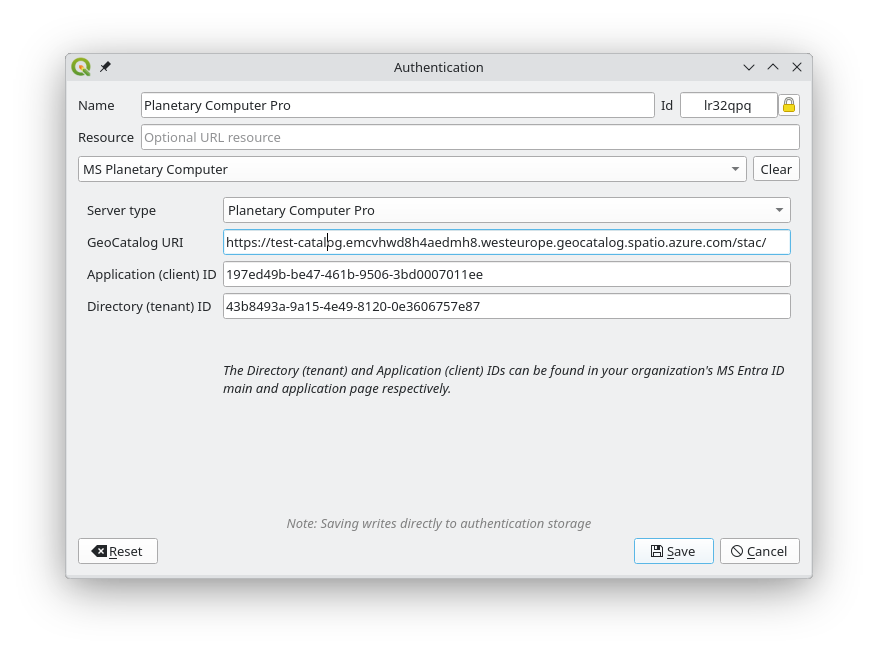
A new auth method is provided for use with the Microsoft Planetary Computer STAC catalog. The planetary computer requires using SAS sign tokens to access most assets' data, something that was implemented on the old STAC plugin but was missing from the core STAC implementation.
There are two modes for the new auth method:
- One is for the Open version of Planetary Computer, performing the SAS signing for assets
- The second is for Planetary Computer Pro GeoCatalogs, where, in addition to the SAS signing of assets, an OAuth2 authentication is also required
The new auth method can be used with STAC connections, or applied directly to individual gdal or point cloud layers whose data source is on the planetary computer. When a layer is added from a STAC catalog or directly using the data source manager, the authcfg will be appended to its URI so QGIS will use that config for the network requests. Authcfg encoding/decoding was also added to point cloud layers.
This feature was funded by Microsoft
This feature was developed by Stefanos Natsis (Lutra Consulting)
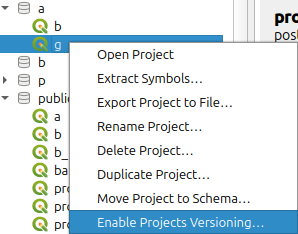
For QGIS Projects that leverage the new functionality to be stored directly in PostgreSQL, automatic version control can be enabled, which allows users to save, load, edit, and restore historic copies of their project. The process is mostly handled by a function and a trigger operation in the PostgreSQL Database, and multiple new menu items and dialogs have been provided to allow users granular control over the version management process.
Stores in the settings the preferred format for a WMS connection.
Allows to detect the formats actually advertized by the server and stores them in the settings for future use.

This feature was funded by QGIS-DE - Anwendergruppe Deutschland e.V.
This feature was developed by Alessandro Pasotti
QGIS Server
In QGIS Server, there is an option to ignore bad layers; however, layers identified as bad may become available later on, such as a failed network service that recovers (web server/ database, etc.).
QGIS Server therefore has a new option for QGIS_SERVER_RETRY_BAD_LAYERS. If this option is set to true, the server checks upon each request if the bad layers are available again. If a layer is available, it is marked as valid and will be used by the server.
QGIS Server now provides responses for GetFeatureInfo requests on Mesh Layers.
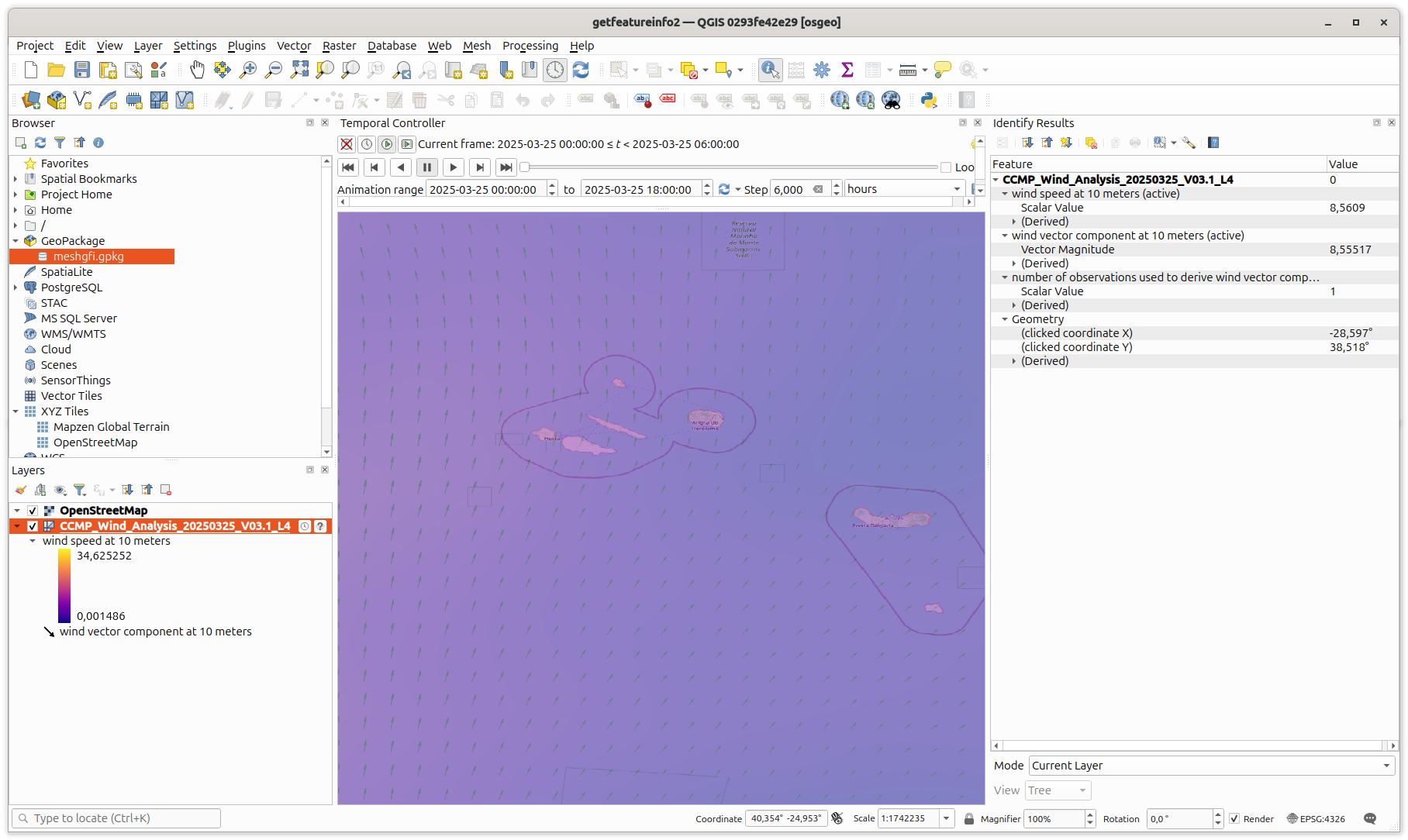
This feature was developed by Jorge Gustavo Rocha
Make the OAPIF service root path configurable through a new server setting
QGIS_SERVER_API_WFS3_ROOT_PATH
Change the default from “/wfs3” to “/ogcapi”.
This feature was funded by QGIS-DE - Anwendergruppe Deutschland e.V.
This feature was developed by Alessandro Pasotti
Programmability
The QgsGeometry Class is extended to include area3D, which is the 3-dimensional surface area of the geometry.
- For a Point or a LineString, it is always equal to 0.
- For a Polygon, it is equal to the 3D area of the exterior ring minus the 3d area of the interior rings.
- For a Polyhedral and a TIN, it is equal to the sum of the 3d areas of all its patches.
- For a GeometryCollection, it is equal to the sum of the 3d areas of all its geometries.
This feature was developed by Jean Felder
Previous versions of the QgsGeometryUtilsBase::pointsAreCollinear method only worked for 2D points; it has now been extended to support 2D and 3D points and calls the corresponding QgsGeometryUtilsBase function. A new QgsGeometryUtilsBase::points3DAreCollinear has also been introduced, which works for 3D points.
The PyQgis API now provides a method to natively convert QgsVectorLayer objects to Geopandas dataframes, including the attributes. Note that this requires the GeoPandas library as a dependency in the QGIS Environment.
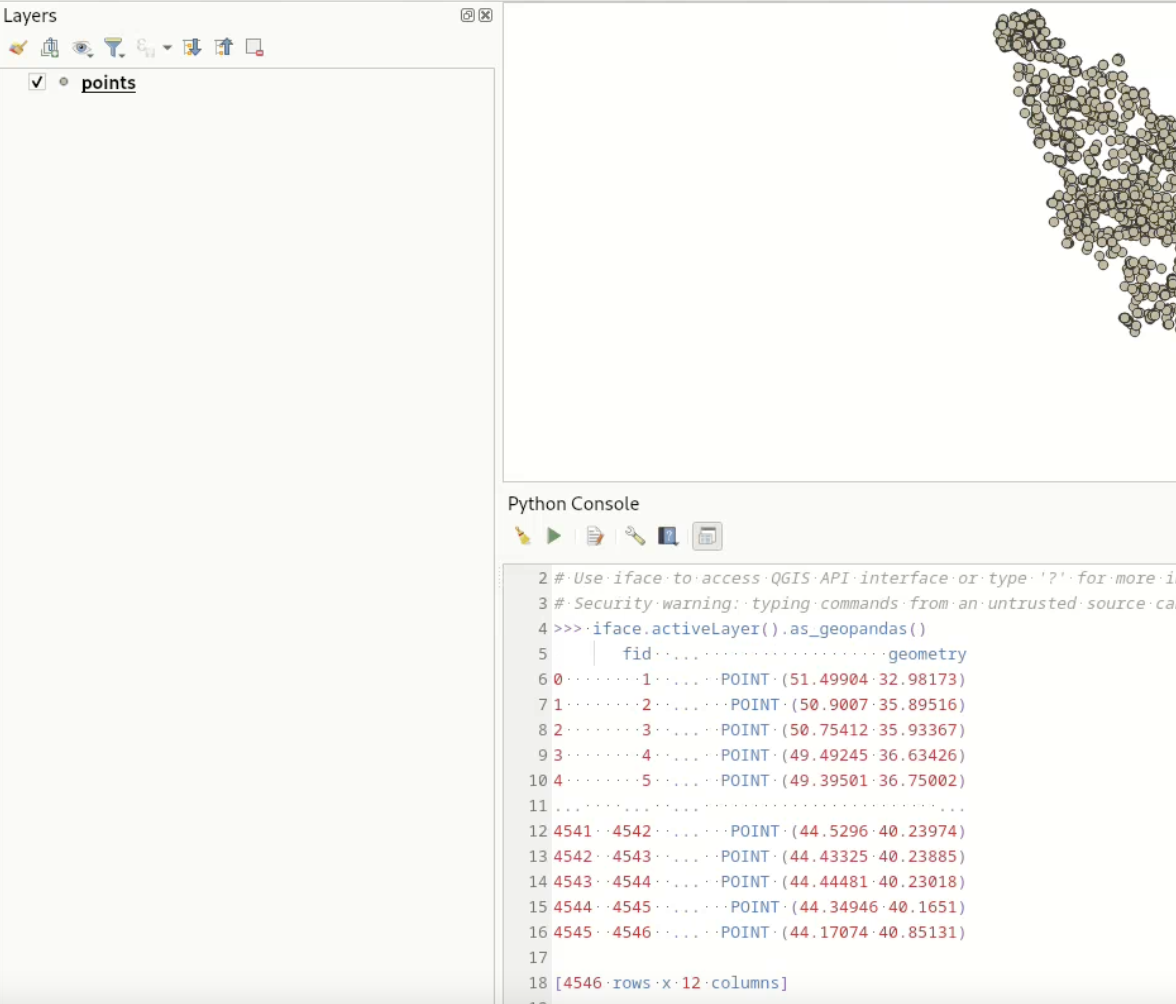
This feature was developed by Till Frankenbach
Users can now create custom map tools to interact with the 3D map canvas using the Qgs3DMapTool base class.
The 3D Cross section tool functionality is now exposed to the PyQgis API. One can now easily create and apply the four clipping planes to a 3D map view using Python and a 3D view's map coordinates.
The duplicated Ray3D class has been removed in favor of QgsRay3D, which has had missing methods added accordingly. The exposure of Qgs3DMapCanvas::castRay() to the PyQgis API will effectively allow Python plugins to perform ray casting in 3D map canvases and manage the resulting hits.
The QGIS API was extended to support the implementation of blank area operations in line with QEP #345.
The Processing Hub distance algorithm has been ported from Python to C++.
This algorithm replaces Distance to nearest hub (points) and Distance to nearest hub (line to hub) algorithms as it produces two optional outputs as these two algorithms. The original algorithms are marked as deprecated.
This feature was developed by Alexander Bruy
Native support for SFCGAL, an advanced geometric computations library, has been added to QGIS in line with QEP #340.
This feature adds two primary additional classes to the QGIS API:
- QgsSfcgalEngine: Exposes SFCGAL C API to QGIS. Also adds memory and error management.
- QgsSfcgalGeometry: Keeps a handle to SFCGAL geometry representation to reduce geometry conversion between QGIS and SFCGAL
Developed with support from:
- CEA/DAM
- CP4SC/France Relance/European Union
- Stadt Frankfurt am Main
- Oslandia
- OPENGIS.ch
This feature was developed by Benoit D.-M. - oslandia
Notable Fixes
| Bug Title | URL issues.qgis.org (if reported) | URL Commit (Github) | 3.40 backport commit (GitHub) |
|---|---|---|---|
| QGIS Server won't render VRT in WMS requests | #64733 | Not a bug: local issue with setting the environment | |
| QGIS Server ignores MAP override when QGIS_PROJECT_FILE is set | #64723 | Won't fix (not a bug) | |
| Server: landingpage webapp only functions if built with server python plugins support | #64556 | PR #64763 | No |
| Raster calculator fails when OpenCL acceleration is turned on | #64574 | PR #64779 | No |
| Singleband Gray Shader should create 32 bit values not just 16 bit | #64560 | Won't fix (not a bug) | |
| Virtual raster provider memory leak - memory not released until QGIS closed | #64559 | PR #64785 | TODO |
| [gdal] Consider mask bands as a normal alpha band | #64642 | PR #64795 | |
| Raster Attribute Table for S-102 does not display correctly | #64797 | PR #64811 | TODO |
| Arrow symbol layer data-defined properties not using defaults for NULL | PR #64680, PR #64828 | ||
| "Reuse last entered value" not applied when using PyQGIS | #64655 | Won't fix (not a bug) | |
| SpatiaLite provider returns wrong schema for views (caches columns from underlying joined tables instead of view definition) | #64742 | PR #64902 | TODO |
| Updated Canvas gives inconsistent Min / Max values and colour ranges for a local raster vs. the same raster in postgres | #64917 | PR #64953 | PR #64998 |
| Bands get cleared after attribute table creation fails, causing rendering issues and crashes | #65040 | PR #65052 | |
| [ogr][gpkg] Fix wrong row count when attribute filter | #65067 | PR #65097 | No |
| [ogr] Add OGR_L_GetAttributeFilter | #65067 | PR #14005 | N/A |
| visualizing GDAL raster with band scale and offset values will introduce very large histograms into the raster | #59461 | PR #63294 | |
| Rendering of PostGIS rasters ignores Transparency NoData value setting | #63171 | PR #63258 | Yes |
| Add additional QStringLiteral entries to SQLite utils | #50553 | PR #63105 | |
| 'Fixed Interval' and 'Pretty Breaks' Graduated Renderers don't work when field has all the same values | #63277 | PR #63298 | |
| Identify Features tool ignores Transparency NoData value setting on PostGIS rasters | #63133 | PR #63321 | |
| Raise warning when trying to modify read-only layer with field calculator | #63111 | PR #63337 | |
| QGIS Server does not list one layer in WMS GetCapabilities if datum transformation is used | #61293 | Cannot reproduce (again) | |
| QGIS Server Layer(s) not valid Exception with multiple projects using same WMS Layer | #62608 | Cannot reproduce | |
| Adjusting min/max cumulative count cuts for rasters in layer styling panel | #63075 | Cannot reproduce (feedback) | |
| Refresh layer at interval has no effect after loading project | #63007 | PR #63389 | |
| Browser not showing CurvePolygons in LTR or Latest | PR #63404 | ||
| Copy one style category and paste it collectively to multiple layers removes the settings of the other style categories | #63167 | PR #63408 | |
| Value relation widget does excessive calls to PostGIS database | #63410 | PR #63418 | |
| Adding a network file vector layer ends with a lot of server calls for the same data | #63407 | Cannot reproduce (feedback) | |
| Sld export error with expression based labels | #63402 | PR #63419 | |
| Selective pasting style does not change the ‘Automatically insert into print layout legend elements’ setting in raster layers | #63346 | PR #63430 | |
| Value Relation with current_value() not updating when changes made outside of the attribute form | #63448 | PR #63468 | |
| @current_feature VS @feature | #63488 | Not a code bug (maybe documentation) | |
| Qgis Desktop does not honor layer order in get capabilites in external wms | #62918 | PR #63492 | |
| Using "Subset filter" from the "Execute SQL" dialog is not applied | #62542 | PR #63605 | |
| SQL editor allow undo after clear | mail thread | PR #63621 |
This feature was funded by QGIS.ORG (through donations and sustaining memberships)
This feature was developed by Alessandro Pasotti (QCooperative)
| Bug Title | URL issues.qgis.org (if reported) | URL Commit (Github) | 3.40 backport commit (GitHub) |
|---|---|---|---|
| qgis/gdal garbage collection causes segfault | #58724 | PR #64766 | No |
| NetCDF with EPSG:3416 misaligned is latest qgis ltr | #64873 | PR #13886 | N/A |
| Bug in QgsVectorFileWriter when providing the name of the FID field | #63320 | PR #64878 | PR #64903 |
| QgsVectorFileWriter: fix writing NurbsCurve to OGR, by converting them to LineString | Unreported | PR #64906 | N/A |
| Build issue on NixOS | #64937 | Invalid | |
| Float16 rasters do not render correctly | #64923 | PR #64990 | PR #65024 |
| building master in pkgsrc; mostly ok! | mail thread | Not a bug | |
| Rasters with GCPs and overviews render incorrectly when zoomed out | #65011 | PR #13968 | N/A |
| Huge Performance Regression using VRTs on Versions > 3.40.6 | #63293 | PR #13116 | N/A (GDAL fix) |
| Problème lecture shapefile | #63787 | PR #4599 | N/A (PROJ fix) |
| USE_PRECOMPILED_HEADERS related issue | mail thread | PR #63794 | PR #63811 |
| Crash trying to open a shapefile | #63826 | PR #13350 | N/A (GDAL fix) |
| Replace all remaining uses of connect(,SIGNAL,,SLOT) in src/ | Unreported | PR #63832 | N/A |
| Crash with invalid WMS/WMTS source | #62372 | PR #63833 | PR #64016 |
| JSON column from GeoPackage is not read correctly | #62377 | No longer reproducible / likely fixed | |
| Fix build warnings on Fedora | Unreported | PR #63910 | N/A |
| Fix cppcheck missingOverride and functionConst warnings | Unreported | PR #63913 | N/A |
| [CI] Port OGC tests to ubuntu:25.10 Qt6 | Unreported | PR #64135 | N/A |
This feature was funded by QGIS.ORG (through donations and sustaining memberships)
This feature was developed by Even Rouault (Spatialys)
| Bug Title | URL issues.qgis.org (if reported) | URL Commit (Github) | 3.40 backport commit (GitHub) |
|---|---|---|---|
| pyqt5_to_pyqt6.py: Some known incompatibilities do not lead to error exit code | #62559 | PR #63526 | No |
| [PyQt5_to_PyQt6] Fix all imports coming from Qt module | Unreported | PR #63565 | |
| QgsLayoutExporter.exportToPdf() does not have the same return value type if an iterator is passed or not | #62501 | Won't fix? | |
| Broken themes in geospatial PDF | #62014 | PR #63580 | TODO |
| pyqt5_to_pyqt6.py produces broken syntax for imports | #64185 | PR #64926 | PR #64941 |
| pyqt5_to_pyqt6.py does not catch "from PyQt5 import QtWidgets" etc | #63711 | PR #64930 | PR #64939 |
| The "Session Role" function is not applied to loaded layers | #62930 | Already fixed | |
| set session role not working on creation of tables and schema | #63866 | Failed to reproduce | |
| Layout export to GeoPDF: incorrect layers' order when a "PDF Group" is set | #63475 | PR #64983 | TODO |
| pyqt5_to_pyqt6.py: Some suggestions reference wrong class | #64462 | PR #64989 | TODO |
| [GeoPdfExport] Avoid map theme contaminate non-map-theme items | Reported directly without issue | PR #65008 | PR #65108 |
This feature was funded by QGIS.ORG (through donations and sustaining memberships)
This feature was developed by Julien Cabieces (Oslandia)
This feature was funded by QGIS.ORG (through donations and sustaining memberships)
This feature was developed by Denis Rouzaud (OPENGIS)
| Bug Title | URL issues.qgis.org (if reported) | URL Commit (Github) | 3.40 backport commit (GitHub) |
|---|---|---|---|
| Project functions in editor, save doesn't really save...? | #62752 | PR #63425 | |
| Diagram properties related to variables and expressions are not saved | #62936 | PR #63479 | |
| Crash in layer styling panel when closing a project if DD Property Assistant is open | Unreported | PR #63549 | |
| QGIS crashes when opening print layout | #64218 | PR #64813 | N/A |
| Fix custom node initialization for custom elevation profiles | #65058 | PR #64762 | N/A |
| Diagrams: histograms with only negative values don't render | #63980 | PR #64992 | PR #65211 |
| Attributes Form is not the same when called via GUI or when called via PyQGIS | #65010 | Not a bug | |
| Layers added using a .qlr file cannot be added to an open Elevation Profile View | #58533 | Already fixed | |
| Group title not updated in .qgs | #65085 | Invalid bug, issue related to a plugin |
This feature was funded by QGIS.ORG (through donations and sustaining memberships)
This feature was developed by Germán Carrillo (OPENGIS)
| Bug Title | URL issues.qgis.org (if reported) | URL Commit (Github) | 3.40 backport commit (GitHub) |
|---|---|---|---|
| Tabbing to start of custom formatted Date/Time field in attribute form not working | #65022 | PR #65023 | |
| Plugin manager shows changelog of current version, even for upgradable plugins | #64792 | tbd | |
| QGIS does not request default style for WMS layer when in group/container | #63754 | PR #65081 | |
| Several issues with a temporal WMS (only one image is displayed using the Temporal Controller) I | #64099 | PR #64925 | |
| Several issues with a temporal WMS (only one image is displayed using the Temporal Controller) II | #64099 | PR #64863 | |
| [mvt] WMS raster sources are not working | #61040 | PR #65087 | |
| Add unit tests for unzip function in pyplugin installer | Requested in PR #65051 | PR #65119 | |
| Fix WMTS-T layers temporal capabilities resourceURL selection | #54043 | PR #65190 | |
| Set selected section to the first section on focus in QgsDateTimeEdit | #65022 | PR #65023 |
This feature was funded by QGIS.ORG (through donations and sustaining memberships)
This feature was developed by Till Frankenbach (OPENGIS)
| Bug Title | URL issues.qgis.org (if reported) | URL Commit (Github) | 3.40 backport commit (GitHub) |
|---|---|---|---|
| 'Identify' function in a 'QgsMapToolIdentify' descendant crashes | #61372 | ||
| VPC Virtual Point Cloud - Do not show the point cloud or really lately in Vue2D | #59793 | ||
| Curl SSL error | #33 | ||
| VPC Virtual Point Cloud - Error when creating VPC from HTTPS/URI sources | #59802 | PR #66 | |
| LAS/LAZ file without CRS fails to load | #50438 | ||
| PDAL prevents LAS/LAZ 1.4 from opening if global_encoding set as 1 | #51862 | ||
| Fix 3d view shortcuts | Unreported | PR #63523 | |
| Fix zooming with right mouse button in 3D views | Unreported | PR #63537 | |
| Fix 3d point lights | Unreported | PR #63525 | |
| 3D map view does not update on layer filter changes | #62925 | PR #63477 | PR #63511 |
| Fix 2d rendering of remote COPC files in virtual point clouds | comment | PR #63471 | |
| 3D Tiles in 3D View: Loading 2 tiles | #63340 | PR #63469 | |
| 3.44.1 hangs after exporting 256 images of 3D animation | #62959 | PR #63469 | |
| Update untwine to 1.5.1 | PR #63543 | ||
| Update pdal_wrench to 1.2.2 from upstream | PR #63544 | ||
| Update MDAL to 1.3.2 from upstream | PR #63546 | ||
| [3D] Avoid clamping vertices to actual nodata value | Unreported | PR #64845 | |
| Data corruption using "Split Features" on a LineStringZ in GeoJSON | #63581 | PR #64986 | Pending |
| Changing styling of a VPC layer resets the previous styling | #59419 | PR #64988 | PR #65020 |
| Fix sip_include.sh after pyqt5 removal | Unreported | PR #64974 | N/A |
| Make the extent widget hold the full precision of the chosen extent | Unreported | PR #64919 | |
| Fix endless terrain levels generation | Unreported | PR #64875 | |
| Always check pointer initialized inside if initializer | Unreported | PR #64871 | |
| No "Style manager" tab for point clouds in Layer styling panel | #64789 | PR #64868 | |
| Tidy includes in point clouds and 3d code | Unreported | PR #64820 | |
| Remove code for QT version < 6.6 | Unreported | PR #64809 | |
| Plugin installer can leave a plugin in a broken state on failed upgrade | #64790 | PR #64807 | TODO |
| Avoid module wide QtConcurrent imports | Unreported | PR #64775 | |
| Avoid crash when edit-in-place layer is removed | Unreported | PR #65107 | Topo |
| 3D Map View crashes QGIS when project uses UTM projection | #41171 | No longer reproducible | |
| Simple lines rendered incorrectly in 3D | #51286 | No longer reproducible | |
| Some feature are not rendered in a 3d map view when using rule based renderer | #47581 | Already fixed |
This feature was funded by QGIS.ORG (through donations and sustaining memberships)
This feature was developed by Stefanos Natsis (LutraConsulting)
This feature was funded by QGIS.ORG (through donations and sustaining memberships)
This feature was developed by Jean Felder (Oslandia)
| Bug Title | URL issues.qgis.org (if reported) | URL Commit (Github) | 3.40 backport commit (GitHub) |
|---|---|---|---|
| PDAL processing are not exposed if QGIS is build without PDAL support | #63106 | PR #63181 | |
| Georeferencer: "Trasformation Settings" window is too tall and it disappears when trying to resize it | #63157 | PR #63192 | |
| Vector "Layer Properties -> Legend" window is too tall and it disappears when trying to resize it | #63159 | PR #63204 | PR #63290 |
| Unclear message for incompatible plugins in Plugin Manager | #62606 | PR #63205 | |
| ExecuteSQL algorithm does not allow input layers without geometry | #63218 | PR #63229 | PR #63237 |
| Import Geotagged Photos tool not reading HEIC EXIF data | #60853 | ||
| Casting point geometry of a feature to QgsPointXY crashes Qgis 3.40 | #60963 | ||
| qgis renders single band paletted image with valid data mask as multiband | #61283 | PR #63254 | PR #63363 |
| "No" notification when activating "GRASS GIS Processing Provider" without GRASS installed | #61672 | PR #63303 | |
| Fix handling of tiled scene and vector tile layers in Processing | Unreported | PR #63323 | PR #63343 |
| Processing "Output folder" parameter seems unreliable if left to default value | #61965 | PR #63328 | PR #63396 |
| No layer name in "force by selected geometries" contextual menu if overlapping vector features | #50049 | PR #63342 | |
| Temporary layers are invisible in canvas QGIS 3.28+ | #52149 | ||
| QGIS GUI not displaying IAU codes in UI when in PROJ.db | #54514 | ||
| Better control the scope of the "Run sipify" action | #62313 | PR #63403 | |
| "Recent fonts" list is always empty | #52169 | PR #63423 | PR #63485 |
| Copy-pasting a "label settings" item turns it into a "text format" item | #40217 | PR #63440 | PR #63490 |
| Project Settings Panel - Can't Reach Dialog Buttons For Large Font Sizes | #58290 | ||
| "Data source encoding" dropdown not shown in layer properties for delimited text layer | #55443 | PR #63478 | PR #63552 |
| Addition of an option to select favourite tools in the processing menu | #56806 | ||
| Undo/redo in Styling panel does not refresh canvas with labelling change | #60250 | PR #63493 | PR #63506 |
| Check geometry (angle) does not check whether feature ID is unique | #61398 | PR #63304 | |
| Building master (63a8d7b) fails on "call of overloaded (... QByteArray ...) is ambiguous" | #63560 | PR #63574 | PR #63606 |
| Optional "Gap errors" output not really optional | #63614 | PR #63616 | |
| Fix crash and wrong coordinate order in the WCS source widget | Unreported | PR #63615 | PR #63632 |
| Fix several issues with geometry check algorithms | Unreported | PR #63304 | |
| WCS Request fails due to wrong BBox using "Map Canvas Extent" or "Draw on Canvas" | #62528 | PR #63542 | TODO |
| wcs spatial extent uses wrong projection | #50432 | ||
| String aggregate-related functions treat NULL and empty strings interchangeably | #35433 | PR #63324 | TODO |
This feature was funded by QGIS.ORG (through donations and sustaining memberships)
This feature was developed by Alexander Bruy (QCooperative)
Nyall Dawson
| Bug Title | URL issues.qgis.org (if reported) | URL Commit (Github) | 3.40 backport commit (GitHub) |
|---|---|---|---|
| Fix nothing happens when zooming to very small line feature extent | Unreported | PR #65215 | PR #65274 |
| Don't immediately validate child algorithms in models | Unreported | PR #65183 | N/A |
| [browser] Don't permit renaming tables which are open in the current project | Unreported | PR #65182 | N/A |
| Extend timeout for processing executable tests | Unreported | PR #65161 | PR #65224 |
| Downgrade thread safety check to non-fatal | Unreported | PR #65148 | N/A |
| Fix network fetching tasks triggered by rendering of map layers using raster marker symbol layer never complete | #65137 | PR #65147 | Too risky, potential backport after 3.44.10? |
| [server] Fix completely broken service url setting handling | Unreported | PR #65117 | PR #65226 |
| Fix broken value range when calling deprecated setComponentValue int variant | Unreported | PR #65115 | PR #65135 |
| [wms] Fix regression in encode/decodeUri | Unreported | PR #65114 | N/A |
| Fix a bunch of python tests weren't actually run on CI | Unreported | PR #65113 | |
| Fix assert triggered on qt6 builds | Unreported | PR #65079 | N/A |
| [gdal] Fix openfilegdb raster path decoding/encoding | Unreported | PR #65078 | PR #65096 |
| Fix mdb files not shown in browser for non-windows platforms | Unreported | PR #65077 | PR #65098 |
| Fix failing dock widget test on newer Qt versions | Unreported | PR #65073 | N/A |
| [browser] Prevent deletion or rename of fields when table is open in project | Unreported | PR #64958 | Not suitable |
| Fix strict curved label anchoring when placement is on line | Unreported | PR #64736 | PR #64801 |
| Move to QGIS4 settings storage, add migration from QGIS3 | #61636 | PR #64752 | N/A |
| Ensure QString and Qt::StringLiterals namespace are present when needed | Unreported | PR #64724 | N/A |
This feature was funded by QGIS.ORG (through donations and sustaining memberships)
This feature was developed by Nyall Dawson (North Road)
Import PR from Github into Entries